What should you look for when choosing?
Start by checking how visible the picture is from your seat. Then consider the room lighting, projection distance and how you want to watch cooking shows.
| What to consider |
What should you look for? |
Who is this important for? |
| Viewing from a side seat |
Check the horizontal viewing angle of the specific screen material. If possible, view the setup from the seat where you usually sit. |
If I’m looking at the screen from an angle, I want to follow recipes and subtitles without the picture looking noticeably darker. For around 36% of consumers, viewing from a side seat is the main consideration. |
| Picture with the room lights on |
Consider brightness alongside the image size and the light falling on the screen. Don’t compare lumen figures without taking the measurement standard used into account. |
When I’m watching during the day or with the lights on, I want to see details at my chosen image size. For around 29% of consumers, a clear picture in ambient light is the top priority. |
| Projector placement |
Measure the distance to the wall and check the throw ratio and placement options for the exact model. |
If the available space determines my setup, I want to know whether the projector can produce a suitable image from the position I have in mind. Flexible placement is the top priority for around 21% of consumers. |
| Access to shows |
Check that your chosen app works on the specific version and find out what account or subscription requirements apply. You may need an HDMI connection for an external source. |
If I want to watch cooking shows, I want to know in advance whether my chosen service is available through the projector or a connected device. For around 14% of consumers, access to shows comes first. |
Projectors at Joybuy
This Joybuy selection includes compact smart projectors and a Full HD projector for a permanent setup. The screen’s properties remain key to how clear the picture looks from a side seat. Before buying, check that the specific version has the required CE marking.
 No image available
CC360 FHD smart projector
Worth comparing if you want to use streaming apps directly on a compact projector; the product listing mentions FHD and built-in apps.
The product description mentions automatic image adjustment, HDMI and wireless casting. Check that the app you want is available on this version.
View at Joybuy
 No image available
Dangbei N2 Mini
A portable option worth comparing if you regularly move your projector; the product name mentions 1080P and a Netflix version.
The product description mentions autofocus, keystone correction and obstacle avoidance. A Netflix subscription is required.
View at Joybuy
 No image available
Yaber K2s
Worth comparing if you’re looking for built-in streaming apps; the product description mentions Google TV and apps.
The product name states native 1080P. The description mentions autofocus and keystone correction; check that the apps you want are available on this version.
View at Joybuy
 No image available
Magcubic HY350Max
A portable option worth comparing if you want to position the projector flexibly; the product name mentions 180° rotation.
The product name states native 1080P and 900 ANSI lumens. The description mentions Android 14, autofocus and automatic keystone correction.
View at Joybuy
 No image available
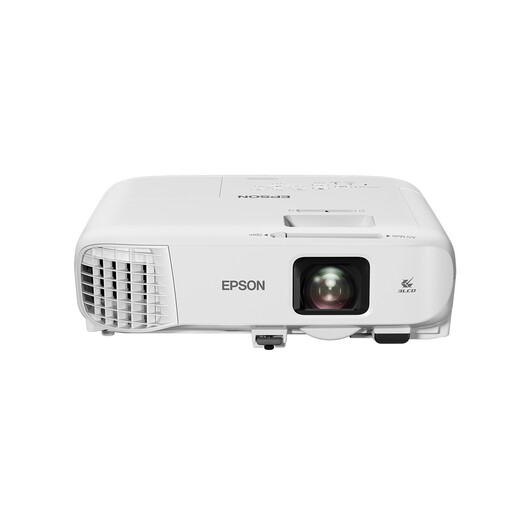
Epson EB-992F
A permanent Full HD projector worth comparing if stated brightness and flexible positioning are important to you.
The product description states 4.000 ANSI lumens, 1,6× optical zoom and horizontal and vertical keystone correction. No Wi-Fi or Bluetooth features are listed; you’ll need an external source connected via HDMI for streaming.
View at Joybuy
Frequently asked questions
Can keystone correction fix a dark picture from a side seat?
No. Keystone correction helps adjust the shape of the projected image, but it doesn’t change how the projection surface reflects light. So check the screen’s horizontal viewing angle, too.
How should you plan the setup before ordering?
Measure the distance between the projector and the wall, decide on your preferred image size and check the throw ratio of the exact model. Then see whether the side seat falls within the projection surface’s stated viewing angle.
What should you do if there’s a fault, and can you return an online purchase?
In the Netherlands, the retailer is your point of contact if there’s a problem with a product; the Dutch government does not specify a fixed, general statutory warranty period. For a standard online consumer purchase, you generally have a cooling-off period of up to 14 days after delivery. ACM ConsuWijzer explains the cooling-off period; check which exceptions and return conditions apply.
What product requirement is relevant when buying in the Netherlands?
Electronic devices placed on the EU market must meet the relevant safety requirements and carry the required CE marking. The Dutch government emphasises that a retailer’s listing alone does not confirm that a specific version is compliant.
Where can you take an old projector?
Take a discarded electrical device to a suitable collection point or, when buying a similar new device, use the take-back scheme. According to the Dutch government, this scheme also applies to online purchases.


