What should you look for when choosing?
First decide whether you want to play files from a laptop or directly from USB. Then consider the room, how you’ll transport the projector, and what visitors need to be able to see and hear.
| What to consider |
What should you check? |
Who is this important for? |
| Playing your own files |
Check whether the USB port really has a file-reading function, or connect a laptop using the correct input. Test representative photos and videos in advance. |
If you want to show archive files without a laptop, standalone playback is your first concern. Around 33% of consumers prioritise playing their own files. |
| Picture quality in a lit room |
Assess how much you can darken the room and consider your preferred image size. Only compare brightness figures when they use the same measurement basis. |
If you can’t make the room properly dark, you’ll want to know whether the picture will be easy to follow from the planned position. Around 27% of consumers give room lighting top priority. |
| Transport and positioning |
Check the weight, power supply, available space and distance from the projection surface. |
If you take the setup to different venues, transport and finding a suitable position are important considerations. Around 20% of consumers prioritise transport and positioning. |
| Picture and sound for the group |
Check the native resolution and available audio options. Where possible, assess how clear the sound is from the seats at the back of the room. |
If you want to share details and spoken commentary with the whole group, picture and sound both matter. Around 20% of consumers give readability and audibility top priority. |
Projectors for use with a laptop
This product selection covers projectors for showing local files from a laptop via HDMI. Check the connections on each model and test your own files in advance; a USB connection doesn’t automatically mean you can play files from a USB stick.
 No image available
XGIMI Vibe One Full HD 1080p projector, Match Night EU Edition
This option is included for use with a laptop; check which connection your laptop needs before buying.
The product name mentions a built-in battery and a projection screen with a stand.
View at Joybuy
 No image available
XGODY Gimbal A8 projector, native 1080P, 1200 ANSI
This option is included for use with a laptop; check which connection your laptop needs before buying.
The product name lists HDMI and USB. A USB connection alone doesn’t confirm that files can be played from a stick.
View at Joybuy
 No image available
XGODY Gimbal N6 Pro projector, native 1080P, 700 ANSI
This option is included for use with a laptop; check which connection your laptop needs before buying.
The product name lists HDMI and USB. Check separately what the USB connection is for.
View at Joybuy
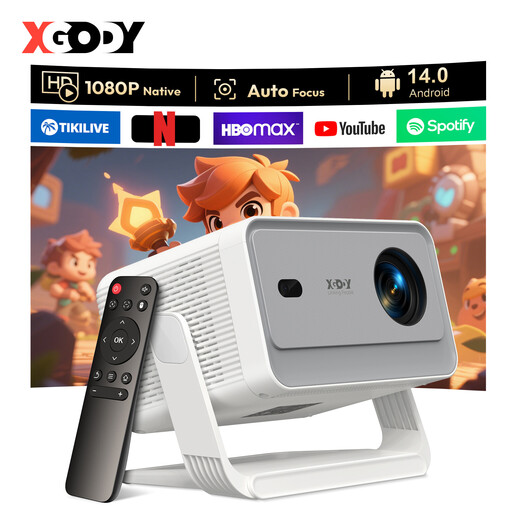 No image available
XGODY Gimbal A6 Pro projector, native 1080P, 650 ANSI
This option is included for use with a laptop; check which connection your laptop needs before buying.
The product name lists HDMI and USB. A USB connection isn’t automatically a file reader.
View at Joybuy
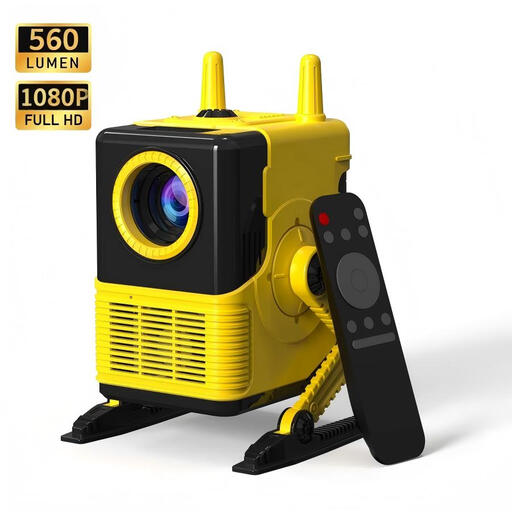 No image available
XBJ H8 LCD projector, 1080P support, 560 lumens
This option is included for use with a laptop; check before buying that the connections are compatible with your laptop.
The product name lists HDMI, USB and four-point keystone correction. The USB connection listed doesn’t confirm playback from a stick.
View at Joybuy
Frequently asked questions
Can every USB port on a projector open photos and videos?
No, it varies by model and port. BenQ specifies a USB-A port with a file-reading function for the GP100A, while ViewSonic describes the M1X’s USB-A port as supplying power to connected devices. Check what the exact port does and test your files.
How should I prepare to show my own files?
Choose one playback method in advance and test a representative selection of photos and videos, including sound and transitions. For USB playback, check the file-reading function and file compatibility. If you’re using a laptop, check that the projector has the connection you need.
Can I show someone else’s archive photos or films at a community event?
Not automatically: according to the Rijksoverheid, you need the creator’s permission to use copyright-protected photos and films. Auteursrecht.nl describes the exception for screenings in a domestic setting as a strict one, and also identifies a private club event as a situation where permission is needed. Check the rights for the specific material and event.
Who can help if my projector develops a fault?
For a consumer purchase in the Netherlands, the seller is your point of contact for the statutory guarantee. According to the Rijksoverheid, the Netherlands has no fixed statutory guarantee period; what you can reasonably expect from the product depends, among other things, on the product, its price and the information provided.
What should I do if I already own a BenQ GV31?
BenQ reports that all GV31 projectors are subject to its recall and asks owners to stop using them immediately and contact the company about the recall programme.


