What should you look for?
First, decide what needs to be legible on screen and how much space and light the venue offers. Then choose between a fixed installation, a short-throw set-up or a projector that’s easy to move.
| What to consider |
What to look for |
Who is this important for? |
| Legible archive images |
Compare the resolution with your intended image size and test captions at a representative size. |
If I’m showing photographs with small captions to a group, I want them to be readable on the screen I choose; around 36% of consumers prioritise archive readability. |
| Visibility in ambient light |
Assess the light falling on the screen and compare brightness ratings only when they use the same measurement basis. |
When using a bright shared space, I want to see in advance how the image looks in the actual lighting conditions; around 29% of consumers give visibility in ambient light top priority. |
| Throw distance |
Measure the available distance and desired screen width, then check these against the specifications for the exact model. |
When tables or visitors are close to the screen, I want to know whether the projector will fit in the available space; around 21% of consumers prioritise limited set-up space. |
| Flexible entertainment |
Check the source and connections you need, the picture adjustment features and whether the sound will suit the event. |
If I move the projector between rooms and also want to watch films together, a practical set-up matters; around 14% of consumers list flexible entertainment as their main need. |
Projectors at Joybuy
These projectors are suited to showing archive images and supporting flexible shared entertainment. For each model, check that the listed connection, set-up and operating time suit your room and source material.
 No image available
XGIMI Vibe One Match Night EU Edition
A portable option to compare if you move your projector regularly and also want to play entertainment content.
Full HD 1080p; Google TV; 250 ISO-lumen; built-in battery; screen and stand included.
The stated battery video playback time is up to 1.2 hours in Eco mode.
View at Joybuy
 No image available
Ultimea Apollo P40
A model to compare if native Full HD and automatic picture correction suit your presentation set-up.
Native 1920 × 1080; 700 ANSI-lumen; autofocus and automatic keystone correction; two 5 W speakers.
View at Joybuy
 No image available
XGODY N7 Cine Smart
Compare this model if set-up space is limited; check whether the stated distance suits your preferred screen size.
Native 1080p; 1,000 ANSI-lumen; HDMI and USB; autofocus and automatic keystone correction.
A projection distance of 1.33 m is stated for a 60-inch image.
View at Joybuy
 No image available
Blackview PV1000 Max Grey
An adjustable projection set-up may suit changing viewing angles; check that the placement works for your room and archive material.
Native 1080p; 1,000 ANSI-lumen; image size of 40–150 inches; rotates 360°; HDMI connection.
View at Joybuy
 No image available
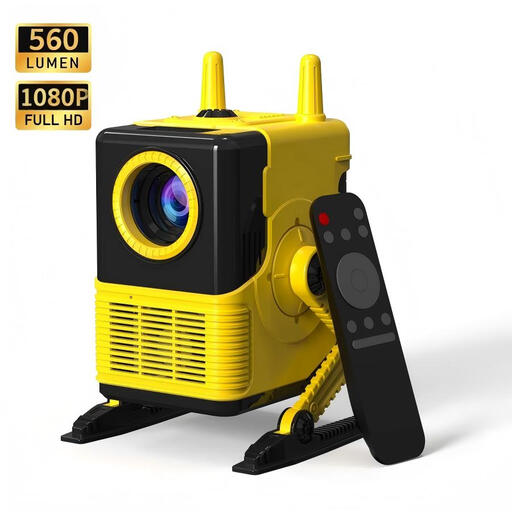
XBJ H8 Portable LCD Home Projector
A portable option to compare if your archive source connects via HDMI or USB.
Native Full HD 1080p; four-point keystone correction; HDMI and USB.
View at Joybuy
Frequently asked questions
How do you know whether a projector will suit your community venue?
Measure the desired screen width and the clear distance between the projector and the screen. Compare these measurements with the specifications for the exact model; BenQ stresses that screen size and throw distance need to be considered together.
Can I play archive photographs directly from any phone or USB stick?
Don’t assume so: an HDMI or USB connection does not, by itself, tell you which phones, files or playback methods are supported. Check the inputs and supported playback methods of your chosen model against your source; Epson lists two HDMI ports for the EB-FH08.
What maintenance and warranty details should I check?
For a lamp-based model, check which replacement lamp it takes and what conditions of use apply. Epson lists the ELPLP91 as compatible with the EB-685W. For consumer purchases in the Netherlands, the legal guarantee is separate from the manufacturer’s warranty; ACM ConsuWijzer explains that, under the applicable conditions, the seller must resolve issues if a product breaks down too soon.
Can you show historical photographs and films at a community event without permission?
Not necessarily: according to the Dutch government, permission from the creator is required for public use of copyright-protected photographs, films and music. Auteursrecht.nl also explains that permission is required to show protected works outside a strictly domestic setting. Check whether each work is still protected and what permissions have already been arranged.
What if people in the community are recognisable in archive images?
According to the Dutch Data Protection Authority, recognisable people may be identifiable individuals whose details count as personal data. Assess the planned screening and any further publication separately; don’t assume that historical images always require consent or that archive material is automatically free to show.
Is CE marking required for a projector sold in the Netherlands?
Yes. The Netherlands Food and Consumer Product Safety Authority states that CE marking is required for electrical consumer products. Check the marking and applicable product documentation for the specific product before reaching a final conclusion about its compliance.


