What should you look for when buying?
Start with the ambient light and image size, then check the positioning and whether playback and sound suit the way you plan to use it. BenQ Netherlands notes that a higher lumen rating alone doesn’t guarantee excellent picture quality.
| What to consider |
What should you check? |
Who is this important for? |
| Visibility in daylight |
Compare brightness figures measured using the same method, and take the image size and light falling on the projection area into account. |
If I want to watch during the day without constantly darkening the room, visibility comes first. Around 40% of consumers say daylight brightness is their top consideration. |
| Positioning and image size |
Measure the available distance and check the throw ratio or positioning instructions for the exact model. |
If there’s little room behind my seating area, I want to know whether I can get the image size I want from a fixed position by the wall. Around 25% of consumers focus primarily on positioning. |
| Playing programmes |
Check that your preferred service is available and that you have the HDMI ports you need for external devices. |
If I want to start travel programmes quickly, I first check which apps and connections are available. Around 18% of consumers prioritise easy playback. |
| Overall setup and support |
Check what’s included, whether you’ll need a screen or external audio, and who the seller is. |
If you want to consider the complete viewing setup, factor in accessories and support when making your choice. Around 17% of consumers put total costs and support first. |
Projectors at Joybuy
The Joybuy projectors shown include models for short-throw and standard-throw setups. Choose according to the ambient light, the image size you want and the distance available in your room.
 No image available
Optoma H117ST
The short throw may suit a space with limited room for positioning. Assess the brightness alongside the ambient light and the image size you want.
WXGA resolution; 3,800 ANSI lumens.
View at Joybuy
 No image available
Optoma Photon Beam PK52
If you’re considering this model for travel programmes, compare its stated brightness, resolution and projection distance with the conditions in your living room.
View at Joybuy
 No image available
BenQ MW809STH
A short-throw setup may be useful if there’s little distance to the projection surface. Check that the image size works with the space available.
DLP; XGA resolution (1024 × 768); 3,600 ANSI lumens.
View at Joybuy
 No image available
BenQ MX825STH
The short throw may suit a compact setup. Match the image size to the space and ambient light.
DLP; XGA resolution (1024 × 768); 3,500 ANSI lumens.
View at Joybuy
 No image available
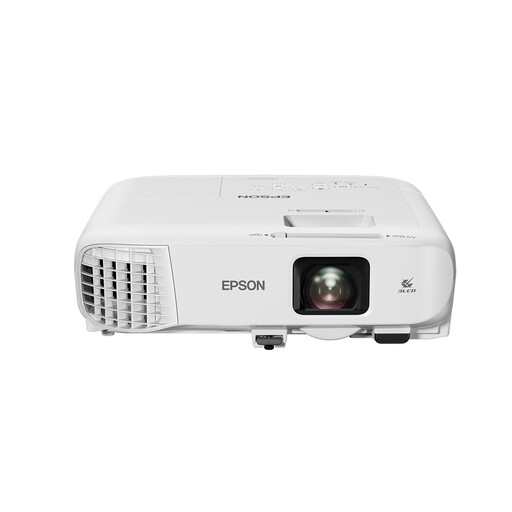
Epson EB-982W
A standard-throw model may suit you if you can position the projector far enough away. Check that the image size you want works in your room.
3LCD; WXGA resolution (1280 × 800); 4,200 ANSI lumens.
View at Joybuy
Frequently asked questions
Can I project onto a regular wall in a bright living room?
Yes, but assess the picture in the lighting conditions you expect when watching. BenQ Netherlands points out that projecting onto a coloured wall can affect colour reproduction. No particular model or surface guarantees good contrast in daylight.
How can I work out where to position the projector in advance?
Measure the distance to where you want the picture and check the throw ratio or positioning instructions for the exact model. With an ultra-short-throw projector, the spot close to the wall must be suitable for the image size you want.
Do I have to pay for repairs if my projector breaks down soon after buying it?
Not automatically. ACM ConsuWijzer states that the seller must provide a solution free of charge if a product proves faulty under normal use. What’s appropriate depends on the circumstances.
Do I have a cooling-off period for an online purchase?
In the Netherlands, many online purchases from a business come with a 14-day cooling-off period. The Dutch government notes that exceptions may apply, so check the relevant terms and conditions.
Which product safety marking should I check?
According to the Dutch government, electronic devices offered for sale in the EU must carry a CE marking. Check the marking on the product itself; information about a brand or model doesn’t automatically confirm that the item you receive is marked.


