Start by checking the projection distance and how much light you can block out while watching. A compact projector is practical if you want to put it away afterwards and can darken the room. For a shared space that’s harder to darken, you could consider a model with a higher stated light output. Manufacturers’ figures aren’t results measured under comparable viewing conditions, so also check the setup, noise, connections and what’s included with the projector.
Who is this choice for?
Ballet fan who wants to follow the movement
Wants to follow the dancing and staging during group viewing sessions. Assess the picture at your intended screen size and in the room’s lighting conditions; the stated resolution and light output alone don’t predict how the footage will look in that space.
Housemate without a permanent viewing spot
Needs to move the projector between rooms or put it away after use. The setup, power supply and any built-in stand are all important things to check in advance.
Viewer mindful of housemates
Wants to hear the footage without unnecessarily disturbing others. Check the stated noise levels for each mode, the audio output and agree on a suitable playback volume.
What should you look for when choosing?
Compact and portable
Choose this if: you want to put the projector away after a viewing session or watch in different rooms, and can darken the space.
Bear in mind: the stated light output, the screen size you need and whether the battery life suits your viewing time. XGIMI states that the MoGo 4 offers up to 2.5 hours on its built-in battery.
For a shared room
Choose this if: several housemates watch together and it’s difficult to darken the room. Compare the setup and manufacturers’ specifications for models such as the Epson CO-FH02, ViewSonic PX700HDH and BenQ GP520.
Bear in mind: projection distance and fan noise. Light output and noise figures from different models aren’t directly comparable real-world tests in your room.
Using a projector you already own
Choose this if: there’s already a projector in your home. First check whether it gives you the picture you want in the available space and can play your footage source.
Bear in mind: what it can do depends on the specific model and its connections. You don’t necessarily need a new projector.
| What to consider |
What should you check? |
Who might find this more important? |
| Picture in ambient light |
Compare light output using the same measurement unit and, if possible, test at your intended screen size. Epson states that the CO-FH02 produces 3000 lumens; XGIMI lists 450 ISO lumens for the MoGo 4. Don’t assume different measurement units are equivalent. |
If I want to follow the dancing during a group viewing session when the room isn’t always dark, I look at the picture in that space. Around 25% of consumers prioritise picture quality in the available light. |
| Distance and storage |
Measure the distance from the lens to the wall and the available picture width; compare these with the throw ratio of the exact model. BenQ gives the GP520 a ratio of 1.2, while ViewSonic lists 1.49–1.64 for the PX700HDH. |
If I want to put the projector away after use or move it between rooms, I want to know in advance whether it will fit the space. Around 25% of consumers prioritise flexible placement. |
| Noise while watching |
Compare the Normal and Eco figures within the same model; BenQ lists 26 dBA in Normal mode and 24 dBA in Eco mode for the GP520. Also agree on a suitable playback volume. |
If I’m watching with housemates, I want to hear the footage clearly without unnecessarily disturbing others. Around 20% of consumers prioritise quiet shared use. |
| Connecting your footage source |
Decide whether you’ll use a laptop, playback device or app, then check the input and audio output you need. Epson lists HDMI for the CO-FH02; BenQ specifies two HDMI inputs for the GP520. |
If I want to play footage from a device I already own, I want to know in advance that the connection and audio will work. Around 15% of consumers prioritise playing content from their own source. |
| Use and accessories |
Check what’s included and which light source the model uses. ViewSonic lists different lamp life figures for the PX700HDH depending on the mode; XGIMI sells the PowerBase for the MoGo 4 separately. |
If I want to use the projector regularly, I want to know what accessories and operating modes I’ll need. Around 15% of consumers prioritise running costs and accessories. |
Things to watch out for when buying
-
Treating lumen figures as directly comparable real-world tests
Manufacturers use different measurement units, such as ISO lumens and ANSI lumens. None of these figures alone proves how ballet footage will look in your lit room.
Compare the measurement basis, how dark the room is and your intended screen size. If possible, assess the picture in a similar room.
-
Choosing a portable projector without checking viewing time and accessories
XGIMI states that the MoGo 4 offers up to 2.5 hours on its built-in battery and sells the PowerBase stand separately.
Compare the length of your footage with the stated battery life and check what’s in the box.
You may need a separately sold stand or power supply to get the usage time you have in mind.
-
Judging a lamp-based model on its headline specifications alone
ViewSonic lists different lamp life figures for the PX700HDH in Normal and SuperEco modes.
For the model you’re considering, check the light source, operating modes and availability of suitable replacement parts.
Relevant brands to consider
Epson
The CO-FH02 is a Full HD 3LCD model for anyone considering a projector for a shared room.
- Epson specifies 3000 lumens of white and colour light output, HDMI and an Android TV dongle included in the box.
- Epson’s statement about picture quality in lit rooms is a manufacturer claim; assess the results in your own setup. The stated light source figures aren’t a maintenance guarantee.
BenQ
The GP520 is a 4LED home projector to consider if picture specifications and connections matter to you.
- BenQ specifies 4K UHD, 2600 ANSI lumens, a throw ratio of 1.2 and two HDMI inputs for the GP520.
- BenQ lists 26 dBA in Normal mode and 24 dBA in Eco mode. These are manufacturer figures for the GP520, not independent measurements of every BenQ model.
XGIMI
The MoGo 4 is a compact option to consider if you need to put the projector away after use.
- XGIMI lists 1080p, 450 ISO lumens, an adjustable stand and up to 2.5 hours of use on the built-in battery.
- The PowerBase is sold separately. The light output alone doesn’t confirm how the picture will look in a bright room.
ViewSonic
The PX700HDH is a Full HD lamp-based model to consider if brightness, connections and projection distance all matter.
- ViewSonic lists 3700 ANSI lumens, two HDMI inputs and a throw ratio of 1.49–1.64 for this model.
- ViewSonic lists 31 dB in Normal mode and 27 dB in Eco mode; the stated lamp life varies by mode. These aren’t independent measurements taken in student accommodation.
Optoma
The Photon Life PH31 is a compact Full HD LED option that also appears in an external ranking.
- Optoma USA lists 1080p, 1500 ISO lumens, HDMI and audio out for the PH31.
- These US model specifications don’t confirm that the same version is available in the Netherlands.
Joybuy projectors for this situation
This selection includes compact, portable projectors and models for a shared viewing space. For each model, check that the placement and connections suit your room and footage source.
 No image available
ETOE Dolphin 2 RGB Laser 1080P
For anyone who wants to move the projector and put it away after use; check whether the stated battery life suits your viewing session.
1080p; 800 ANSI lumens; HDMI 2.1; built-in battery for up to 2 hours; adjustable stand.
View at Joybuy
 No image available
XGODY N7 Cine Smart Projector
One to consider if you’re looking for a flexible setup; measure your preferred distance and picture width in advance.
Native 1080p; 1000 ANSI lumens; HDMI; automatic focus and keystone correction; 90° rotation.
View at Joybuy
 No image available
Optoma Photon Beam PK52
Worth considering for a shared viewing space; check that the projection distance suits your desired picture size.
4K UHD; 3500 lumens; two HDMI 2.0 inputs; throw ratio 1.21:1–1.59:1; stated noise level 28–33 dB.
View at Joybuy
 No image available
Epson EF-22N Standard Throw Projector
A Full HD option for watching together; check the distance to the wall and your desired picture size.
3LCD; native 1080p; 1000 ANSI lumens; HDMI; stated noise level of 22 dB in Normal mode and 18 dB in Eco mode.
View at Joybuy
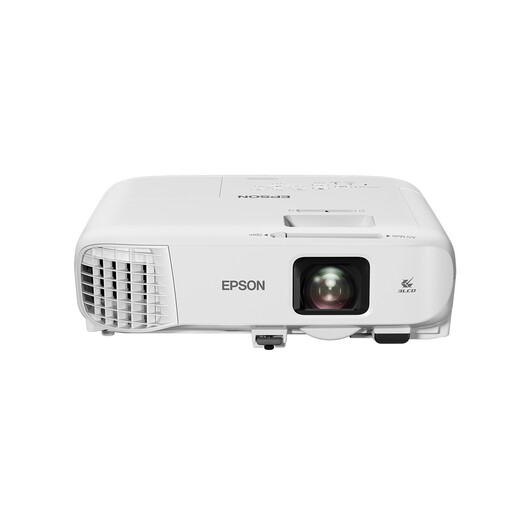 No image available
Epson EB-992F Standard Throw Projector
Worth considering if you’re looking for a Full HD projector for shared use; check the projection distance you’ll need.
1920 × 1080; 4000 ANSI lumens; two HDMI inputs; 1.6× optical zoom; automatic vertical keystone correction.
View at Joybuy
Frequently asked questions
What should I measure before buying a projector?
Measure the distance from the intended lens position to the wall and the available picture width. Compare these with the throw ratio of the exact model: BenQ gives the GP520 a ratio of 1.2, while ViewSonic lists 1.49–1.64 for the PX700HDH. These figures indicate different placement options, not a ranking of quality.
Can I play ballet footage from my laptop?
That depends on your laptop’s outputs and the projector’s inputs. Epson lists HDMI for the CO-FH02, while BenQ specifies two HDMI inputs for the GP520. Also check that the audio output works with the footage source you’re using.
How do I assess the picture in a shared room?
Check the picture using the lighting and screen size you actually intend to use. When comparing light output, pay attention to the measurement unit: XGIMI lists ISO lumens for the MoGo 4, while BenQ specifies ANSI lumens for the GP520. These manufacturers’ figures aren’t results measured under comparable viewing conditions.
What should I look for when it comes to use and maintenance?
Check the light source and operating mode for the exact model. ViewSonic lists 6000 lamp hours for the PX700HDH in Normal mode and up to 20000 in SuperEco mode; BenQ states 20000 hours in Normal mode and 30000 hours in Eco mode for the GP520’s 4LED light source. These are stated light source lifespans, not a guarantee of how long the complete projector will last.


