First, choose a projector that suits your preferred screen size and the throw distance available in your room. Maximum brightness alone won’t tell you how dark sets and moving dancers will look. Then assess the picture using a representative recording, and compare the connections, audio setup and light source to find what best suits the way you’ll use it.
Who is this relevant to?
For viewers who value picture detail
You usually watch in a darkened, dedicated room and want to follow dark backgrounds, costumes and dancers clearly. Compare picture settings using your own recordings, rather than relying on the stated lumen figures alone.
For viewers with limited space to set up
You want a large picture, but need to consider the distance between the projector and the screen. Epson Netherlands and Optoma Europe describe placement options for specific models, so check the projection specifications for the exact model you’re considering.
For viewers who want to start watching quickly
You switch between viewing locations or playback sources, and care about connections, streaming and audio playback. Built-in features vary by model, so check that your source and sound system are compatible.
What should you look for when choosing?
Start by measuring the room and deciding on your preferred picture size. Then assess picture quality, sound and connections based on how you watch ballet recordings.
| What to consider |
What to look for |
Who it matters most to |
| Picture detail and movement |
Compare picture settings using a representative recording; check that HDR and motion processing suit the source. |
If you want to follow dark sets and moving dancers clearly, watch the recording itself rather than focusing only on the stated figures. Picture detail is the top priority for around 33% of consumers. |
| Throw distance and placement |
Measure the available distance and screen width; check the projection specifications for the exact model. |
If space is limited or the projector has a fixed position, you’ll want to know in advance whether your preferred picture size will fit. Placement is the top priority for around 27% of consumers. |
| Music and projector noise |
Check the audio connections and compare the stated fan noise for each operating mode. |
If you want to hear the performance music clearly and quiet passages matter to you, compare the built-in audio and how the projector connects to your sound system. Music playback and quiet operation are top priorities for around 20% of consumers. |
| Playback source and usage |
Check the resolution and format of your recordings, the connection or app you need, and the stated light-source life for each mode. |
If you want to play your existing recordings easily and factor in maintenance too, check which source and equipment you’ll need. Playback source and running costs are top priorities for around 20% of consumers. |
Avoid common buying mistakes
-
Choosing based only on a high lumen or contrast figure
Manufacturers quote different figures and picture features; on their own, these don’t provide a like-for-like measure of shadow detail during a performance.
Compare dark scenes using a representative recording and decide on your preferred screen size first.
-
Buying a projector before measuring the throw distance
The achievable picture size depends on the distance and the optics of the exact model. A short-throw model and a projector designed for a longer distance need to be positioned differently.
Measure your room and check the throw distance for the model you’ve chosen before making a decision.
Incorrect placement could mean you need a different screen, a different setup or another projector.
-
Confusing ‘4K compatible’ with the resolution of the recording
The playback source and the recording’s format limit how much detail is available.
Check the recording’s resolution, the projected resolution and the connection you need separately.
-
Overlooking the light source and audio setup
Built-in streaming, speakers and light sources vary by model.
Make a note of the recording sources and audio equipment you use, and compare the stated light-source life for each operating mode.
Depending on your setup, you may need additional playback or audio equipment. With a lamp-based model, the lamp may eventually need replacing.
Brands to compare
Epson
Epson offers a range of dedicated home cinema models, as well as the portable EF-72.
- For the EH-TW7100, Epson lists optical zoom and lens shift; the EH-LS9000B has motorised lens controls and a laser light source; and the EF-72 features an adjustable stand, built-in streaming and audio.
- These are features of individual models and don’t prove an overall advantage for dark scenes. Check the placement requirements and features of the specific variant you’re considering.
BenQ
The W2710i is a home cinema model for comparing picture settings and HDR playback.
- BenQ describes this model as featuring HDR-PRO, dynamic black control and colour settings.
- The claimed improvement to dark detail comes from the manufacturer; it isn’t an independent comparison with the other models mentioned. Also check the placement requirements and noise level of the exact model.
Optoma
The UHD35STx is designed for short-throw projection, while the UHZ66 offers optical zoom and a laser light source.
- Optoma specifies a 0.5:1 throw ratio and a lamp for the UHD35STx, compared with a 1.4:1–2.24:1 throw ratio and laser for the UHZ66.
- These are differences in placement and light source, not a substantiated ranking for picture quality when watching ballet recordings. Check the dimensions and light-source usage conditions for each model.
Projectors at Joybuy
This selection includes both a portable projector and projectors for a planned home cinema setup. Compare placement, connections to your playback source and built-in audio for each model.
 No image available
XGODY Gimbal A8 projector
Suits a changing viewing location; the product information lists a rotating gimbal and built-in streaming.
Native 1080p; HDMI and USB; Wi-Fi 6 and Bluetooth 5.4; two 8 W speakers.
Joybuy
 No image available
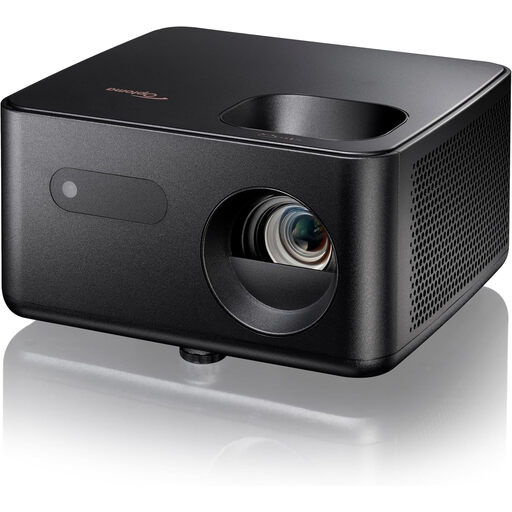
Optoma Photon Life PH31
An option to compare if you want to play recordings from an HDMI source.
Native 1080p; 1,500 lumens; HDMI; LED light source with a stated life of 30,000 hours.
Joybuy
 No image available
Optoma Photon Beam PK52
Worth comparing for a fixed setup with an external playback source.
4K UHD; two HDMI inputs; manual zoom; laser light source with a stated life of 30,000 hours.
Joybuy
 No image available
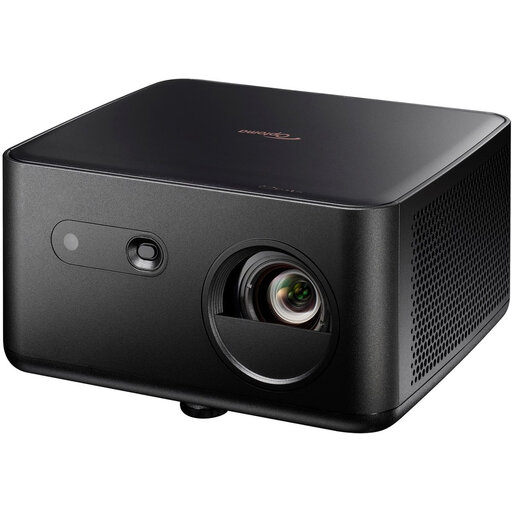
Optoma Photon Life PK32 4K UHD
A model to compare if you play recordings from an external source and want to plan the picture size in advance.
Native 4K UHD; two HDMI inputs; stated picture size of 60–150 inches; 4LED light source with a stated life of 30,000 hours.
Joybuy
 No image available
Epson EF-22N standard-throw projector
Worth comparing for a fixed setup with native 1080p and a cinema mode.
Resolution 1920 × 1080; 1,000 ANSI lumens; standard throw; stated picture size of 30–150 inches; lamp life of 20,000 hours.
Joybuy
Frequently asked questions
How can you tell if a projector will fit in your room?
Measure the usable distance between the lens and the screen, then decide on your preferred screen width. Compare these measurements with the throw distance and adjustment options for the exact model; the ‘short throw’ label alone isn’t enough.
Will a 4K projector automatically make older ballet recordings 4K?
No. Check the recording’s resolution and available format too: not all content is available in 4K. A 4K projector can’t turn a source with less detail into a recording with more detail than the original.
What should you look for when it comes to maintenance and long viewing sessions?
Compare the type of light source, its stated life for each operating mode and the fan noise of the specific model. Optoma Europe lists different lamp lives for the UHD35STx depending on the mode; BenQ Netherlands explains why projectors need active cooling.
Which UK consumer rights apply when buying online?
For eligible online consumer purchases, you generally have 14 days to change your mind. You’re also entitled to goods that are of satisfactory quality and fit for purpose. The UK Government explains that your rights depend on the circumstances, and you can contact the seller if there’s a fault. Before buying, check who the seller is and which terms apply to the purchase.


