Projectors at Joybuy
These projectors are suited to a shared viewing space, with options for portable use and for a more permanent setup with an external source.
 Image unavailable
XGODY Gimbal N6 Pro portable projector
This portable model suits a shared room where you want to put the projector away after watching.
The Joybuy product listing specifies native 1080P, 700 ANSI lumens, Wi-Fi 6, autofocus and automatic keystone correction. The description mentions WhaleOS 3.0 and built-in streaming apps.
Check that the app and title you want are available for your account.
View at Joybuy
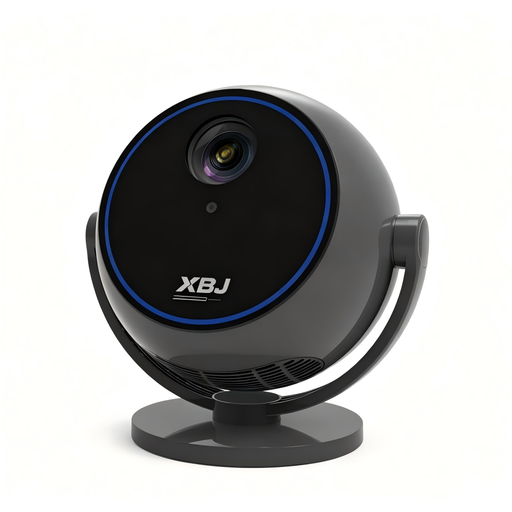 Image unavailable
Android 13 Smart Projector, 1080P
The rotating stand gives you another placement option if you want to adjust the projection direction in a shared room.
The Joybuy product listing specifies Wi-Fi 6, Bluetooth 5.0, a 360° rotating stand and built-in streaming apps.
Check the streaming service and title you want separately.
View at Joybuy
 Image unavailable
Video projector with built-in apps and 180° rotation
The rotating design gives you the flexibility to project in different directions around your home.
The Joybuy product listing specifies a screen size range of 50–200 inches, automatic picture correction and digital zoom. HDMI is listed as a connection option.
Measure the available distance and check that your preferred image width is within the stated range.
View at Joybuy
 Image unavailable
Optoma Photon Beam PK52
This projector is designed for a setup where you want to connect an external source via HDMI.
The Joybuy product listing specifies 4K UHD, 3500 lumens, two HDMI inputs, a projection distance of 1–8 m and 1,3× zoom.
Check the distance and preferred image size in your own room; lumen figures are not directly comparable unless they use the same measurement basis.
View at Joybuy
 Image unavailable
BenQ TK700 Standard Throw Projector
The standard throw makes this model an option if you have enough space between the projector and the wall.
The Joybuy product listing specifies UHD 4K, 3200 ANSI lumens, 1,3× zoom and vertical keystone correction. The description recommends a minimum distance of 1,5 m for optimum picture quality.
Check that there’s enough room for this distance, and compare brightness only on the same measurement basis.
View at Joybuy
Frequently asked questions
Is the highest stated brightness automatically best for astronomy programmes?
No. The lighting conditions, preferred image size and dark scenes all matter too. BenQ specifies 500 ANSI lumens for the GV50, while XGIMI specifies 450 ISO lumens for the MoGo 4; don’t treat these as directly comparable measurements.
How can I tell whether a projector will fit in our room?
Measure the distance from the planned lens position to the available projection wall and decide how wide you want the image to be. Compare this with the throw ratio for the exact model. Even a short-throw model needs a suitable wall and a safe spot for the equipment and cables.
What can I do if fan noise gets in the way of spoken explanations?
Check the noise rating for each mode and, if possible, listen from your planned seating position. BenQ specifies 28 dBA in normal mode and 26 dBA in eco mode for the GV50. Also check that the audio connections suit your listening setup.
Does built-in streaming software give you access to every programme?
No. The app or title you want won’t necessarily be available for every account. Check the service and title for your account, or see whether you can connect a suitable external player via HDMI.
What should I look out for when buying a second-hand BenQ GV31?
BenQ has issued a recall for all GV31 projectors because the battery may overheat. Follow BenQ’s instructions before using the device; this notice applies to the GV31, not the GV50.


