What should you look for when choosing?
First, measure the available distance and decide on your preferred image width. Then assess dark scenes and choose between a fixed setup and features that make positioning or adjustment easier.
| What to consider |
What to look for when buying |
Who is this important for? |
| Dark scenes |
Compare dark footage under similar conditions, taking ambient light and reflections into account. ProjectorCentral warns that contrast figures based on different measurement methods cannot be compared directly. |
If you want to follow star fields and subtle shadow detail, focus on how dark scenes look in your room. Around 33% of consumers put picture quality first. |
| Distance and image size |
Measure the distance from the lens to the screen, decide on your preferred image width, then check the range of the exact model. |
If your room or projector position limits the image size, you’ll want to know in advance whether you can achieve the size you want. Around 25% of consumers prioritise this placement question. |
| Picture sharpness |
Check the model’s picture output and the resolution of your video source; distinguish between 4K playback and receiving a 4K signal. |
If you want to see fine details in documentaries on a large screen, consider the combination of source, playback and image size. Around 25% of consumers see sharpness as their main concern when buying. |
| Ease of use |
Check which streaming source, power supply and positioning options you need for the exact model. |
If you want to watch without a permanent installation or move the projector often, easy set-up may matter more than a permanent home cinema system. Around 17% of consumers prioritise ease of use. |
Projectors at Joybuy
This selection includes projectors for home cinema use, from models for a fixed screen position to versions with more flexible adjustment options. Check that each model’s placement and preferred image width will suit your room.
 No image available
Optoma UZ38X 4K UHD Dual-Laser Projector
An option for a fixed screen position if you’re looking for 4K UHD playback; measure the lens distance and preferred image width in advance.
The product name lists DLP, 3800 Lumens, 1.3× Zoom and a 15W Speaker.
View at Joybuy
 No image available
JMGO N1S Ultra 4K Triple Laser UHD Projector
An option to consider if you’re looking for a projector with 4K UHD playback and want flexibility to adjust its position to suit your room.
The product name lists Triple Laser and 4K UHD.
View at Joybuy
 No image available
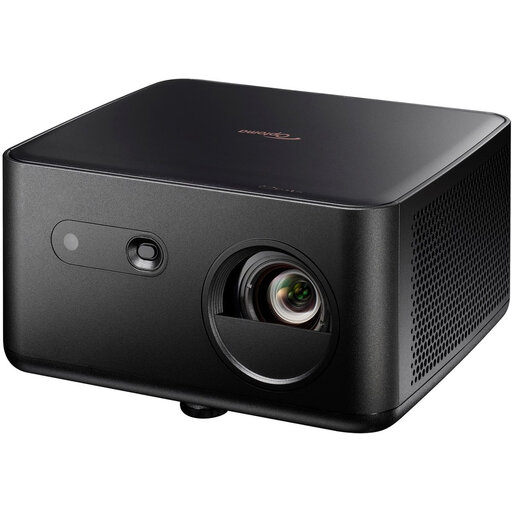
Optoma Photon Life PK32 4K UHD DLP Projector
An option if you’re looking for 4K UHD playback; check in advance that the throw distance suits your chosen image width.
The product name lists 1100 ISO Lumens, HDR10, HLG and a 4LED Light Source.
View at Joybuy
 No image available
BenQ TK700 Standard Throw 4K UHD DLP Projector
An option for a fixed screen position if you’re looking for 4K UHD; check that the distance from the lens to the screen suits your set-up.
The product name lists 3200 ANSI Lumens, DLP, 4K (3840x2160) and 3D.
View at Joybuy
 No image available
Dangbei DBOX02 Laser Projector 4K GTV
An option if you’re looking for 4K playback and GTV, as listed in the product name; check that your preferred streaming source and placement suit how you plan to use it.
The product name lists 2450 ISO Lumens and HDR10+.
View at Joybuy
Frequently asked questions
Is the highest contrast ratio automatically the right choice for star fields?
No. Quoted contrast ratios can be based on different measurement methods and do not necessarily predict how dark and bright areas of the same image will look. ProjectorCentral advises against using contrast figures as the sole basis for comparison; also consider how well you can black out the room and limit reflections.
How can you find out in advance whether a projector can produce the image size you want?
Measure the distance from the lens to the screen and decide on your preferred image width. The throw ratio is the distance divided by the image width; then check that the range of the exact model suits your set-up.
Should you buy an extra warranty when shopping online?
You don’t need an extra warranty to have your statutory consumer rights when buying as a consumer in the Netherlands. ACM ConsuWijzer explains that there is no fixed statutory warranty period: what you could reasonably expect from the product and normal use both matter. Compare any paid cover with the rights you already have.
Which compliance rules apply to a projector in the Netherlands?
Electrical equipment placed on the market in the Netherlands must meet the applicable European requirements. Business.gov.nl explains that, where a product complies, the manufacturer affixes the CE marking and draws up an EU declaration of conformity. If the projector has Wi-Fi, Bluetooth or a radio module, the applicable radio equipment rules also matter. CE marking says nothing about picture quality.
Can you return a projector bought online after trying it out?
For an online consumer purchase in the Netherlands, the statutory cooling-off period usually ends 14 days after the product has been delivered. ACM ConsuWijzer notes that exceptions may apply; the cooling-off period does not mean you can use a projector without limits.


