What should you look for when choosing?
First, decide where the projector can go and measure the distance to the wall. Then compare the native resolution, the brightness measurement used and the connection to your laptop.
| What to consider |
What should you check? |
Who is this important for? |
| Details in the animation |
Check the native resolution and view your own file at the intended image size. |
If I want to assess fine lines and titles in my reel, I look at the resolution of the displayed image. Around 33% of consumers in this situation prioritise detail and colour assessment. |
| Visibility with the room lights on |
Note whether you can darken the room and compare the same type of brightness measurement. |
If my housemates need the lights on, I want to know whether the image will remain visible in those room conditions. Around 25% of consumers prioritise visibility in ambient light. |
| Distance from the wall |
Measure the distance from the lens to the wall and the desired image width; check the model’s throw ratio. |
If the living room has limited projection depth, I want the image size I need to fit the available space. Around 25% of consumers give the available distance the greatest weight. |
| Sharing and running costs |
Check the laptop connection, what’s included, where you’ll store it and whether a replacement lamp might be needed. |
If my housemates share the projector or it needs to be put away after use, I also consider how practical it is and whether parts might need replacing. Around 17% of consumers prioritise flexible use and costs. |
Projectors at Joybuy
This Joybuy selection includes projectors for showing an animation reel, including Full HD models and models with WXGA or short-throw features. Check the resolution and required distance for the specific model against your file and living room.
 No image available
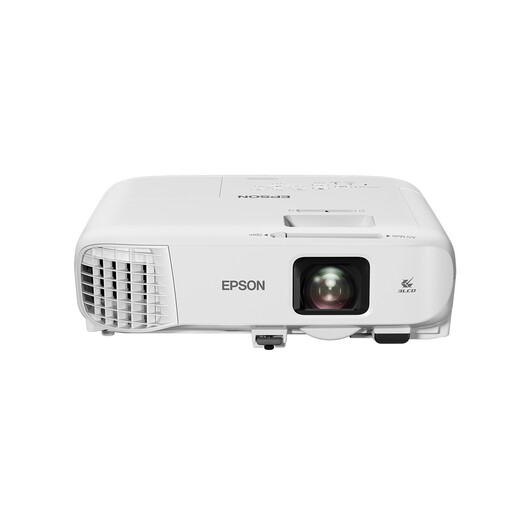
Epson EB-992F Standard Throw Projector
An option to compare if you want native Full HD for the details in your reel.
The product name lists 3LCD, 1080p (1920 × 1080) and 4,000 ANSI lumens.
View at Joybuy
 No image available
Epson EF-22N Standard throw projector
A model to compare if native Full HD is important for the details in your animation reel.
The product name lists 3LCD and 1080p (1920 × 1080); the specified colour variant is black and blue.
View at Joybuy
 No image available
Magcubic HY350Max Smart Projector
An option to compare if native Full HD and a rotatable setup suit the way you’ll use it.
The product name lists native 1080p Full HD, 8K input support, 900 ANSI, Android 14 and a 180-degree rotating stand with automatic keystone correction.
View at Joybuy
 No image available
Optoma H117ST Short Throw DLP Projector
A short-throw model to compare if you have little space between the projector and the wall.
The product name lists WXGA and 3,800 ANSI lumens. Measure the available distance and check the model specifications for your desired image size.
View at Joybuy
 No image available
Epson EB-1780W Short throw projector
A short-throw model to compare if setup space is limited; measure the distance to the wall beforehand.
The product name lists 3LCD, WXGA (1280 × 800) and 3,000 ANSI lumens. Check that the resolution suits the details you want to show.
View at Joybuy
Frequently asked questions
How do I connect my animation reel?
According to their manufacturers, the Denver PR-4300, Epson CO-FH01 and BenQ TH671ST have an HDMI input. Check which output your laptop has and test the picture and sound with the final file before the screening.
Does 4K support mean my reel will be projected in 4K?
No. Denver lists 4K input support for the PR-4300, but its native resolution is 1280 × 720 pixels. Check the native resolution of each model separately.
Can I cover the ventilation openings to reduce the noise?
Don’t cover the ventilation openings. The safety instructions for the Denver PR-4300 warn against this and recommend regularly removing dust from the openings. For another model, consult its own manual.
What are my rights if a projector bought online disappoints or breaks down early?
According to ACM ConsuWijzer, for a standard online consumer purchase you generally have a statutory 14-day cooling-off period after delivery, with some exceptions. In addition, under the statutory guarantee, the seller must put things right if a product, when used normally, doesn’t do what you could reasonably expect of it.
What should I look out for when a projector is shipped from outside the EU?
Check who the seller is, what your return options are and whether import charges may apply. The Dutch government states that electrical appliances placed on the market in the EU must have a CE mark; the language of an online shop doesn’t prove where the seller is based.


