
Presenter in a bright classroom
You’re showing an animation reel while light streams in through tall windows, and want to stop dark scenes disappearing. BenQ Netherlands describes ambient light as a challenge for projection.


First, limit the light falling on the projection surface: a higher stated brightness won’t automatically stop dark scenes from looking washed out. Then compare the projector’s native resolution and brightness with your screen size and projection distance, and test your own animation reel in the room. A laser light source may change how you weigh up lamp replacement, but it doesn’t in itself tell you anything about colour reproduction.
You’re showing an animation reel while light streams in through tall windows, and want to stop dark scenes disappearing. BenQ Netherlands describes ambient light as a challenge for projection.
You want to discuss fine lines and colour choices. Compare the native resolution and assess your own reel in the lighting conditions in which you’ll show it.
You set up the projector in a different place each time and want to check that the projection distance, connections and audio setup work in the new location.
Limit the light falling on the screen before relying on lumen figures: BenQ Netherlands warns that ambient light can weaken the projected image.
Choose this option if: you want native Full HD detail and can limit the light from the window falling on the projection surface.
Bear in mind: the stated lumen figure isn’t a real-world test of visibility or colour reproduction; also check the brightness in the mode you’ll use.
Choose this option if: you also want to factor in the light source and any lamp replacement when considering frequent use.
Bear in mind: Optoma states a maximum of 30,000 hours for the ZH420’s laser light source; this isn’t a guarantee for the complete device or its colour reproduction.
Choose this option if: you’re less concerned about native Full HD detail than other aspects of the setup.
Bear in mind: according to ViewSonic Europe, the ViewSonic PA700W has a native resolution of 1280 × 800, even though the model supports a 1080p signal.
| What to consider | What to look for | Who should pay particular attention? |
|---|---|---|
| Visibility in a room with window light | Compare stated brightness using the same measurement basis; check the screen size and limit the light falling on the projection surface. | If I’m presenting in a room with tall windows, I want dark scenes to remain recognisable and to know where the daylight falls on the screen. Around 36% of consumers rank visibility in daylight as their top buying priority. |
| Detail and image review | Check the native resolution and aspect ratio; assess fine lines and dark scenes using your own footage. | If I’m discussing animation lines and colour choices, I want to assess the detail on the screen I intend to use. Around 29% of consumers prioritise detail and reviewing the animation. |
| Setup and connections | Measure the distance to the screen and check the throw ratio and connections of the exact model. | If I’m moving between rooms, I want to know whether the projector will work at the available distance and connect to my playback device. Around 21% of consumers prioritise a suitable position and compatible connections. |
| Use and maintenance | Compare the light source and brightness in the mode you’ll use for each model; check which servicing and replacement options apply. | If the projector is used frequently, I want to factor in the light source and maintenance over the longer term. Around 14% of consumers prioritise long-term use and maintenance. |
Ambient light can make dark areas look washed out, even with a projector that has a high stated brightness. BenQ Netherlands highlights the effect of light from windows and other sources.
Work out where the daylight falls on the projection surface and test a dark scene from your animation reel there.
Depending on the room, you may need extra shading or a different screen position.
The ViewSonic PA700W supports a 1080p signal, but according to ViewSonic Europe it has a native resolution of 1280 × 800. So, support for an input signal doesn’t mean the projector displays it in native Full HD.
If fine lines matter, check the native resolution separately from the supported input signals.
Epson states that the EB-FH52 has lower brightness in eco mode than in normal mode. Optoma’s claim for the ZH420 relates to the laser light source, not the lifespan of the entire device.
Compare each model’s brightness in the mode you’ll use, and check the servicing conditions.
With a lamp model, maintenance or light source replacement may be part of the overall cost of use.
Epson Netherlands lists the EB-FH54 as a Full HD 3LCD projector with 4.100 lumens. The EB-FH52 is a separate Full HD model that Epson marks as discontinued.
According to BenQ, the Dutch MH733 is a Full HD lamp projector with 4.000 ANSI lumens and a throw ratio of 1,15–1,5.
Optoma Netherlands describes the ZH420 as a Full HD laser projector with a stated brightness of 4.300 lumens.
ViewSonic Europe lists the PA700W as an education and business projector with 4.500 ANSI lumens and native WXGA resolution.
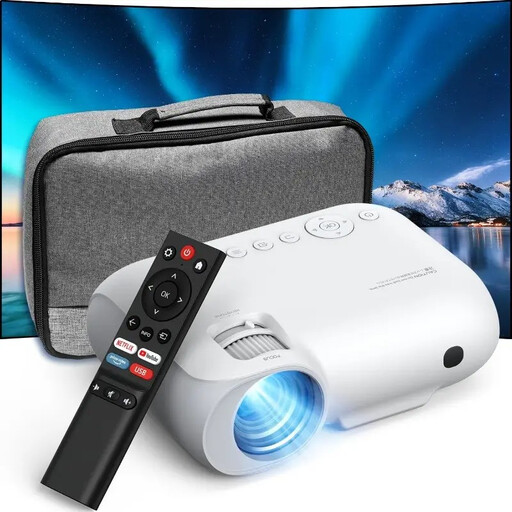
This selection of Joybuy products includes projectors with features such as Full HD, 4K and portability. Product titles and stated figures alone don’t show how an animation reel will perform in daylight; test the projector in the room where you intend to use it.
 No image available
If you want to move the projector between rooms, the product title mentions a built-in battery and a projection screen with stand.
The product title mentions Full HD 1080p and Google TV.
 No image available
If you’re considering a 4K UHD model with a dual-laser light source, the product title lists these features for the UZ38X.
The title lists 3.800 lumens, 1,3× zoom and a 15 W speaker; check how the brightness is measured before comparing it with ANSI lumens.
 No image available
If built-in apps are a must-have, the product title mentions apps and Play Store.
The title lists Wi-Fi 6, a projection size of 50–200 inches and a 180° rotating body.
 No image available
If native 1080p is on your list, the product title specifies this resolution for the YOTON Y7.
The title also mentions 4K compatibility, Wi-Fi, Bluetooth and 9.000 lumens. Check how this brightness is measured before comparing it with ANSI lumens.
 No image available
If native 1080P is a requirement for your animation reel, the product title specifies this resolution for the YOTON Y6.
The product title also mentions Bluetooth and 4K.
No. A higher lumen figure alone doesn’t guarantee a bright image when light falls on the screen. BenQ Netherlands explains that ambient light can make projected blacks look grey and the image appear washed out. Limit the light on the screen and assess your own reel in the room.
Test the projection distance and image size, connect your laptop to a suitable input, and play both dark scenes and audio. The manufacturers each list two HDMI inputs for the EB-FH52 and MH733; also check that the connections work with your own equipment.
For a consumer purchase, the seller is responsible for providing a remedy under the legal guarantee. According to the Government of the Netherlands, there is no fixed statutory guarantee period in the country; what you can expect from the product depends in part on the product itself and the information provided. Normal wear and tear or damage caused by misuse isn’t automatically covered by free repair.
Electrical equipment within the scope of the EU Low Voltage Directive must meet safety requirements; this scope covers equipment designed for 50–1.000 V AC. According to Your Europe, CE marking is a declaration by the manufacturer, not a certificate issued by a single central EU body. Check the information for the specific device.
The Government of the Netherlands lists options including returning it to the shop or online service where you buy a new, similar device, taking it to a collection point or bringing it to your local council’s recycling centre.