What should you look for when choosing?
Start with the available distance and picture width. Then consider ambient light, the level of detail you want and what you need for streaming and sound.
| What to consider |
What should you check? |
Who is this important for? |
| Will the picture fit? |
Measure the distance from the lens to the wall and the available picture width, then compare these with the throw ratio or distance chart for the exact model. |
If I have limited space but want a particular picture size, the setup needs to suit my room. Around 33% of consumers say placement is their top priority. |
| Ambient light |
Consider whether you’ll mainly watch in a darkened room or in daylight too. Compare brightness using the same unit of measurement and for the picture size you have in mind. |
If I can’t darken the room during my usual viewing time, I want to know whether the picture will still be visible. Around 27% of consumers prioritise visibility in ambient light. |
| Picture detail |
Check the stated resolution and exactly what any 4K claim means. Also consider your preferred picture size and viewing distance. |
If detail and colour in animated films matter most to me, I want to be able to assess the specifications of the exact model. Around 20% of consumers put picture detail and colour first. |
| Apps, sound and storage |
Check support for your preferred streaming service, audio outputs and any streaming equipment included. Also check the dimensions and power supply. |
If I want to stream without a complicated setup and put the projector away after use, the apps and audio options need to work for my setup. Around 20% of consumers prioritise easy film viewing and flexible use. |
Projectors at Joybuy
These projectors are worth considering for watching films in a small living room. Before buying, check that the throw distance, lighting, preferred apps and audio options suit your needs.
 No image available
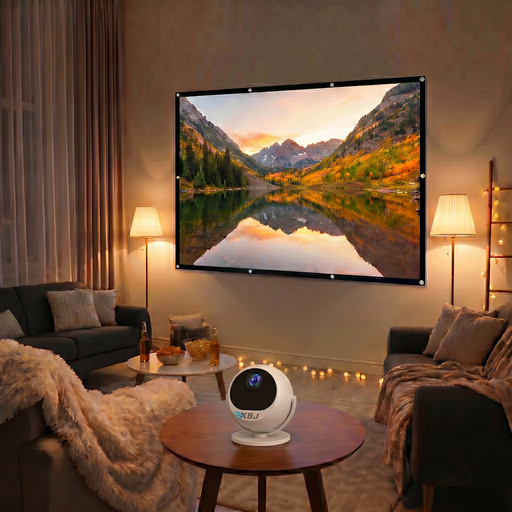
BIG Screen Entertainment Bundle-XBJ 360° draagbare projector + 100 Inch Projector Screen
According to the product title, the bundle includes a 100-inch projection screen, making it worth considering if you want to buy a projector and screen together.
The product description lists native 1080p, 900 ANSI lumens, 360° rotation, autofocus and automatic keystone correction.
View at Joybuy
 No image available
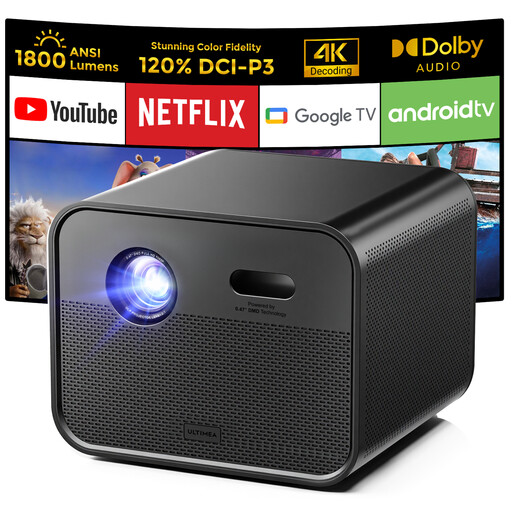
Ultimea Poseidon E100 Projector, Native Full HD 1080P, 4K Supported
This version is worth comparing if you’re looking for native Full HD and built-in streaming. Check that it supports your preferred streaming service.
The product specifications list native Full HD 1080p, 1,800 ANSI lumens, Google TV, autofocus and 6D keystone correction. The title also mentions 4K support, alongside native Full HD.
View at Joybuy
 No image available
Yaber L2 Projector, Native 1080P, 520 ISO Lumens
The product specifications list a throw ratio of 1.17:1. Compare the distance and preferred picture width with the setup in your room.
The description lists native 1080P, 520 ISO lumens, Google TV, two 5 W speakers and a flexible 360° stand.
View at Joybuy
 No image available
Yoton Y6 5.2 Bluetooth 4K LCD Native 1080P Projector
This model is worth comparing if native 1080P and the option to connect audio equipment are important to you.
The title lists native 1080P and 4K LCD. The product description mentions Bluetooth 5.2, a built-in speaker and HDMI, USB and AV connections; according to the description, the stated brightness varies by model.
View at Joybuy
 No image available
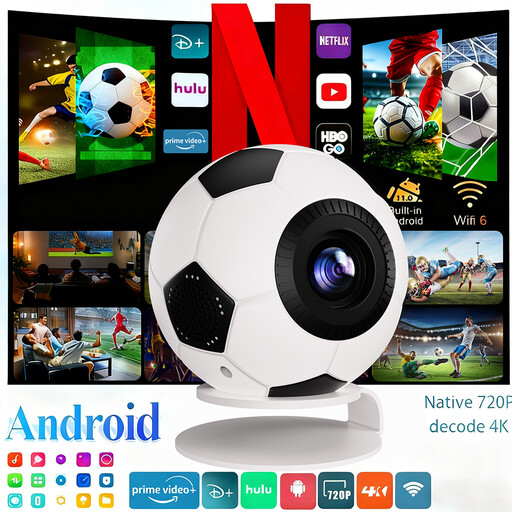
XBJ Football-Shaped Mini Projector, 1080P Full HD, Android 14
Built-in streaming apps and automatic picture alignment are worth considering if you’re looking for a flexible setup. Check that your preferred streaming service works on the exact model.
The product specifications list 1080P Full HD, 800 ANSI lumens, Android 14, Wi-Fi 6, Bluetooth 5.4 and automatic keystone correction.
View at Joybuy
Frequently asked questions
How do I work out whether the picture will fit on my wall?
Measure the possible distance from the lens to the wall and the available picture width. Compare both with the distance chart or throw ratio for the exact model; the words ‘short throw’ alone aren’t enough to tell you.
Can I watch an animated film with the windows open, without darkening the room?
It depends on the ambient light, the picture size you want and the projector. Assess the stated brightness in relation to when you usually watch. A picture that’s clear in a dark room may be disappointing in daylight.
Will my streaming service work without a separate streaming stick?
Check that your preferred app is available on the exact model and version. For example, XGIMI lists licensed Netflix for the MoGo 4; that doesn’t automatically tell you anything about other models or streaming services.
What if a projector I bought online isn’t suitable or develops a fault?
For a standard online consumer purchase in the Netherlands, you generally have up to 14 days after delivery to change your mind, subject to legal exceptions. According to ACM ConsuWijzer, the seller is responsible if a product doesn’t meet the requirements; there isn’t one fixed warranty period that applies to every projector.
Which CE rules apply to projectors sold in the Netherlands?
The European Union’s Your Europe website explains that CE marking is only compulsory for product groups where the relevant harmonised EU rules require it. Check the requirements for the exact version; this general rule doesn’t confirm that an individual model complies.


