
Vandaag of morgen in huis

Kwaliteit gegarandeerd

Welkomstaanbiedingen ontgrendelen: GRATIS bezorging | Tot 80% korting | Gratis 30 dagen JoyPlus-proefperiode
Download de app
A professional OBD2 scanner can do more than just read the engine warning light. For a workshop, mobile mechanic or experienced DIY enthusiast, full-system diagnostics, active tests and service functions are often more important than a long list of car brands on the packaging.
However, there are a few common pitfalls to watch out for. A car diagnostic scanner, for example, may be described as “professional” even though it only reads the engine, ABS, SRS and transmission systems. A device may also list dozens of reset functions, but only a few may be available for your vehicle. Always check compatibility by make, model, year and, sometimes, VIN.
Some scanners only read generic OBD2 fault codes. That’s useful for emissions and engine faults, but not enough if you also want to check the body electronics, air conditioning, gateway, parking brake or comfort modules.
So check which systems are listed. A device offering ABS, SRS and transmission diagnostics can do more than a basic code reader. Also check whether the product description mentions a full-system scan or just four basic systems.
A list of 15, 28 or 40 reset functions sounds impressive, but it doesn’t mean every function will work on every car. Availability depends on the make, model, trim, ECU and software version. This applies to functions such as:
Only use a reset function once the underlying repair has been carried out. Clearing a fault code alone won’t fix the problem.
“Lifetime free updates” may refer to free software updates for the basic functions, while certain brand-specific packages or online services may have different terms. Some systems also require a separate account.
For FCA AutoAuth, for example, you may need to register through the official FCA service. According to the product descriptions for various models, an AutoAuth account isn’t always included, and fees may be set by the vehicle manufacturer or service provider. Check this in advance if you work on FCA vehicles.
A fully featured scanner should be able to read and clear fault codes, display live data, show freeze-frame data and provide ECU information. For professional use, a bidirectional scan tool is particularly useful. On supported vehicles, it can send commands to actuators.
Examples of an active test on a car include activating a cooling fan, fuel pump, injector, windscreen wiper, window or air conditioning compressor. This function helps you check a component or circuit more precisely, but the available tests vary by vehicle.
Modern vehicles use communication protocols that aren’t supported by every older scanner. So look out for:
A scanner with CAN FD or DoIP isn’t automatically compatible with every vehicle. Check the latest coverage information and, if you’re unsure, ask the seller to check compatibility using the VIN.
A tablet with a six- to eight-inch screen is handy if you want to view live data, graphs and reports at the same time. Bluetooth is useful for mobile mechanics, while a wired connection can sometimes be simpler and more stable.
Also check:
Below are some models suited to different types of use. The functions listed are based on the product descriptions provided; actual support will depend on the vehicle and software.
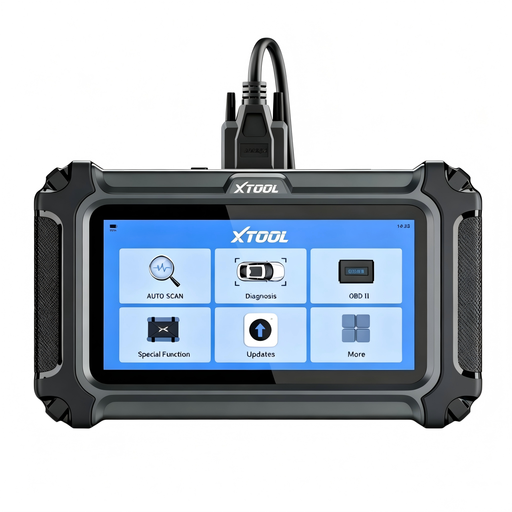
Why it suits this user: This model is aimed at DIY enthusiasts and mobile mechanics who mainly want to check the engine, transmission, ABS and SRS, and are looking for a compact device.
The description clearly states that functions may vary by make, model and year. It also notes that FCA AutoAuth requires separate registration.
16 reset functions, CAN FD, FCA AutoAuth and, according to the product description, lifetime free updates.
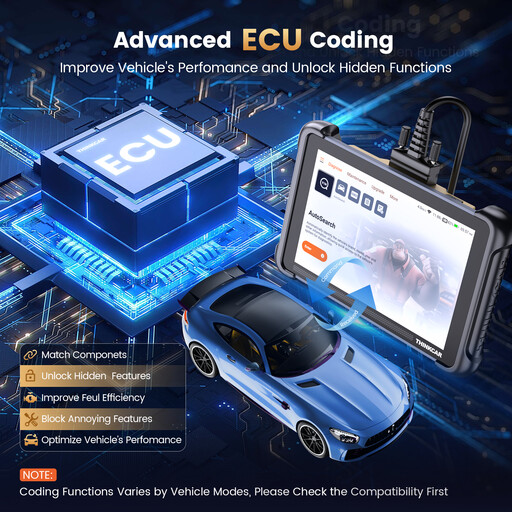
Why it suits this user: The 8-inch tablet, 4 GB RAM and 64 GB storage are designed for in-depth diagnostics, reports and everyday workshop use.
The product information specifies CAN FD, DoIP, ECU coding and bidirectional tests, rather than just general OBD2 diagnostics.
34 listed reset functions, full-system diagnostics and, according to the product description, lifetime free updates.
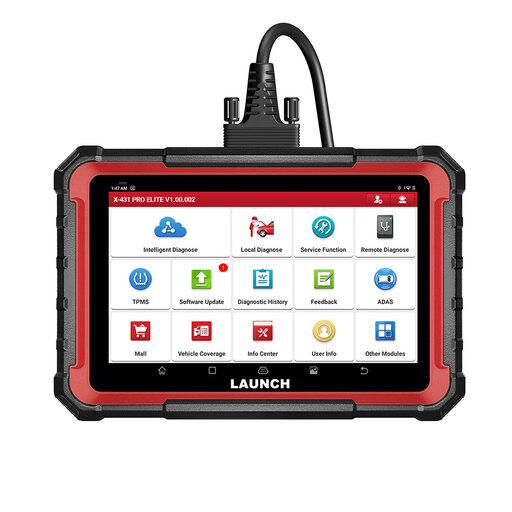
Why it suits this user: This model is designed for workshops that need ECU coding, active tests, reporting and the option to add extra modules.
The description distinguishes between functions that depend on the make, model and system. Updates aren’t unlimited here: the product information specifies a limited period of free updates.
CAN FD, DoIP, FCA AutoAuth, ECU coding, bidirectional control and support for expansion modules.
We’ve put together a complete, up-to-date list of products that meet these strict selection criteria and the applicable European safety regulations.
No. The connector may be the same, but vehicle systems, software and secure gateways vary. Always check the compatibility list and, if you’re unsure, ask for a VIN check.
Not always. According to the product description, the scanner may offer free software updates, while brand-specific services such as FCA AutoAuth may require separate registration or incur additional costs. Also check whether all functions are covered by the update terms.
You can on supported vehicles, but ECU coding isn’t a universal function. A stable connection, sufficient battery voltage and the correct procedure are important. Only use this function if you understand the consequences of the changes and have checked compatibility in advance.
