
Vandaag of morgen in huis

Kwaliteit gegarandeerd
Download de app
Categorieën

Purchasing a professional monitor is an investment in your productivity and comfort. The wrong choice can lead to frustration from insufficient sharpness, poor color reproduction, or a lack of the right connections. This guide will help you understand the specifications and find a model that fits your specific workflow, without the unnecessary marketing jargon.
A monitor's spec sheet can be overwhelming. We'll break down the most important parameters to help you make an informed decision.
Resolution determines the sharpness of the image. For professional use, two standards are common:
The panel type has a major impact on color reproduction and viewing angles.
A 27-inch monitor is a popular size that offers a good balance between screen real estate and desk space. For refresh rate, measured in Hertz (Hz), the following applies:
A USB-C monitor can significantly simplify a workspace. With a single USB-C cable, you can charge a laptop (via Power Delivery), transmit video signal, and transfer data through the monitor's built-in USB ports. This reduces cable clutter and makes it easy to connect and disconnect your laptop.
Based on objective specifications, we have curated a selection of models for different professional users.
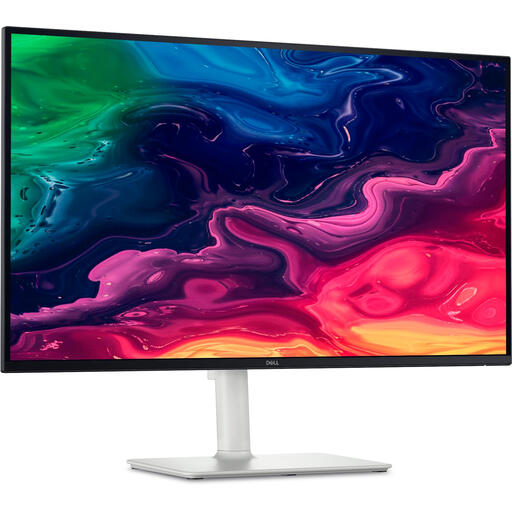
Why this product: This Dell monitor combines a high resolution with an elevated refresh rate and modern connectivity. It's a model that is equally at home in a professional environment as it is for after-hours entertainment.
Pros:
Who it's for: Professionals and prosumers looking for a single, high-quality monitor for both productivity (spreadsheets, documents, code) and media consumption (movies, light gaming). Ideal for the modern remote worker.
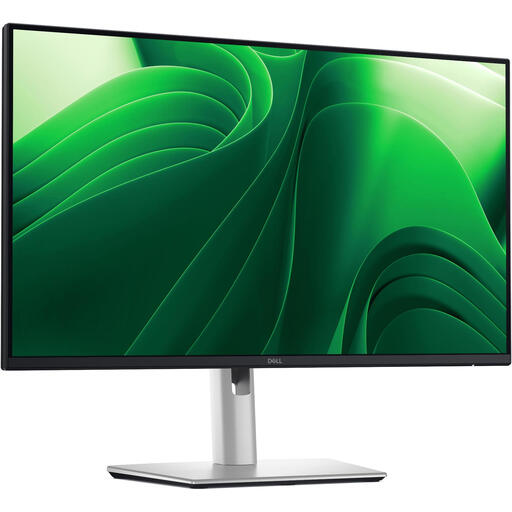
Why this product: This model focuses on the core needs of an office environment: sharpness, comfort, and efficiency. The QHD resolution on a more compact 24-inch size provides high pixel density without the system demands of 4K.
Pros:
Who it's for: The office user or remote worker who spends long days at the computer. Also well-suited for multi-monitor setups due to its extensive adjustability and more compact size.
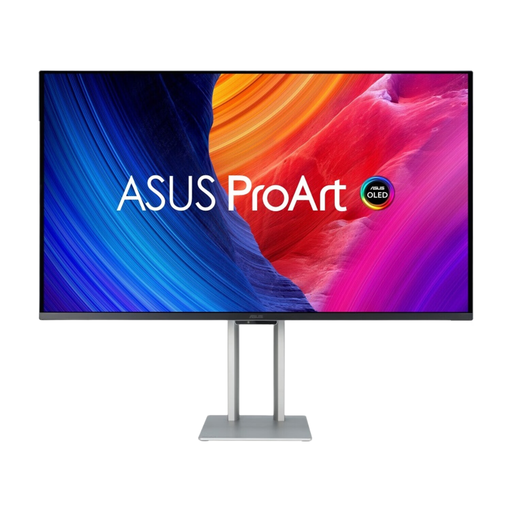
Why this product: The ASUS ProArt PA32UCDM is designed for professionals who refuse to compromise on image quality. Its QD-OLED technology delivers the contrast and color accuracy essential for high-end creative work.
Pros:
Who it's for: Graphic designers, video editors, colorists, and photographers for whom color accuracy, contrast, and response time are paramount. This is a tool for the demanding creative specialist.
A good monitor is the centerpiece of your digital workspace, but the foundation is just as important. A sturdy and ergonomic desk ensures you can position the monitor at the correct height and work comfortably for hours. A clean and stable surface contributes to a professional and productive environment.
For a stable and professional foundation, consider our selection of Metal PC Desks.
Is a 4K monitor always better for professional use? Not necessarily. A 4K monitor offers superior sharpness, which is ideal for creative work. For general office tasks, such as word processing and email, a QHD monitor can be a more practical and cost-effective choice. It also places lower demands on your computer's graphics card.
What is the advantage of a USB-C monitor? The main advantage is convenience. With a single cable, you can charge a compatible laptop, display video, and transfer data through the monitor's USB ports. This results in a cleaner desk and makes it easy to quickly connect and go.
How important is a high refresh rate (120Hz or more) for work? For static work like writing, 60Hz is sufficient. However, a higher refresh rate of 100Hz or 120Hz provides noticeably smoother motion when scrolling, dragging windows, and navigating the interface. This can significantly increase overall user comfort, especially during long workdays.