
Vandaag of morgen in huis

Kwaliteit gegarandeerd

Welkomstaanbiedingen ontgrendelen: GRATIS bezorging | Tot 80% korting | Gratis 30 dagen JoyPlus-proefperiode
Download de app
A privacy screen protector is handy on the train, at Schiphol, in a café or at the office. However, not every model is suitable for every device. The wrong size can cover the camera, a filter that is too dark can make the screen uncomfortable, and a privacy layer doesn't always work from every viewing angle.
The main pitfalls to watch out for are:
When checking a laptop, don't just look at the size, but also:
A 14-inch laptop privacy filter for 16:9 will not automatically fit a 14-inch laptop with 16:10. The same applies to a 15.6-inch laptop privacy filter. If in doubt, check the exact laptop model and the filter's product specifications.
For smartphones, the model number is at least as important. A screen protector iPhone for an iPhone 16 Pro should not be used on an iPhone 16 Plus without checking. Also pay attention to the cut-out around the speaker and the edge of the screen.
A privacy filter restricts visibility from the side. With the Kensington filters in this overview, a viewing angle restriction of approximately 30 degrees on each side is stated. This does not mean the screen becomes completely black from every angle. Straight in front of the screen, the image usually remains clearest.
With a privacy screen protector iPhone, “360° privacy” is sometimes mentioned. According to the VoxorAI product description, the screen darkens from an off-centre side angle. The exact viewing experience can depend on brightness, viewing distance and ambient light. Therefore, don't just rely on the name, but also check the stated viewing angle and the type of screen.
A tempered glass screen protector can offer protection against everyday scratches. With the VoxorAI models for iPhone 16 Pro and iPhone 16 Plus, 9H hardness is stated. This is a classification for scratch resistance of the surface, not a guarantee that the screen will remain intact with every drop.
For laptops, there are different attachment methods:
An anti-glare screen protector can help reduce reflections. According to the product description of various Kensington filters, a matte side also hides visible fingerprints better than a glossy side. A glossy side, on the other hand, can give a brighter image. An anti-fingerprint screen protector is therefore mainly a choice for ease of maintenance, not for complete freedom from smudges.
With a blue light filter, you should read the claims carefully. According to Kensington's own information, some models filter a portion of blue light, for example up to 22%, 30% or 52%, depending on the model. This is a product specification from the brand and not a medical claim.
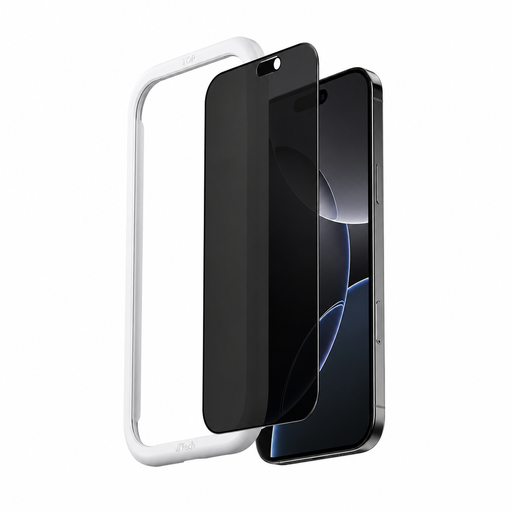
Why this fits the profile: For commuters with an iPhone 16 Pro who want a privacy layer and protection for everyday use in one accessory.
The model is specifically for the iPhone 16 Pro and mentions an applicator, so alignment is less dependent on manual placement.
Tempered glass, 9H hardness according to the product information, anti-glare and anti-fingerprint coating.
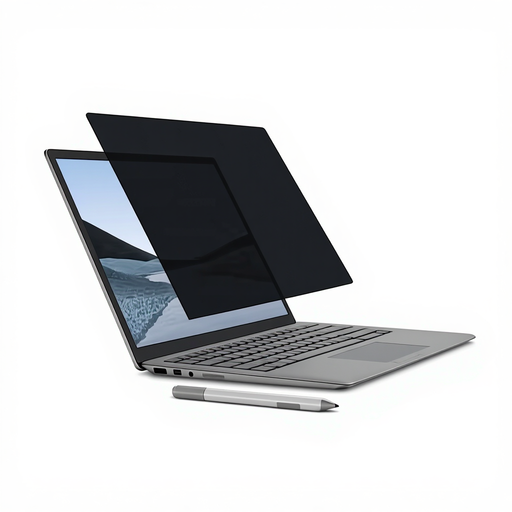
Why this fits the profile: For Surface Laptop users who frequently switch between meeting rooms, the train and their home office.
The magnetic attachment avoids permanent adhesive strips. However, check beforehand that your Surface Laptop exactly matches the 13.5-inch size.
Magnetic mounting, matte and glossy sides, webcam and touchscreen use according to the product description.
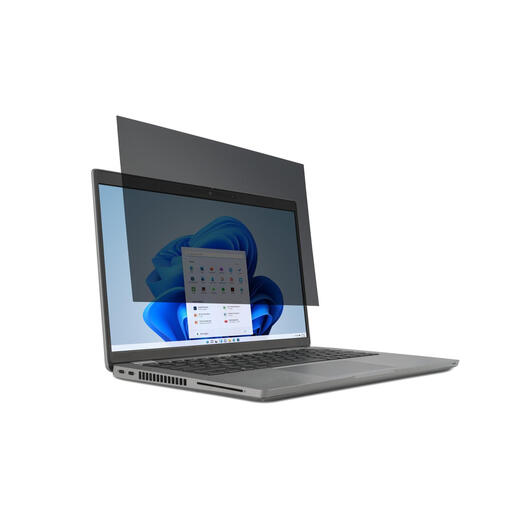
Why this fits the profile: For professionals with a 15.6-inch laptop who regularly work in public spaces and need a removable solution.
The size and aspect ratio are clearly stated: 15.6 inches and 16:9. This reduces the risk of a filter with the wrong proportions.
2-way viewing angle restriction up to 30 degrees, reversible matte/glossy finish and attachment with tabs.
Why this fits the profile: For owners of an iPhone 16 Plus who check messages, payment information or work data on the go.
The product is separately designated for the iPhone 16 Plus. Check this model label before ordering, as the Plus dimensions differ from the Pro version.
Tempered glass, privacy coating, anti-fingerprint layer and included applicator according to the product information.
We have compiled a full, up-to-date list of products that fully meet these strict selection criteria and the applicable European safety regulations.
First clean the screen with a soft, lint-free cloth. Place a screen protector iPhone in a dust-free room and use the included dust remover or applicator. Press air bubbles from the centre towards the edge. With laptop filters, the webcam, sensors and ventilation openings must remain clear.
Store a removable privacy filter flat or in the included case. Do not fold or crease the material: the internal loupes can become permanently deformed. Do not use harsh cleaners, alcohol or acetone if the manufacturer advises against it. With tempered glass, repeated removal can affect the oleophobic layer of the screen.
Yes, the principle is the same: the filter restricts visibility from the side. The effectiveness depends on the viewing angle, screen brightness, distance and ambient light. Straight in front of the screen, the content remains intentionally visible.
The lifespan depends on use and storage. A laptop filter with scratches, creases or permanent deformation can be less pleasant to view. A glass phone protector can be replaced when the glass is damaged. Avoid unnecessarily frequent removal and reapplication.
It can. A privacy layer and matte finish can change the light perception, especially at low brightness. Choose between matte and glossy sides when the model supports this, and check whether the filter is suitable for your screen type.
