
Vandaag of morgen in huis

Kwaliteit gegarandeerd

Welkomstaanbiedingen ontgrendelen: GRATIS bezorging | Tot 80% korting | Gratis 30 dagen JoyPlus-proefperiode
Download de app
Do you often work on the train, in the office, in a café, or in a shared living space? Then a privacy screen protector can stop people next to you from easily reading sensitive information. Think emails, client data, passwords or documents.
However, not every privacy filter is suitable for every device. The biggest mistakes usually come down to three errors:
That's why it pays to first consider size, attachment method and daily use.
Don't just look at the number of inches. Also check the aspect ratio, for example 16:9 or 16:10. A 14-inch laptop with 16:10 has different screen dimensions to a 14-inch model with 16:9.
If in doubt, measure:
A privacy screen laptop filter that doesn't fit perfectly can let light through at the edges or partially cover the webcam. With a touchscreen, you also need to check whether the filter is suitable for touch and stylus use.
A screen filter for privacy works using a micro-louver structure. This restricts the view beyond a certain viewing direction. The product specifications often state a viewing angle of around 30 degrees on each side.
That doesn't mean the screen becomes completely black from every side angle. The degree of darkening depends on the lighting conditions, your screen brightness and the viewing position of bystanders. When using it on busy public transport, also lower your screen brightness and lock your laptop when you walk away.
An anti-glare screen filter can reduce reflections and visible fingerprints. A reversible model sometimes offers a matte side for less glare and a glossy side for a clearer image.
Also pay attention to claims about a blue light filter screen. If a brand states that a filter reduces a certain percentage of blue light, present this as a brand claim. According to Kensington's product description, some models reduce blue light by up to 30, 43 or 52 per cent. That's no guarantee of less eye strain and doesn't replace a good working posture or taking breaks.
For a smartphone, a tempered glass screen protector is often more practical than a thin laptop filter. Pay attention to model compatibility, glass thickness, edge shape, touch sensitivity and room for a phone case.
A privacy filter can be attached magnetically, with adhesive strips or with a sticky layer. Magnetic mounting is practical if you want to remove the filter often. Do check whether your laptop has enough magnetic attachment points.
Make sure the screen is completely dust-free before mounting. A tiny grain between the filter and the screen can cause scratches. Clean the surface with a soft microfibre cloth and avoid harsh chemicals, ammonia and abrasive sponges.
Do not fold or crease a privacy filter. The internal structure can be damaged, causing permanent distortion or marks. With a magnetic Kensington model, there is also a warning to keep the product away from credit cards, hard drives and other devices with magnetic strips.
The lifespan mainly depends on how often you remove the filter, how you store it and how carefully you clean it. A filter that is carried loose in a bag every day is more at risk of scratches than one that stays on the laptop.
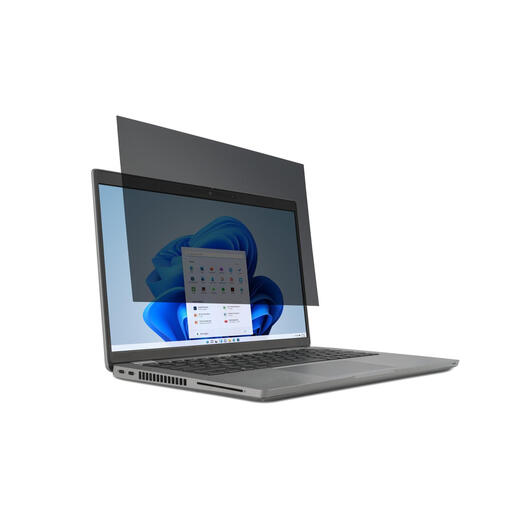
Why this fits the profile: A clear choice for students, home workers and commuters with a 15.6-inch laptop with a 16:9 ratio. The filter is removable and suitable for touchscreen use.
The aspect ratio and laptop size are clearly stated. Just check beforehand that your model is exactly 15.6 inches and uses 16:9.
30-degree viewing angle according to the product description, reversible matte and glossy sides, and support for touchscreen laptops.
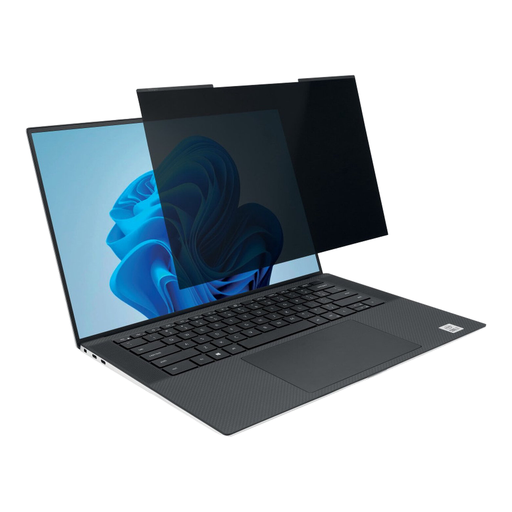
Why this fits the profile: Suitable for professionals with a slim 14-inch laptop who frequently switch between the office, train and home workspace.
The magnetic mounting prevents recurring adhesive residue. The webcam cut-out helps keep the camera clear, but alignment remains important.
Suitable for 16:10, magnetically removable, matte and glossy sides and a stated viewing angle of plus/minus 30 degrees.
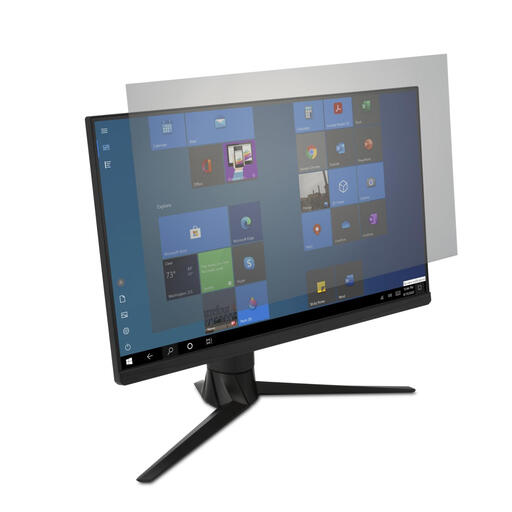
Why this fits the profile: For a fixed home office or desk setup with a wide 34-inch screen, where reflections and fingerprints can be annoying.
It's a monitor filter for a specific size. This prevents a laptop filter from being too small, but measure the screen accurately beforehand.
Anti-reflection coating, suitable for touch and stylus use and, according to the brand description, up to 43 per cent blue light reduction.
We've put together a full, up-to-date list of products that fully meet these strict selection criteria and current European safety regulations.
No. The filter must match the screen size, aspect ratio and sometimes also the bezel thickness. Also check the webcam position and whether the screen has touchscreen functionality.
That depends on the design. Magnetic filters can, according to the product description, stay on the laptop when you close it. Just check that there is no dust, paperclips or other objects between the keyboard and the filter.
That depends on the device and your goal. For a phone, tempered glass mainly offers protection against scratches and light knocks. A privacy screen protector adds viewing restriction, but can affect brightness or the viewing experience. So first choose between privacy, screen protection or a combination of both.
