
Vandaag of morgen in huis

Kwaliteit gegarandeerd

Welkomstaanbiedingen ontgrendelen: GRATIS bezorging | Tot 80% korting | Gratis 30 dagen JoyPlus-proefperiode
Download de app
A privacy screen protector makes your screen harder to see from the side. That’s useful on the train, at university, in a café or at the office when you’re viewing messages, passwords or work documents. However, not every product is right for every device. The wrong size, an unclear viewing angle or disappointing touch sensitivity can make your purchase less useful.
As a Joybuy Product Recommendation Officer, I separate the key product specifications from the marketing claims. This helps you quickly see which features matter for your iPhone, laptop or monitor.
The term 360° privacy sounds as though the screen is completely obscured from every direction. In practice, it usually refers to a privacy layer that darkens the image when viewed from certain angles. The screen generally remains readable from the front, while the image looks darker from the side.
So check whether the product description gives a specific viewing angle. Several VoxorAI models mention a 360-degree viewing angle, as well as stating that the screen dims automatically when viewed from the side. These aren’t universal measurements for every viewing direction, so don’t expect complete privacy if someone is standing directly behind you.
An iPhone privacy filter needs to fit your model’s screen, edges and cut-outs precisely. A screen protector for an iPhone 16 won’t automatically fit an iPhone 16 Pro, iPhone 16 Pro Max or iPhone 17. The design of your case can also affect the fit.
Before checking out, look at:
For laptop and monitor filters, the diagonal, aspect ratio and visible screen dimensions are especially important. “14 inches” on its own isn’t always enough: a 16:9 laptop needs a different filter from a 16:10 model.
A privacy screen protector may also have features such as 9H scratch resistance, anti-fingerprint properties or tempered glass. That doesn’t mean the screen is immune to every drop, impact or crack. The 9H hardness rating generally refers to a surface scratch-resistance test, not a guarantee against damage from drops.
A tempered glass screen protector is particularly useful if you want to reduce everyday scratches, wear and fingerprints. For heavy impacts, a sturdy case and careful handling are still important.
An anti-spy screen protector uses an optical privacy layer. The screen remains usable from the front, but becomes less visible from the side. That’s handy on public transport and in shared workspaces, but it can also make the screen look a little darker.
A filter with a narrower viewing angle generally offers more privacy, but may be less convenient if you want to share your screen with someone. That could be useful for a work laptop or monitor. For a phone you regularly show to other people, a less powerful privacy effect may be more practical.
For a phone, choose between:
Also look for an oleophobic or hydrophobic coating. According to the VoxorAI model descriptions, this layer helps make oil, sweat and fingerprints less noticeable. Its effectiveness gradually decreases with use and cleaning.
An anti-reflective screen filter can reduce distracting reflections. Laptop and monitor filters often have a matt side designed to reduce glare and fingerprints, while the glossy side can provide a brighter image.
Some Kensington filters also include a blue-light filter. Figures such as reductions of up to 22%, 43% or 52% are manufacturer product claims and may vary by model. Don’t treat them as medical promises or a guarantee of less eye strain. Adjust your screen brightness too, and remember to take regular breaks.
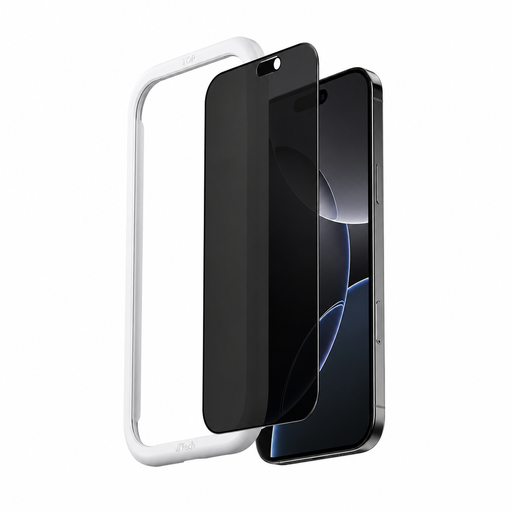
Why it suits this profile: This version is aimed at iPhone 16 users looking for a straightforward privacy solution with an installation tool for use on the go.
The listing names the model explicitly and includes an applicator. This reduces the risk of fitting it at an angle, but still check your exact iPhone version before buying.
According to the product description: tempered glass with 9H hardness, an anti-fingerprint layer and a privacy effect that darkens the screen when viewed from the side.
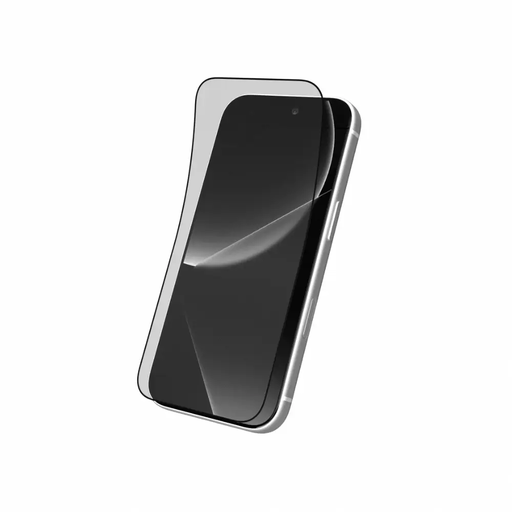
Why it suits this profile: A suitable choice for users who value clarity, an installation tool and a combination of flexibility and surface hardness.
The listing names several compatible models. Check that your exact Pro Max version is supported, and whether the privacy feature is included in this transparent version.
According to the product description: high transparency, a dirt-repellent layer, a blue-light filtering function and an installation tool.
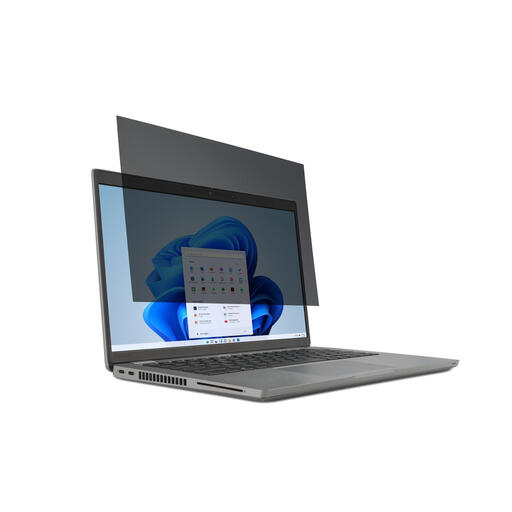
Why it suits this profile: This filter is a good fit for commuters, students and professionals who use their laptop at home, on the go and at the office.
The filter is designed specifically for 14-inch laptops with a 16:9 aspect ratio and has a 30-degree viewing angle restriction. This makes it easier to choose the right size than with a generic laptop filter.
Two sides: matt to reduce glare and fingerprints, and glossy for a clear image. It attaches with mounting tabs and the filter is removable.
Attach a laptop or monitor filter using the supplied system: mounting tabs, clips, a magnetic edge or another fitting. For a monitor privacy filter, also check that the filter size and aspect ratio match.
We’ve put together a complete, up-to-date list of products that meet these strict selection criteria and the applicable European safety regulations.
Yes, the privacy layer reduces visibility from certain side angles. The effect depends on the design, viewing angle, screen brightness and the position of the person next to you. It doesn’t guarantee that the screen will be unreadable from every direction.
Its lifespan depends on how you use and clean it, and whether it comes into contact with keys or other hard objects. Replace it if cracks, lifting edges or obvious scratches appear. Removing and reapplying it frequently can damage the screen coating.
Yes, but only if the dimensions and aspect ratio match. For a laptop privacy filter or monitor privacy filter, check the diagonal, the aspect ratio (such as 16:9 or 16:10) and the attachment method. For example, a filter for 21.5 inches won’t automatically fit a 21.5-inch screen with different visible dimensions.
