
Vandaag of morgen in huis

Kwaliteit gegarandeerd

Welkomstaanbiedingen ontgrendelen: GRATIS bezorging | Tot 80% korting | Gratis 30 dagen JoyPlus-proefperiode
Download de app
Working on the train, preparing a presentation in a café, or checking your bank details at a coworking space. We all do it. But the uncomfortable feeling of someone looking over your shoulder is familiar to many. Sensitive company information, personal messages, or passwords are not meant for others' eyes. A privacy screen protector, also known as a privacy filter or anti-spy screen, offers a simple and effective solution.
As a Joybuy Product Recommendation Officer, I'm here to help you make the right choice. In this article, I'll explain what to look for when making a purchase and provide some concrete recommendations for various devices, based on clear product specifications.
The market offers a wide range of choices, which can make it difficult to decide. Pay attention to the following three points to find a filter that suits your needs.
The core function of a privacy filter is to limit the viewing angle. This is usually expressed in degrees, for example, +/- 30 degrees. This means the screen is only clearly readable from directly in front. As soon as someone tries to look from an angle greater than 30 degrees, they will see a dark or completely black screen. For most situations in public transport or at the office, a 30-degree angle is sufficient to protect your data.
How you attach the filter to your screen is an important consideration. There are broadly two options:
Many modern privacy filters offer more than just protection from prying eyes. A common extra is a built-in blue light filter. According to manufacturers, this can help reduce eye strain, especially during prolonged screen use. Another useful feature is an anti-glare or matte finish. This reduces reflections from sunlight or bright office lights, making your screen more readable.
Based on functionality and specifications, we have listed some popular choices for different devices.
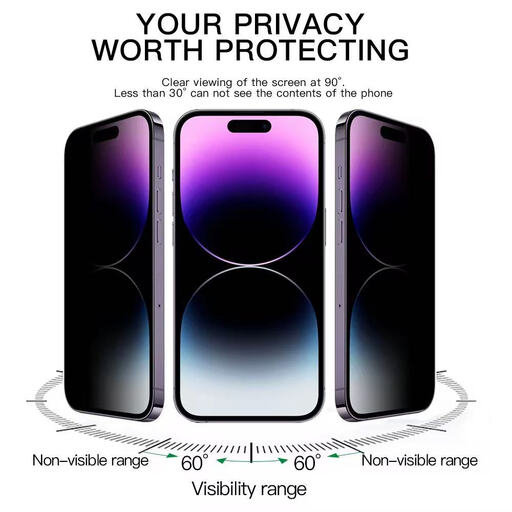
Why It Stands Out: While most filters only limit the view from the left and right, this model from VoxorAI offers 360-degree privacy. Whether someone is looking from the side, above, or below, the screen will appear dark. It is made of 9H hardness tempered glass, which also provides excellent protection against scratches and impacts.
Key Features:
Who It's For: This is a suitable privacy screen protector for the iPhone 16 Pro Max user who uses their phone intensively in crowded environments like public transport and seeks maximum protection for both privacy and the screen itself.
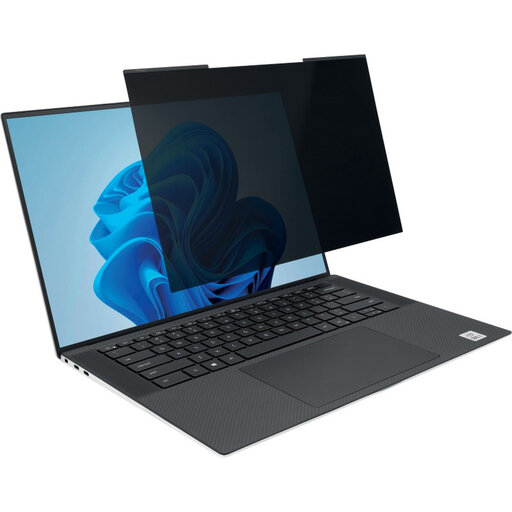
Why It Stands Out: The Kensington MagPro is a prime example of a flexible privacy screen for your laptop. The magnetic attachment makes it extremely easy to apply and remove. This is convenient if you want to quickly switch between private work and sharing your screen. The filter is also reversible: one side is matte to reduce glare, while the other is glossy for a clearer display.
Key Features:
Who It's For: Ideal for professionals and students with a 14-inch laptop (16:10 aspect ratio) who frequently work in different locations. The flexibility of the magnetic system is perfect for those who don't want a permanent filter on their screen.
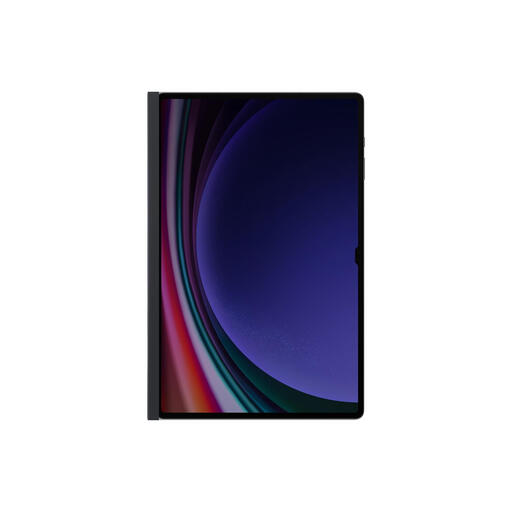
Why It Stands Out: This privacy filter for tablets from Samsung is specifically designed for a seamless fit. The magnetic frame snaps directly onto the tablet, making installation a matter of seconds. The filter is optimized for use in landscape mode, which makes it ideal for viewing documents or media.
Key Features:
Who It's For: This is an excellent choice for owners of a compatible Samsung tablet (14.6 inch) who use their device for work or leisure in public spaces and are looking for a non-permanent, user-friendly privacy solution.
The world of screen protection is vast. Is your device, brand, or size not mentioned? No worries. There are screen protectors of all shapes and sizes, with and without a privacy function. For a broader overview of the options, you can always take a look at our full range.
View our full range of screen protectors
1. How exactly does a privacy screen protector work? A privacy filter uses a technology called 'micro-louver'. This is a layer with tiny, vertical slats embedded in the screen. These slats block light from an angle but allow it to pass through directly from the front. As a result, only the person sitting directly in front of the screen can read the content.
2. Will my screen become much darker with a privacy filter? Yes, a privacy filter does slightly reduce the overall brightness of your screen. This is a direct consequence of the light-blocking technology. You can usually compensate for this by setting your screen's brightness a little higher. Some filters, like the Kensington MagPro, have a glossy side that can make the image appear brighter than the matte side.
3. Can I leave a magnetic privacy screen on my laptop when I close it? This depends on the design of the filter and the laptop. Most thin, magnetic filters like the Kensington MagPro are specifically designed to remain on the screen when you close the laptop. The laptop can still close completely and go into sleep mode. Always check the manufacturer's specifications to be sure.
