
Vandaag of morgen in huis

Kwaliteit gegarandeerd

Welkomstaanbiedingen ontgrendelen: GRATIS bezorging | Tot 80% korting | Gratis 30 dagen JoyPlus-proefperiode
Download de app
A privacy screen protector is useful when you work on the train, in the office, in a café or on campus. However, not every screen protector with a privacy filter delivers the same results. The wrong size, a viewing angle that is too narrow or difficult installation can still leave you struggling to see your screen.
As a Joybuy Product Recommendation Officer, I therefore focus mainly on verifiable features: compatibility, viewing angle, material, installation and additional coatings. This makes it easier to see which privacy filter makes sense for your iPhone, laptop or monitor.
A 14-inch laptop does not automatically have the same screen dimensions or aspect ratio as another 14-inch laptop. Also check:
A 14-inch laptop privacy filter with a 16:9 aspect ratio will not necessarily fit a 14-inch model with a 16:10 display. The same applies to a 15.6-inch laptop privacy filter.
A 2-way privacy filter limits visibility from the left and right. From above or below, the image may still be partially visible. Product descriptions often mention a viewing angle of around 30 degrees or a limited viewing angle of plus or minus 30 degrees.
For phones, a brand may refer to a 360° privacy screen protector. According to VoxorAI’s product description, this means that the phone is mainly visible from the front and that the screen becomes darker from a certain angle. This does not guarantee that information will be completely invisible from every conceivable position. So, when you are on the train or in the office, also consider the direction from which other people may be looking.
According to the brand’s product description, a blue-light filter or anti-reflective screen filter may reduce blue light and glare. Kensington states percentages for blue-light reduction on various filters. These are product specifications from the manufacturer’s description, not a medical guarantee.
Terms such as “anti-spy screen protector”, “anti-fingerprint” and “explosion-proof” should also be interpreted practically. They describe a coating or construction, but do not make the product indestructible. A privacy screen protector also does not protect against phishing, unsecured files or someone standing directly behind you.
For laptops and monitors, a 2-way privacy filter is a common choice. The filter limits visibility from the sides while allowing you to work normally when facing the screen directly. This is practical for commuters and business users viewing documents, passwords or emails in public spaces.
A monitor privacy filter is often larger and is attached with tabs, clips or strips. Check beforehand whether the filter is suitable for touchscreen use and whether installation blocks any ventilation openings.
Laptop and monitor filters are often made from thin PET or semi-rigid plastic. They are lightweight and removable, but should not be folded or creased. For smartphones, a tempered glass screen protector is common. The VoxorAI models in this selection state 9H hardness. This is a scratch-resistance specification according to the product description; it does not mean that the glass can withstand every type of fall.
An iPhone privacy screen protector made from tempered glass may also have an oleophobic coating to protect against oil and fingerprints. According to the product information, repeatedly removing and reapplying it may put strain on the screen’s original oleophobic layer.
Choose a magnetic privacy filter if you want to attach and remove it frequently. A magnetic model does not use adhesive and may be left in place when you close the device, provided your laptop is compatible. Check, however, that the magnetic strips do not come into contact with payment cards, hard drives or other magnetic storage media.
For a phone, a supplied applicator is useful. Clean the screen thoroughly, remove any dust and place the glass as straight as possible in a single application. If dust or a fibre gets underneath, air bubbles are more likely to appear.
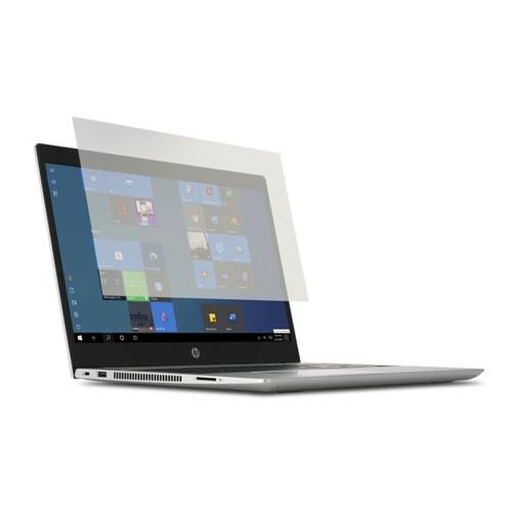
Why this suits the profile: This transparent filter is designed for 14-inch laptops and is suitable for students and home workers who mainly struggle with reflections.
The size is clearly specified as 14 inches. Before buying, check your laptop’s exact aspect ratio.
PET construction, removable attachment, support for touch and pen according to the product description, plus a cleaning cloth.
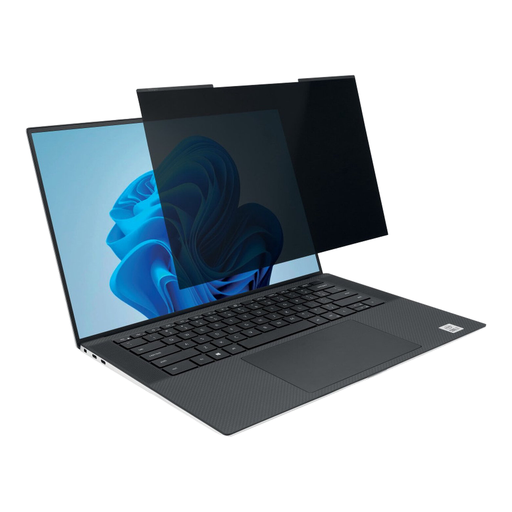
Why this suits the profile: For business users with a thin laptop and a 16:10 screen, the magnetic design provides a quick way to add privacy.
The 16:10 aspect ratio is explicitly stated. This prevents you from ordering based solely on the diagonal measurement.
Magnetic attachment, a viewing angle of plus or minus 30 degrees, a webcam cut-out, and matte and glossy sides according to Kensington.
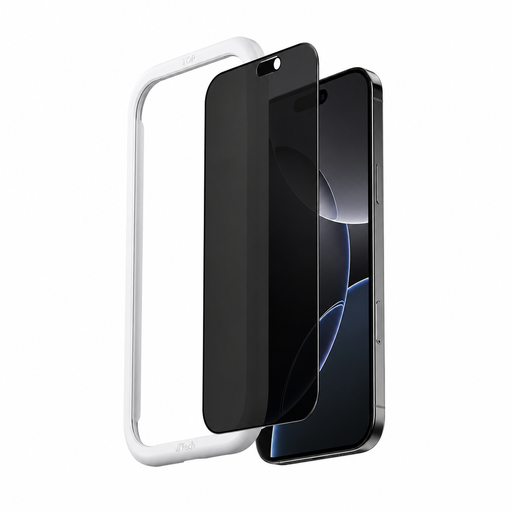
Why this suits the profile: A commuter viewing messages, passwords or business information on an iPhone 16 can opt for tempered glass with a privacy layer.
The model is specifically designed for iPhone 16 and includes an applicator. Check that you use a standard iPhone 16 rather than a Plus, Pro or Pro Max version.
Tempered glass with 9H hardness, an anti-fingerprint coating, AR coating and a side-view privacy function described by VoxorAI.
There is no fixed, universal replacement interval for a screen protector. Replace it when the glass is cracked, the privacy function noticeably deteriorates, the edges start to come away or scratches make the display difficult to use.
We have put together a complete, up-to-date list of products that fully meet these strict selection criteria and the applicable European safety regulations.
That depends on the model. Several Kensington filters state that they support touchscreen and pen use. Always check the product specifications, as a thick or incorrectly installed filter may affect operation.
No. An iPhone 16 screen protector will not automatically fit an iPhone 16 Pro Max or iPhone 17. Check the exact model, dimensions and cut-outs for the speaker and sensors before ordering.
A privacy layer can make the viewing experience appear darker from an angle. A matte anti-reflective side can also make the image look different from a glossy side. Choose glossy for a brighter image, or matte if you want to reduce reflections and visible fingerprints.
