
Vandaag of morgen in huis

Kwaliteit gegarandeerd

Welkomstaanbiedingen ontgrendelen: GRATIS bezorging | Tot 80% korting | Gratis 30 dagen JoyPlus-proefperiode
Download de app
A privacy screen protector is designed to shield your screen from people sitting next to you on the train, in the office or in a café. This is useful when viewing passwords, messages, customer data or business documents. However, not every privacy film is suitable for every device.
Most poor purchases are usually caused by three mistakes:
Always start with the exact device model. For a phone, you need to check the iPhone generation and version, such as iPhone 16 Pro, iPhone 16 Pro Max or iPhone 17 Pro Max. For laptops, it is not only the screen diagonal that matters, but also the aspect ratio and bezel dimensions.
A laptop filter for 13.3 inch with a 16:10 ratio is not the same as a filter for 14 inch with 16:9. If in doubt, measure the visible screen area and check that the camera, sensors and touchscreen remain unobstructed.
A screen protector with a privacy filter makes the display less visible from the side. Kensington specifies a viewing-angle restriction of around 30 degrees for various filters. For selected iPhone models, VoxorAI describes 360° privacy performance, making the screen appear darker from the side.
These figures are product specifications, not a guarantee that nobody will ever be able to see anything. Bright ambient light, your screen brightness and the position of the person looking over your shoulder all affect the result. You should also use a lock screen and avoid leaving sensitive information open unnecessarily.
A tempered-glass screen protector with a stated hardness of 9H is designed to withstand everyday scratches and minor knocks. This does not mean that the glass is unbreakable. A cracked protector should be removed carefully and disposed of safely.
There are several installation options for laptops:
An anti-reflective screen protector can reduce distracting reflections. According to the product description, a matte side often reduces glare and visible fingerprints, while a glossy side can provide a brighter image. For touchscreen laptops, compatibility with touch input and a pen is important.
Some products mention blue-light reduction, for example “up to 22%”, “up to 30%” or “up to 52%”. These are claims made in the product information supplied by the respective brands. They should not be interpreted as having a medical effect or as a guarantee against eye strain. According to Kensington’s own product information, certain filters are touchscreen-compatible and feature an anti-reflective coating. Always check the exact model variant before ordering.
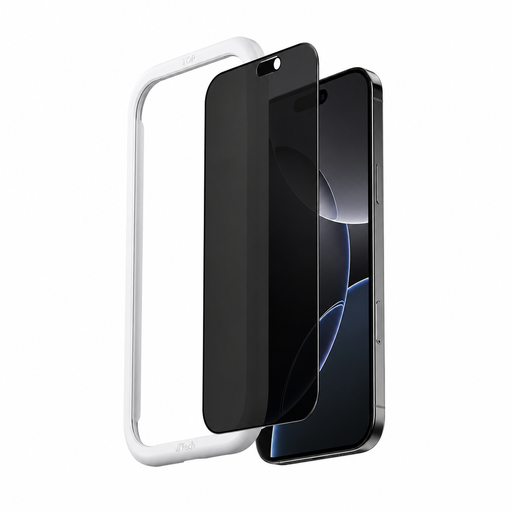
Why it suits this profile: This version is aimed at iPhone 16 Pro Max users who mainly want to shield their screen while travelling and at work. The supplied applicator is designed to make installation easier.
The product information specifies the exact model, 6.7 inch, 9H tempered glass and an automatic applicator. However, check these details against your device variant before ordering.
According to VoxorAI: restricted viewing angle, 9H tempered glass, anti-fingerprint layer and AR anti-reflective coating.
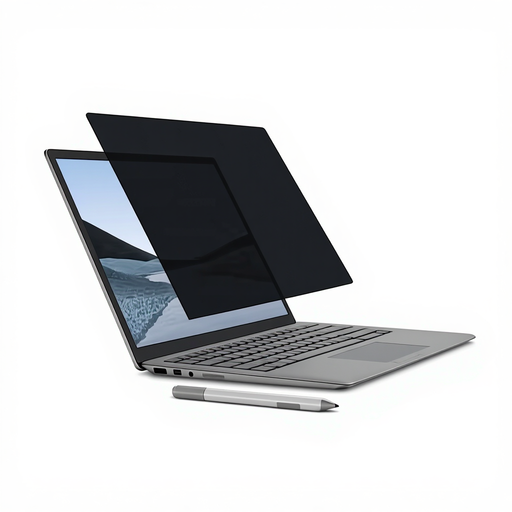
Why it suits this profile: Suitable for Surface Laptop users looking for a tidy, reusable solution without adhesive and who regularly work with a touchscreen or Surface Pen.
The magnetic attachment prevents repeated sticking and peeling. The filter is made for 13.5 inch screens and should not be confused with other Surface sizes.
According to Kensington: viewing angle of +/- 30 degrees, matte and glossy sides, touchscreen support and an anti-reflective coating.
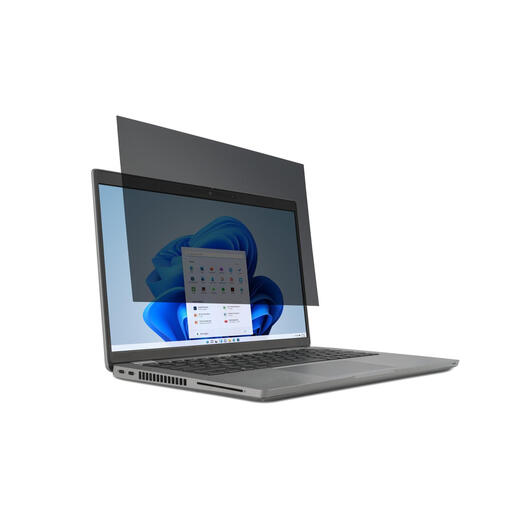
Why it suits this profile: A practical choice for students, commuters and professionals with a 15.6-inch laptop who only want to use the filter in busy locations.
The product name specifies both 15.6 inch and 16:9. The reversible design offers a matte and a glossy side, allowing you to switch between reduced reflections and a brighter image.
According to Kensington: 2-way viewing-angle restriction of up to 30 degrees, removable installation, touchscreen compatibility and anti-reflective properties.
We have compiled a complete, up-to-date list of products that fully meet these strict selection criteria and the applicable European safety regulations.
Correct installation plays an important part in keeping your privacy screen protector useful.
With a magnetic privacy filter, check that there are no metal particles between the filter and the screen. Do not fold or crease a rigid filter. Do not use harsh solvents for cleaning; according to the product instructions, a soft microfibre cloth is generally the safest choice.
Yes, the privacy effect works regardless of location, but visibility depends on screen brightness, viewing angle and ambient light. In bright sunlight, the display may also become less comfortable for the user to view.
This varies by model. Various Kensington filters specify touchscreen compatibility. Always check the product specifications and make sure that the filter does not block the camera, sensors or pen input.
Its lifespan depends on use, scratches, installation and cleaning. A tempered-glass protector may crack if dropped; a laptop filter can suffer permanent damage if folded or stored under pressure. Store a removable filter flat and replace it as soon as visibility or the attachment noticeably deteriorates.
