
Vandaag of morgen in huis

Kwaliteit gegarandeerd

Welkomstaanbiedingen ontgrendelen: GRATIS bezorging | Tot 80% korting | Gratis 30 dagen JoyPlus-proefperiode
Download de app
Do you regularly work on the train, in the office, in a café or from a shared workspace? A privacy screen protector can help make sensitive information less visible to people sitting beside you. This could include passwords, customer details, emails or financial information.
However, not every privacy screen protector is right for every device. The wrong size, an unclear viewing angle or a fitting that doesn’t suit your screen can reduce both privacy and ease of use. Read on to find out what to look for and which options suit different needs.
“13.3 inches” or “21.5 inches” doesn’t tell you everything. The aspect ratio, screen bezels, camera cut-out and exact dimensions also matter. A filter for a 13.3-inch screen with a 16:10 ratio won’t automatically fit a laptop with the same diagonal measurement but a 16:9 ratio.
So be sure to check:
Some phone models have a “360-degree” viewing angle listed in the product information. In practice, this usually means the screen appears darker or less readable from several sides. Exactly how well it works depends on the viewing angle, brightness and surroundings.
So don’t assume this means the screen is completely invisible from every position. A privacy filter makes it harder for others to see your screen, but it doesn’t replace a screen lock, screen timeout or careful handling of confidential information.
A matte finish can make reflections and fingerprints less noticeable, but it can also make the image look slightly less bright. A glossy side can give you a sharper image, but it’s more likely to reflect lights and windows.
An anti-glare screen protector is particularly useful in bright surroundings. If a clear picture for photos and videos is your priority, look for the option to switch between a matte and glossy side.
A privacy filter for a laptop or monitor uses an optical layer to limit the side viewing angle. Various Kensington filters are specified as limiting the viewing angle to around 30 degrees. This is especially useful when someone is sitting right beside you, such as on a plane or train.
Please note: the privacy effect is strongest when you’re sitting directly in front of the screen. If someone looks down or up at it from a steep angle, some of the content may still be visible.
A removable filter with fitting tabs is useful if you switch between using your screen privately and sharing it with others. A magnetic model, such as a Kensington MagPro filter for Surface Laptop, can be fitted more quickly without adhesive.
Phones usually use direct fitting with optical adhesive. An applicator can help you position the protector straight. Clean the screen to remove dust and grease first; even a tiny speck of dust can cause an air bubble.
A tempered glass screen protector generally feels more robust and is designed to help protect against everyday scratches. Various VoxorAI models are specified as having a hardness rating of 9H. This is a product specification for scratch resistance, not a guarantee against every drop or breakage.
For laptops and monitors, touchscreen compatibility is important. Also check whether a filter works with a stylus. A privacy filter shouldn’t unnecessarily interfere with touch functionality.
A blue light filter for a screen may be part of a privacy filter or anti-reflective filter. Percentages such as 22%, 43% or 52% come from the manufacturer’s product information. According to Kensington’s product specifications, these filters are designed to reduce some blue light. This is not a medical claim, and it doesn’t make a filter a medical device.

Why it suits this profile: A practical choice for students and commuters with a 13.3-inch laptop with a 16:10 ratio.
The aspect ratio is clearly stated. The filter is removable and has both a matte and a glossy side.
A viewing angle limited to 30 degrees according to the product specification, an anti-reflective layer and touchscreen compatibility.
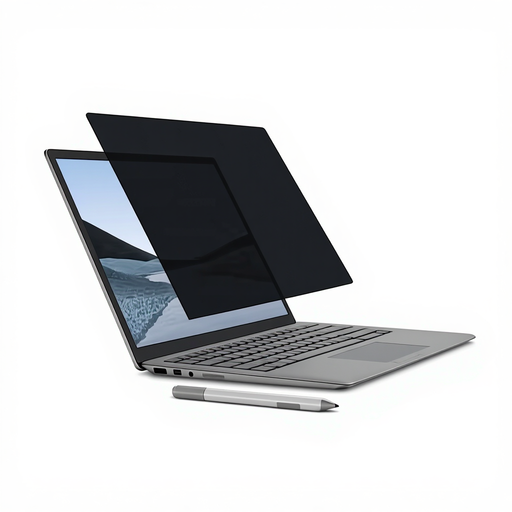
Why it suits this profile: A good fit for Surface Laptop users who often switch between working privately and collaborating.
The magnetic fitting avoids the hassle of permanent adhesive. Be sure to check your exact Surface model first.
Magnetic fitting, matte and glossy sides, and support for touchscreen use and Surface Pen, according to the product description.
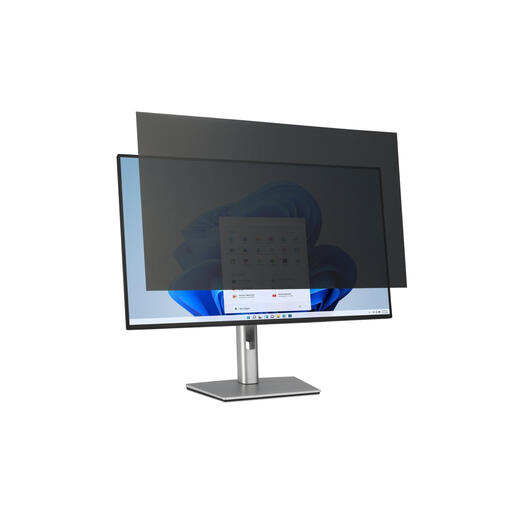
Why it suits this profile: For home workers and professionals who use a large 32-inch monitor to handle confidential information.
Both the screen size and 16:9 ratio are specified, reducing the risk of ordering a filter with the wrong aspect ratio.
Removable fitting, matte and glossy sides, and a stated viewing angle limit of 30 degrees.
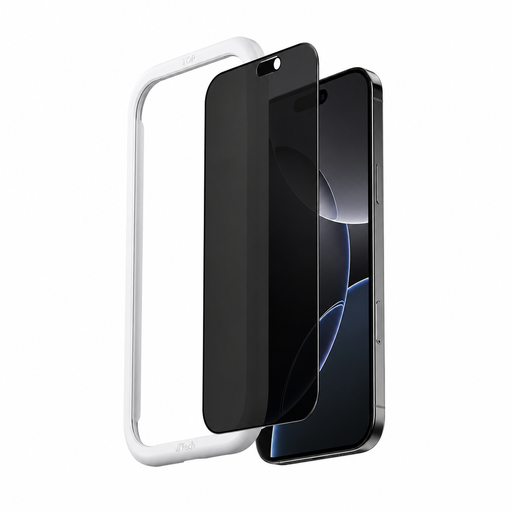
Why it suits this profile: Handy for commuters who use their iPhone in public and want scratch protection too.
The model is specifically listed for iPhone 16. Always check it against your own device before ordering.
Tempered glass with a 9H hardness rating according to the product specification, applicator included, and coatings to help reduce fingerprints and reflections.
We’ve put together a comprehensive, up-to-date list of products that meet these strict selection criteria and current European safety requirements.
A privacy screen filter only works well when it’s fitted correctly. Follow these steps:
Privacy filters don’t have a fixed, universal lifespan. It’s a good idea to replace one if the layer is scratched, cracked or optically distorted. On phones, repeatedly removing the protector can also affect the original oleophobic coating.
It can, but check each product. Various Kensington filters are described as suitable for touchscreen use. Touch functionality usually remains available on a phone, but the thickness and coating may slightly change how the screen feels.
A privacy filter can affect brightness and your viewing experience, especially when you look at the screen from an angle. A glossy side may give you a brighter image, while a matte side generally reduces reflections and visible fingerprints. Adjust your screen brightness to suit your surroundings rather than relying on the filter alone.
No. A privacy filter mainly limits visibility from the sides. A blue light filter for a screen is designed to filter some blue light, according to the product specification. Some models combine both features, but check the individual specifications before buying.
