
Vandaag of morgen in huis

Kwaliteit gegarandeerd

Welkomstaanbiedingen ontgrendelen: GRATIS bezorging | Tot 80% korting | Gratis 30 dagen JoyPlus-proefperiode
Download de app
By: Joybuy Product Recommendation Officer
Do you often work on the train, in a café, or in an open-plan office? Then you know the feeling: that uncomfortable sense that someone is looking over your shoulder. Whether you're working on a sensitive document, managing your finances, or typing a personal message, your privacy is paramount. A privacy screen protector is a simple and effective solution that keeps prying eyes at bay.
In this guide, we'll help you make the right choice. We'll cover the key factors to consider and highlight some popular options for your phone, laptop, and tablet. This way, you can get back to working with peace of mind, wherever you are.
An anti-peeping screen protector is more than just a dark film over your screen. Its effectiveness depends on a few key technical specifications.
The core feature of a privacy filter is its viewing angle. This is typically expressed in degrees, such as 30° or 60°. This number indicates the angle at which the screen becomes unreadable.
How you attach the anti-spy film depends on your device and your usage habits.
iPhone privacy screen protector.magnetic tablet privacy filter or a removable laptop privacy filter offers more flexibility. You attach the filter only when you need it. This is convenient if you also frequently share your screen with colleagues or friends.Some privacy filters offer more than just privacy. Two common extras are:
blue light filter can help reduce this effect, which is especially beneficial if you work late into the evening.Based on product specifications and functionality, we've selected a few top choices for different devices.
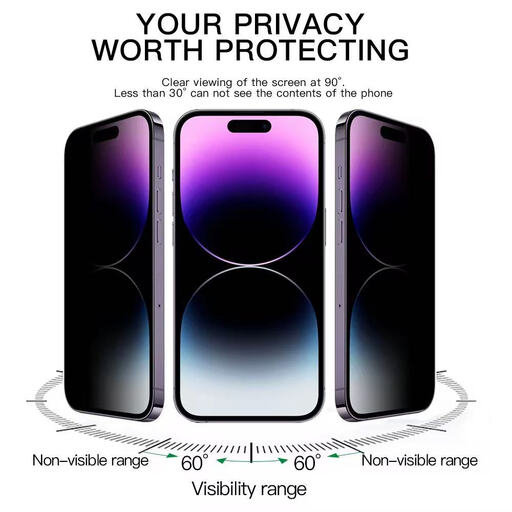
VoxorAI iPhone 16 Pro Max 360° Privacy Screen Protector
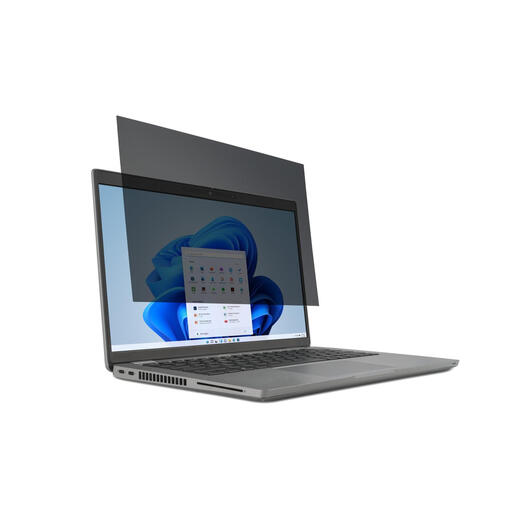
Kensington 2-way Removable Privacy Screen Filter for 15.6" Laptops
laptop privacy filter is designed for flexibility. You can easily attach and remove it as needed. It's also reversible: one side is matte to reduce glare, while the other is glossy for extra clarity.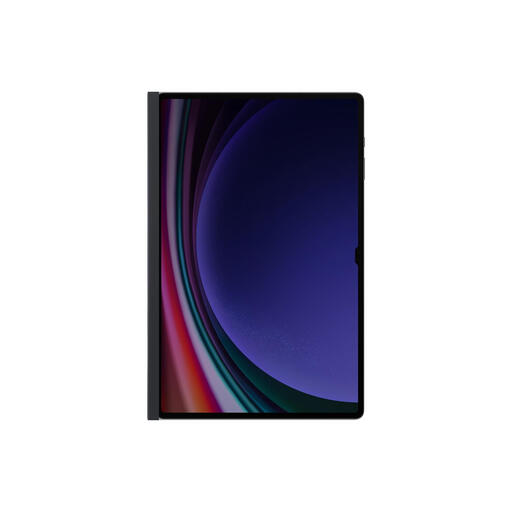
Samsung EF-NX912PBEGWW Framed Display Privacy Filter for Tablet (14.6")
magnetic tablet privacy filter is specially designed for ease of use. Thanks to its magnetic frame, the filter snaps effortlessly onto your tablet. No fussing with adhesives or clips.The right choice depends heavily on your specific device and how you use it. If the recommendations above don't quite match what you need, many more options are available.
Explore our full range for different sizes and device types.
A privacy screen protector uses a technology called 'micro-louver'. This is a layer with tiny, vertical blinds that only allow light from the screen to pass through straight ahead. From an angle, these louvers block the view, making the screen appear black.
Yes, a privacy filter will slightly reduce the overall brightness of your screen, even for the user sitting directly in front of it. This is a direct result of the light-blocking technology. You can usually compensate for this by setting your screen's brightness a little higher.
For most adhesive screen protectors, this is not a problem. They are thin enough to be compatible with most standard cases. With thicker glass protectors or magnetic filters, it's always wise to check that the fit isn't compromised by the edges of your case.
