
Vandaag of morgen in huis

Kwaliteit gegarandeerd

Welkomstaanbiedingen ontgrendelen: GRATIS bezorging | Tot 80% korting | Gratis 30 dagen JoyPlus-proefperiode
Download de app
Working on the train, in a coffee shop, or in an open-plan office comes with an unavoidable inconvenience: the feeling of someone looking over your shoulder. A privacy screen laptop is a logical solution. However, the search for the right filter often leads to frustration. Many products promise the world but leave you with a filter that doesn't fit, comes loose, or makes your screen unreadable.
Before you spend any money, it's wise to know the most common pitfalls:
anti-snooping screen that doesn't fit properly at the sides or blocks your webcam.magnetic privacy filter that slides off with the slightest screen movement. A clumsy attachment method quickly renders a filter useless.blue light filter laptop. Sometimes, this effect is so strong that it completely distorts the colours on your screen or drastically reduces brightness, making work more tiring.To avoid these problems, there are a few objective specifications you should check. This will help you secure your laptop screen from prying eyes without compromising on usability.
The size of a laptop or computer screen is always indicated diagonally in inches. But that's not enough. You also need to know the aspect ratio. The most common ratios are 16:9 (widescreen, common for many laptops) and 16:10 (slightly taller, popular with newer models like MacBooks and Dell XPS).
privacy screen 14 inch for a 16:9 screen will not fit properly on a 16:10 screen of the same diagonal size.How you attach the privacy screen filter determines its practicality. There are broadly two systems:
magnetic privacy filter clicks directly onto the metal bezels of your laptop screen. This is ideal for those who want to switch quickly, for example, to show something to a colleague. Do check if your laptop has a magnetic frame and if the filter is designed to allow the laptop to close completely.The core function is, of course, privacy. Most filters, like a Kensington privacy filter, limit the viewing angle to +/- 30 degrees. Someone sitting next to you will only see a black screen. Additionally, many filters offer extras:
Based on these objective criteria, we have selected a number of products that suit different user profiles.
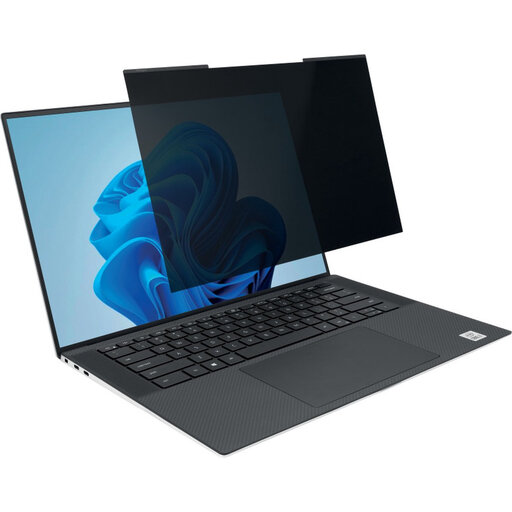
Why This Fits Their Persona: Ideal for those constantly on the move between appointments, hot desks, and the train. The magnetic system allows the filter to be attached or removed in a second, without the hassle of adhesive strips.
This filter bypasses the 'attachment frustration'. The magnetic strip is designed to adhere firmly and allows the laptop to close completely, which is a common problem with many cheaper magnetic filters.
Advantage: Ultra-fast attachment and removal.
Pro: Reversible with matte and glossy sides for different lighting conditions.
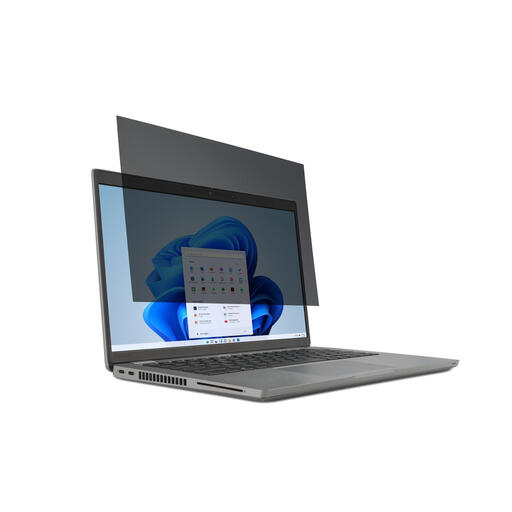
Why This Fits Their Persona: Suitable for students and professionals who work in various locations, from the university library to an open-plan office. The adhesive strip attachment is reliable for long-term use.
This filter is specifically for the common 14-inch 16:9 size, which prevents the fit-trap. The included strips are designed for repeated use, provided the screen is kept clean.
Advantage: A solid all-rounder with all the necessary features.
Pro: The reversible matte side is effective against glare from lamps or windows.
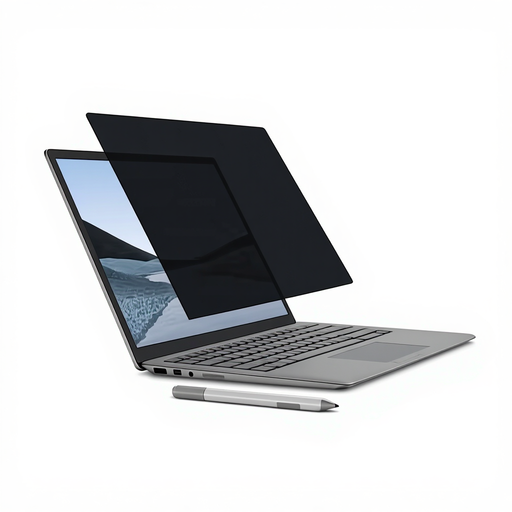
Why This Fits Their Persona: Owners of a Microsoft Surface Laptop need a filter that perfectly matches the unique magnetic frame and screen dimensions. A universal filter often doesn't work well here.
This model is specifically designed for the Surface Laptop. It completely solves the fit-trap by clicking seamlessly onto the magnetic frame without obstructing the camera or sensors.
Advantage: Perfect, seamless fit for the specific device.
Pro: According to Kensington, it reduces harmful blue light by up to 22% and is compatible with the Surface Pen.
We have compiled a complete, real-time list of products that fully satisfy these strict selection criteria and UK safety regulations.
Measure the diagonal dimension of the visible part of your screen in centimetres and convert it to inches (divide by 2.54). Additionally, check the aspect ratio (e.g., 16:9 or 16:10) by looking up your laptop's specifications. Choose a filter that matches both the inch size and the aspect ratio.
Yes, a privacy filter reduces the amount of light your screen transmits. This is a direct result of the technology that limits the viewing angle. You will likely need to turn up your screen's brightness slightly. However, most modern filters are designed so that the view from directly in front remains clear and easily readable.
This depends on the design of the filter and the laptop. Many modern, slim magnetic filters (like Kensington's MagPro series) are specifically designed to remain on the laptop when you close it. Always check the product description to see if the manufacturer explicitly states this.
