
Vandaag of morgen in huis

Kwaliteit gegarandeerd

Welkomstaanbiedingen ontgrendelen: GRATIS bezorging | Tot 80% korting | Gratis 30 dagen JoyPlus-proefperiode
Download de app
Working from a train, a coffee shop, or a co-working space offers freedom, but it also comes with a risk: prying eyes on your screen. Whether you're working on a sensitive company report, reading personal emails, or doing your online banking, you don't want strangers looking over your shoulder. A privacy screen is a simple and effective way to protect your digital privacy.
This article will help you choose the right privacy filter for your device. We'll cover the key considerations and provide specific recommendations for laptops, monitors, and tablets, based on product specifications.
Before you make a choice, there are a few practical things to consider. The right fit and functionality are crucial for effective performance.
A privacy screen only works well if it fits your screen perfectly. Measure the diagonal size of your screen in inches and check the aspect ratio (such as 16:9 or 16:10). You can usually find this information in your laptop or monitor's specifications. A filter that is too small or too large won't fit properly and may leave the edges of your screen exposed.
How you attach the filter determines its ease of use.
magnetic privacy filter snaps onto the bezels of your screen. This is ideal if you want to remove the filter frequently, for example, to share your screen with a colleague. It's a popular choice for a privacy screen laptop with a thin bezel.Many modern privacy filters offer more than just shielding your screen from prying eyes.
anti-glare screen filter with a matte finish reduces reflections and fingerprints, keeping your screen more readable. Many filters are reversible, with a glossy side for more clarity and a matte side to combat glare.Based on functionality and specifications, we have selected some of the most popular privacy screens for various devices.
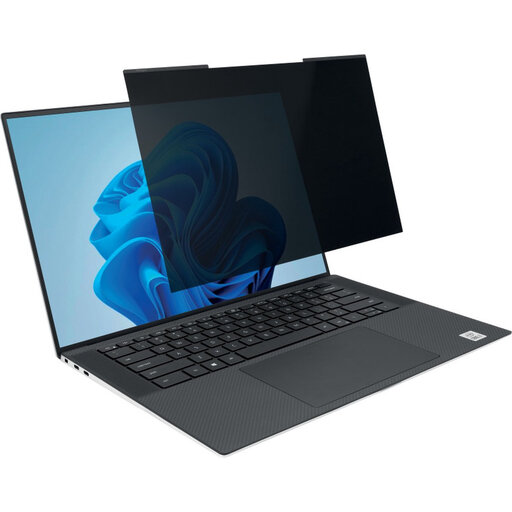
Why it stands out: This filter is specially designed for modern, thin-bezel laptops. The magnetic attachment makes installation and removal incredibly easy. You can even close your laptop completely with the filter attached.
Key features:
Who is it for? Ideal for professionals with a 14-inch laptop (16:10 aspect ratio) who frequently work on the go or at hot desks and need to quickly switch between privacy and collaboration.
View the Kensington MagPro for Laptops
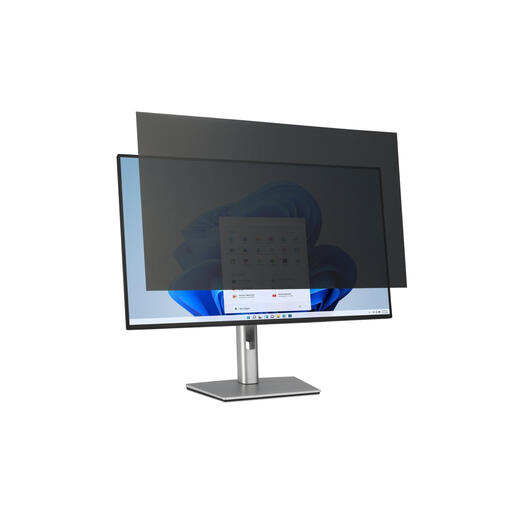
Why it stands out: This privacy screen monitor filter is suitable for large 32-inch screens, which are often used for processing detailed or sensitive information. The tab-based attachment allows you to remove the filter when needed.
Key features:
Who is it for? Suitable for users of large desktop monitors in open-plan offices, financial institutions, or design studios where on-screen data must be protected.
View the Kensington Filter for Monitors
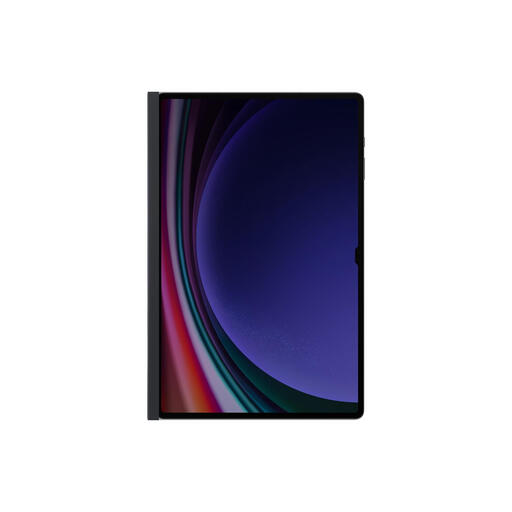
Why it stands out: This filter from Samsung is specifically designed for the 14.6-inch Galaxy Tab. Its magnetic frame ensures a seamless fit and makes attachment a breeze. It not only protects against prying eyes but is also scratch-resistant.
Key features:
Who is it for? The perfect choice for owners of a 14.6-inch Samsung Galaxy Tab who often use their device in public spaces like public transport or lecture halls.
View the Samsung Filter for Tablets
Don't see your specific model or size listed? Privacy filters are available for hundreds of different devices, from small tablets to large curved monitors.
Check out our full range of Privacy Computer Screen Protectors to find the right match for your screen.
1. How does a privacy screen work exactly? A privacy filter uses micro-louvre technology. This is a thin film with vertical blinds that only allow light to pass through straight on. As a result, only the person sitting directly in front of the screen can see the content. From an angle, the screen appears dark or completely black.
2. Can I still see my screen clearly with a privacy filter? Yes, when you are sitting directly in front of the screen, the content remains clearly visible. However, the screen's brightness may be slightly reduced. You might need to set your device's brightness a little higher for optimal comfort.
3. How do I choose the right size privacy filter? Measure the diagonal dimension of your screen's viewable area, from one corner to the opposite corner. Also, check your screen's aspect ratio (width-to-height ratio). These two specifications together will determine which filter is the correct fit.
