
Vandaag of morgen in huis

Kwaliteit gegarandeerd

Welkomstaanbiedingen ontgrendelen: GRATIS bezorging | Tot 80% korting | Gratis 30 dagen JoyPlus-proefperiode
Download de app
Do you regularly work on the train, in a café, or in an open-plan office? Then you'll recognise the uncomfortable feeling of someone looking over your shoulder. Whether you're working on a sensitive company report or managing your personal finances, your digital privacy is crucial. A privacy screen is a simple solution, but the wrong choice can lead to frustration and wasted money.
As a Joybuy Product Recommendation Officer, I often see where things go wrong. Many people fall for marketing claims and end up with a filter that doesn't work. Let's look at the three most common pitfalls so you can make an informed choice.
To avoid the problems above, it's important to pay attention to a few technical specifications. These aren't complicated details, but practical features that make the difference between a useful product and a bad purchase.
How you attach the privacy filter determines its ease of use. There are roughly three systems:
The effectiveness of an anti-snooping filter depends on its viewing angle.
Not every privacy screen is suitable for everyone. Your choice depends on your device and how you use it. Below are a few options, linked to specific user profiles.
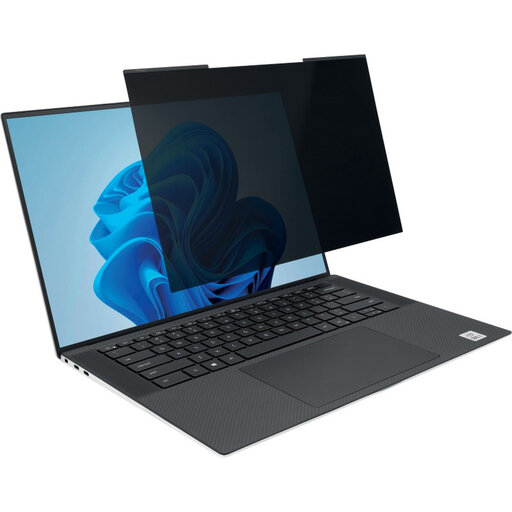
Why This Fits Their Persona: Ideal for those who switch between the office, home, and on-the-go locations. The magnetic attachment allows you to quickly apply the filter for focused work and remove it just as fast to share your screen with a colleague.
This magnetic filter completely solves pitfall 1 (clumsy attachment). No hassle with adhesive strips that lose their grip or leave residue.
Simple magnetic attachment and removal. Reversible with a matte and glossy side for different lighting conditions.
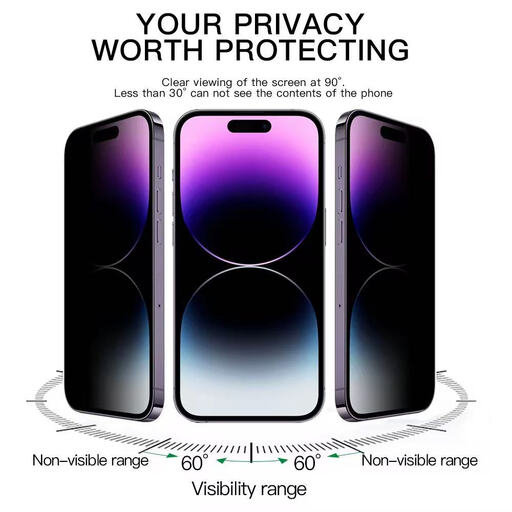
Why This Fits Their Persona: Perfect for those who use their smartphone frequently in crowded trains, buses, or waiting areas. Protects messages, passwords, and other sensitive information from prying eyes from all angles.
This filter provides 360-degree (4-way) privacy, which addresses pitfall 3 (ineffective viewing angle). It protects not only from the sides but also from the top and bottom.
Full 360-degree privacy. Made of 9H tempered glass, which also provides protection against scratches and impacts.
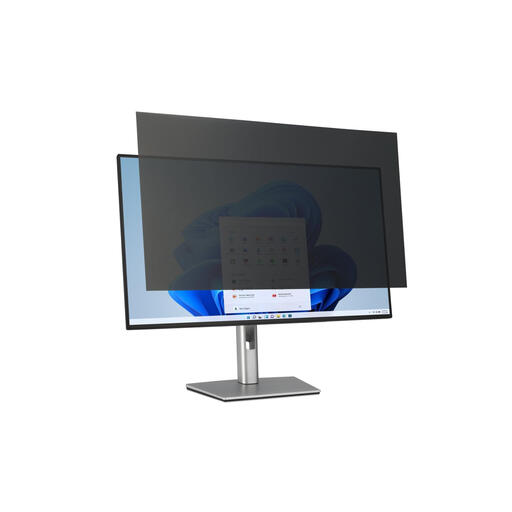
Why This Fits Their Persona: Suitable for professionals working with confidential data on a large monitor in an open-plan office. This anti-snooping screen filter ensures that only the person directly in front of the screen can see the content.
Specifically designed for large 32-inch screens, ensuring a good fit (avoids pitfall 1). The reversible, matte side counters reflections from office lighting (avoids pitfall 2).
Large format for external monitors. Reduces blue light and glare, which is easier on the eyes during long workdays.
The right choice heavily depends on your specific device. We have compiled a complete list of products that meet these selection criteria.
The size of a screen is measured diagonally and expressed in inches. Measure your screen from the bottom-left corner to the top-right corner (only the visible area). Also, check the aspect ratio, such as 16:9 (widescreen) or 16:10. This information is usually found in the specifications of your laptop or monitor. Compare this with the privacy filter's specifications to ensure a perfect fit.
Yes, a privacy filter will slightly reduce your screen's brightness. This is a direct result of the technology that limits the viewing angle. Most users can compensate for this by slightly increasing their device's brightness. Additionally, many filters are reversible and have a glossy side that is typically a bit brighter than the matte, anti-glare side.
In most cases, yes. Manufacturers like Kensington design their filters to be compatible with touchscreens. The touch sensitivity might feel slightly different, but the functionality is retained. However, it is always wise to double-check this in the product description of the specific filter you are considering.
