
Vandaag of morgen in huis

Kwaliteit gegarandeerd

Welkomstaanbiedingen ontgrendelen: GRATIS bezorging | Tot 80% korting | Gratis 30 dagen JoyPlus-proefperiode
Download de app
Do you regularly work on sensitive information on the train, in the office, in a café or at home? A privacy screen filter can help narrow your screen’s viewing angle. Think emails, customer details, passwords or documents you’d rather not share with fellow passengers.
However, not every privacy filter is suitable for every device. The wrong aspect ratio, an awkward attachment method or a screen that looks too dark can make everyday use more difficult. Use these checks to choose the right privacy filter for your laptop, monitor or smartphone.
A 14-inch laptop could have a 16:9 or 16:10 aspect ratio. These formats aren’t interchangeable. The width of the screen bezel and the position of the webcam also matter.
Always check:
An iPhone privacy screen protector won’t automatically fit a different iPhone model, even if the screen size looks similar.
Many filters restrict the view from the side, but don’t make the screen invisible from every position. For example, the Kensington filters’ product descriptions specify a viewing angle of around 30 degrees. According to the product information, the screen is therefore clearest when viewed straight on.
The level of privacy also depends on the screen brightness, how close other people are and the ambient light. A privacy screen filter is a physical addition to safe working practices, not a substitute for locking your device, using strong passwords or handling documents carefully.
A blue-light filter or anti-glare screen filter can change your viewing experience. According to the product descriptions from the brands mentioned, these coatings can reduce blue light or limit glare. These are product specifications, not a guarantee of less eye strain or better sleep.
Also consider the trade-off: a matte side can help reduce reflections and fingerprints, while a glossy side can give you a brighter image. Choose the finish to suit your workspace, rather than relying on marketing terms alone.
A laptop privacy filter or monitor privacy filter must fit precisely. A filter for a 13.3-inch screen with a 16:10 aspect ratio won’t necessarily fit a 13.3-inch screen with a 16:9 aspect ratio.
For a smartphone, check the model, not just the screen size. For example, a smartphone privacy screen protector for an iPhone 16 Plus won’t fit an iPhone 16 Pro. Also check the cut-out around the front camera and the edges of the casing.
There are three main attachment methods:
A touchscreen privacy filter should still let you use the touchscreen. According to the product descriptions, several Kensington filters are suitable for touchscreen use. Always check the details for the specific product, especially if your laptop supports pen input.
A filter may have a matte side and a glossy side. Matte is practical in bright lighting and, according to the product description, helps reduce reflections and fingerprints. Glossy can give you a brighter image.
For a smartphone privacy screen protector, 9H-rated tempered glass is a commonly listed specification. According to the product information, this relates to scratch resistance, but it won’t prevent every type of damage from drops or knocks. When fitting a phone filter, make sure the area is dust-free and avoid repeatedly lifting the glass.
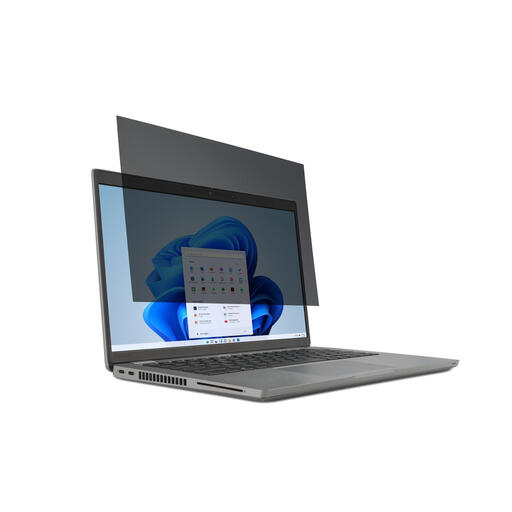
Why it suits this profile: This model is designed for 14-inch laptops with a 16:9 aspect ratio and can be fitted and removed using mounting tabs. That’s handy if you switch between working at home and on the go.
The aspect ratio and screen size are clearly specified, reducing the risk of buying a filter that doesn’t fit properly.
According to the product description: viewing angle restricted to 30 degrees, reversible matte and glossy sides, and touchscreen compatibility.
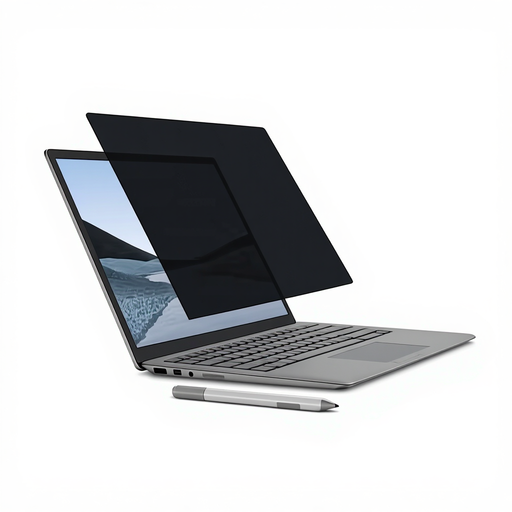
Why it suits this profile: A good fit for Surface Laptop 13.5-inch users who regularly switch between privacy and an unobstructed screen.
The magnetic attachment avoids the hassle of adhesive. Before fitting the filter, check that there are no metal particles on the magnetic edge.
According to the product description: magnetic attachment, a viewing angle of around 30 degrees, matte and glossy sides, and Surface Pen compatibility.
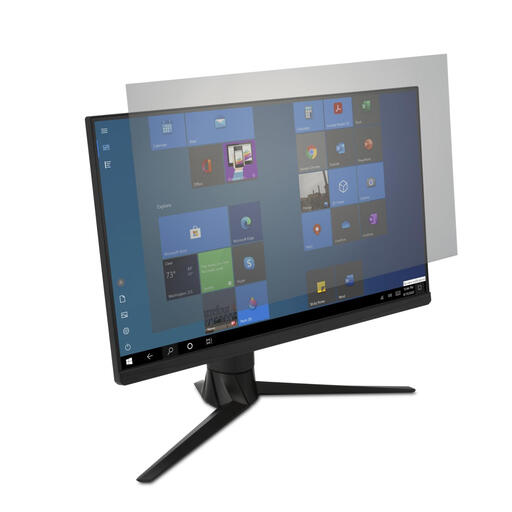
Why it suits this profile: This filter is designed for a large 34-inch monitor in a workspace where light and screen privacy are concerns.
The intended use and size are tailored to 34-inch monitors. Still, check your screen’s exact dimensions and attachment method.
According to the product description: anti-glare coating, touchscreen compatibility and stated blue-light reduction of up to 43 per cent.
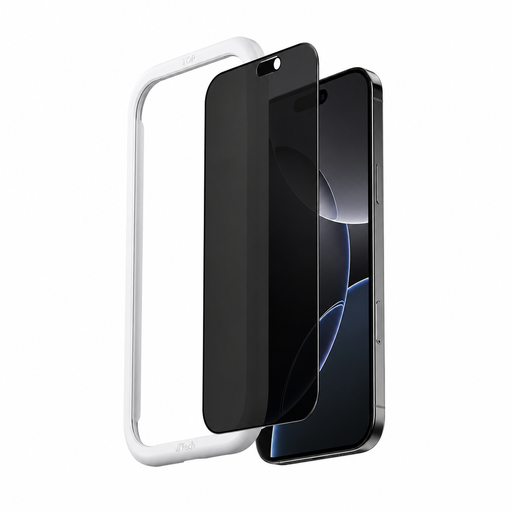
Why it suits this profile: A suitable choice for iPhone 16 users who want to make messages, codes and other on-screen information less visible while out and about.
The model is specifically made for the iPhone 16, so you don’t have to rely on screen size or appearance alone.
According to the product information: 9H-rated tempered glass, an anti-fingerprint coating and an applicator included.
We’ve put together a complete, up-to-date list of products that meet these strict selection criteria and the applicable European safety regulations.
A well-fitting privacy screen protector is only comfortable to use when it’s applied correctly and kept clean.
Take extra care with magnetic filters around items with a magnetic strip. Always follow the manufacturer’s safety instructions.
No. The screen size, aspect ratio, bezel width and camera cut-out must all match. If possible, check the exact model or the manufacturer’s size guide.
Some filters are suitable, but not all. Look for touchscreen compatibility in the product specifications. If your laptop supports pen input, the product details should also confirm that pen use is supported.
Its lifespan depends on how it’s fitted, cleaned and stored. Creases, scratches, pressure between the keyboard and screen, or repeatedly removing a smartphone screen protector can damage the filter. Store removable models flat and clean them only as instructed in the product guidance.
