
Vandaag of morgen in huis

Kwaliteit gegarandeerd

Welkomstaanbiedingen ontgrendelen: GRATIS bezorging | Tot 80% korting | Gratis 30 dagen JoyPlus-proefperiode
Download de app
Do you often work on the train, at a hot desk or in a busy coffee shop? A privacy screen filter can make your screen less visible to people sitting beside you. This is particularly useful when viewing emails, customer details, passwords or other personal information.
However, not every laptop privacy filter is suitable for every device. The wrong aspect ratio, a blocked webcam or a filter that does not fit properly can make everyday use more difficult. So do not just look for terms such as “360° privacy” or “blue-light filter”; check the technical specifications carefully.
A 14-inch laptop may have a 16:9 or 16:10 aspect ratio. These filters are not interchangeable. A filter designed for 16:10 may cover the edges of a 16:9 screen or fail to fit properly.
So check:
A laptop privacy film or filter limits visibility from the side, but the level of scratch protection varies by material. A thin film feels different from a hard, removable filter. Toughened glass is often used for smartphones. For example, the VoxorAI iPhone models list 9H hardness and an oleophobic coating in the product description. These are product specifications, not a guarantee against every type of impact damage.
A blue-light screen filter and an anti-reflective screen filter can affect the viewing experience in certain conditions. According to Kensington’s own information, some models reduce blue light by a stated percentage, such as up to 22%, 30% or 52%, depending on the model. This is a brand claim from the product description and should not be interpreted as having a medical effect.
“360° privacy” does not mean that nobody can ever see anything. The viewing angle, screen brightness, distance and ambient light all play a part.
A standard privacy filter makes the screen easy to read mainly from directly in front, while darkening the display when viewed from the side. Kensington lists a restricted viewing angle of approximately 30 degrees on either side for several models. This is relevant on train seats, meeting tables and in shared workspaces.
Be aware of the difference between:
A magnetic privacy filter, such as the Kensington MagPro models, can be fitted and removed quickly without adhesive. This is useful if you work without a filter at home but need privacy when travelling. Check that the screen has a suitable magnetic edge and that the webcam cut-out aligns correctly.
With a removable filter that uses attachment tabs, it is important that:
A touchscreen privacy filter must also not interfere with touch input or stylus use. The product description of certain Kensington filters states that they support touchscreen use; always check this for the specific model.
According to the product information for various models, a matt side helps reduce glare and fingerprints. The glossy side can provide a brighter image, but may reflect more ambient light. For a sunny train journey or an office with strong lighting, an anti-reflective screen filter may be more practical.
Use a soft microfibre cloth for cleaning. Avoid alcohol, acetone and harsh cleaning products if the manufacturer advises against them. Do not fold or bend a hard privacy filter, as this can permanently damage the internal louvres.
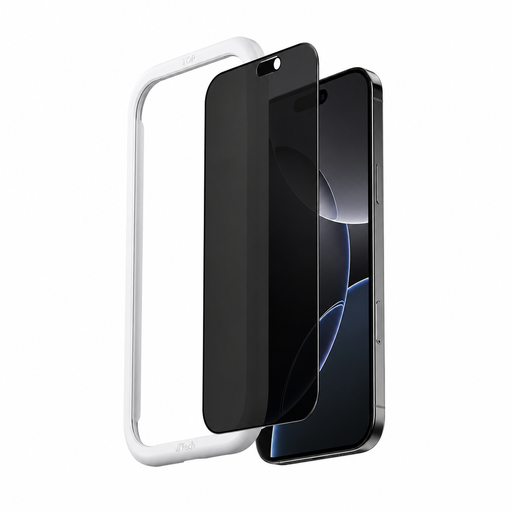
Why it suits this profile: For iPhone 16 Pro users who mainly want to shield their screen while travelling and protect it against everyday scratches. The supplied applicator can make installation more straightforward.
Compatibility is specifically stated for the iPhone 16 Pro. This means you do not have to rely on screen size alone.
Toughened glass with stated 9H hardness, anti-fingerprint coating and installation aid.
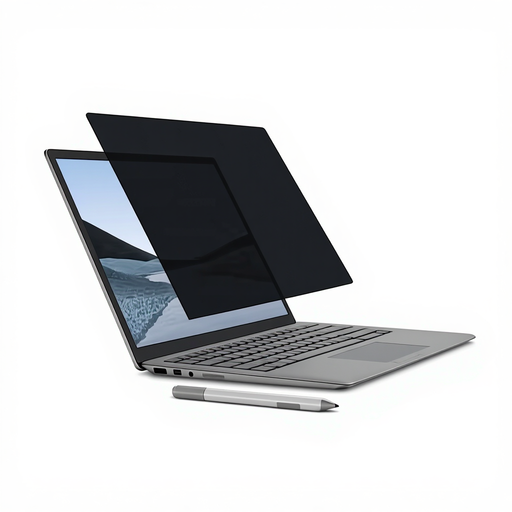
Why it suits this profile: A suitable choice for Surface Laptop users who regularly switch between home, the office and travelling, and do not want a permanent adhesive fitting.
The model is designed for a 13.5-inch Surface Laptop and uses magnetic attachment. Before buying, check the exact version of your laptop.
Magnetic attachment, matt and glossy sides, and touchscreen and Surface Pen support according to the product description.
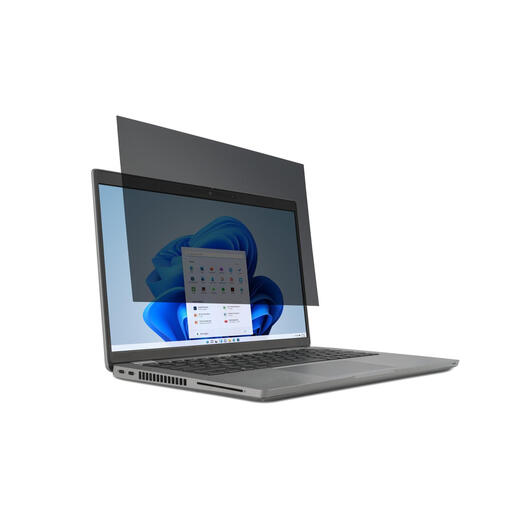
Why it suits this profile: For business users and students with a 15.6-inch 16:9 laptop who regularly work in public spaces and want a filter they can remove.
The size and aspect ratio are clearly stated. Its reversible design means you are not limited to a matt or glossy finish.
2-way viewing-angle limitation, mounting tabs, touchscreen suitability according to the product description, and a choice of matt or glossy side.
We have put together a complete, up-to-date list of products that fully meet these strict selection criteria and the applicable European safety regulations.
With a magnetic version, it is advisable not to store credit cards or other magnetic storage media against the filter for extended periods. Follow the instructions supplied with each model.
Yes. A privacy filter is specifically designed for situations where other people may be able to view your screen from an angle. Bright ambient light can make the image less clear, however. If necessary, choose the matt side or a model with an anti-reflective coating.
You can with models that explicitly state this. Check the product description and pay attention to the thickness, attachment method and touch or stylus functionality. An ill-fitting filter may interfere with the edges or sensors.
Its lifespan depends on installation, storage and cleaning. A hard filter can remain usable for a long time as long as it is not folded, scratched or stored under pressure. With a smartphone protector, repeated removal can damage the adhesive or oleophobic coating. Replace the product when it is cracked, becomes permanently deformed or noticeably obscures the image.
