
Vandaag of morgen in huis

Kwaliteit gegarandeerd

Welkomstaanbiedingen ontgrendelen: GRATIS bezorging | Tot 80% korting | Gratis 30 dagen JoyPlus-proefperiode
Download de app
Working on the train, at a co-working space, or in an open-plan office offers flexibility, but it also comes with risks. An unwanted glance at your screen can happen in an instant. This can expose sensitive company information, customer data, or personal files. This phenomenon, known as 'visual hacking', is a real threat for anyone working with confidential data and a key compliance point under GDPR regulations.
A privacy screen, or privacy filter, is a simple and effective solution. It narrows your screen's viewing angle, so only you can see the information on it. In this article, we'll help you make the right choice by outlining the key factors to consider and highlighting some popular options.
Before you purchase a privacy filter, there are a few specifications to consider to ensure you make the right choice.
The most common mistake is choosing the wrong size. A privacy screen must fit your display perfectly. Measure your screen's diagonal dimension in inches and check the aspect ratio. The most common ratios for a laptop privacy screen or monitor privacy screen are 16:9 (widescreen) and 16:10. You can usually find this information in your laptop or monitor's specifications.
How do you plan to use the filter? Do you always work in the same spot, or are you frequently on the go?
Kensington privacy screen with a magnetic attachment is very convenient for laptop users who want to quickly attach and remove the filter.Modern screen filters do more than just provide privacy. Many models have extra features that enhance working comfort:
blue light filter can help reduce this effect.anti-reflection, reduces glare from sunlight or bright office lighting. Many filters are reversible, with a matte side for anti-reflection and a glossy side for maximum clarity.Based on functionality and specifications, we have selected a few top choices for different use cases.
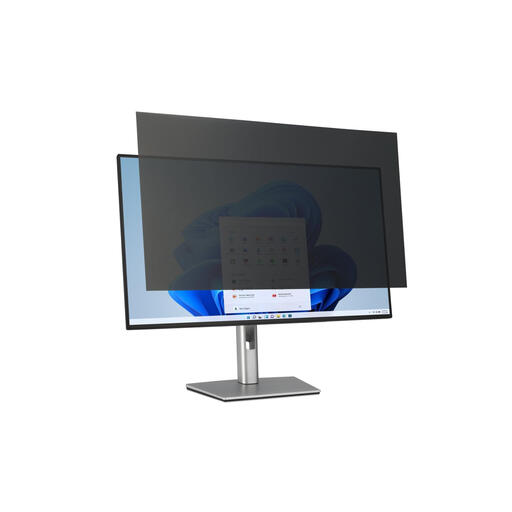
Why it stands out This filter is specifically designed for large 32-inch monitors, which are often used in open-plan office environments. The removable tab attachment makes it practical for hot-desking situations where multiple people use the same monitor.
Benefits
blue light filter and anti-reflection coating for enhanced viewing comfort.Who is it for? For professionals and IT departments looking to secure large desktop monitors in public or busy office spaces without making a permanent modification.
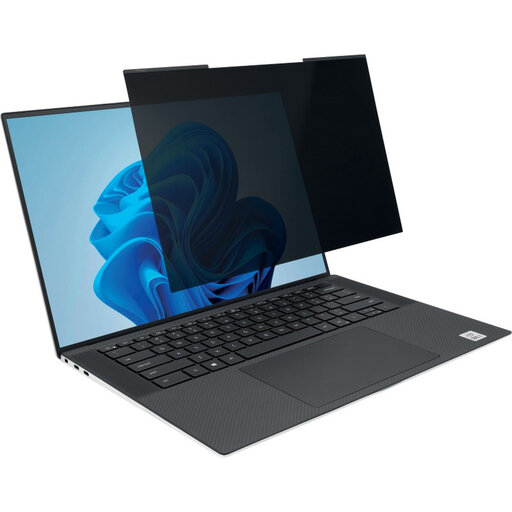
Why it stands out The convenience of the magnetic attachment makes this a popular choice for mobile professionals. You can snap the privacy filter onto your screen in a second and remove it just as easily. The laptop can close completely with the filter attached.
Benefits
Who is it for? The ideal solution for the travelling professional or hot-desker who frequently changes locations and needs a quick, non-permanent privacy solution for a 14-inch (16:10) laptop.
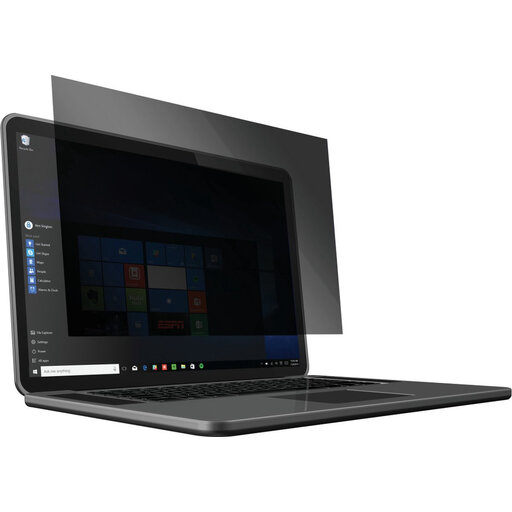
Why it stands out This screen filter is a reliable all-rounder for 14-inch laptops with a 16:10 aspect ratio. It combines effective privacy with significant blue light reduction, making it a great choice for users who spend long hours in front of their screen.
Benefits
Who is it for? For laptop users who want a solid, removable privacy filter and place extra value on blue light reduction for eye comfort during long work sessions.
The right choice depends heavily on your device and specific needs. If the options above don't perfectly match your monitor or laptop, or if you're looking for different specifications, there's more to explore.
View all our privacy desktop screen protectors
Measure the screen diagonally from corner to corner (only the visible area, not the bezels) and note the dimension in inches. Additionally, check the aspect ratio (e.g., 16:9 or 16:10) in your device's specifications to ensure a perfect fit.
A 2-way filter limits the viewing angle from the left and right (horizontally). This is the most common type and is ideal for preventing a neighbour on the train or in the office from looking at your screen. A 4-way filter also limits the viewing angle from the top and bottom (vertically), providing extra security against onlookers standing behind you or looking over your shoulder.
Yes, a privacy screen will make your screen slightly dimmer due to its built-in microlouver technology. This is a direct result of the technology that narrows the viewing angle. You can usually compensate for this by increasing your screen's brightness. Many filters also have a glossy side that makes the image appear brighter than the matte anti-reflection side.
