
Vandaag of morgen in huis

Kwaliteit gegarandeerd

Welkomstaanbiedingen ontgrendelen: GRATIS bezorging | Tot 80% korting | Gratis 30 dagen JoyPlus-proefperiode
Download de app
Working from a train, coffee shop, or co-working space is convenient, but it comes with a risk: visual hacking. Prying eyes can, intentionally or not, glance at your sensitive emails, financial data, or client information. A privacy screen is a simple solution, but the market is flooded with options that don't always deliver on their promise. Before you invest in a privacy screen, it's crucial to know what to look for.
Many users fall into a few common traps:
These issues can render a potentially useful product unusable. Fortunately, they can be avoided by paying attention to a few key specifications.
To avoid a bad purchase, focus on the following three points. They determine whether a laptop privacy filter becomes a useful tool or a source of frustration.
The core function of a privacy screen protector is to limit the viewing angle. The industry standard is a viewing angle of +/- 30 degrees. This means only the person sitting directly in front of the screen can see the content clearly. As soon as someone tries to look from an angle greater than 30 degrees, the screen appears black or unreadable.
Always check the viewing angle specification. An angle of +/- 45 degrees, for example, offers significantly less privacy.
How you attach the filter determines its ease of use. There are roughly three methods:
Consider how often you'll want to remove the filter. For daily switching between solo work and collaboration, a magnetic model is the most convenient choice.
A good privacy screen does more than just protect your data. Many models offer extra benefits that make daily use more comfortable.
For organisations, a GDPR screen filter is a practical measure to comply with privacy regulations by preventing data breaches from visual hacking.
Not every privacy screen is right for everyone. We've selected a few options that suit different user profiles and avoid the pitfalls mentioned earlier.
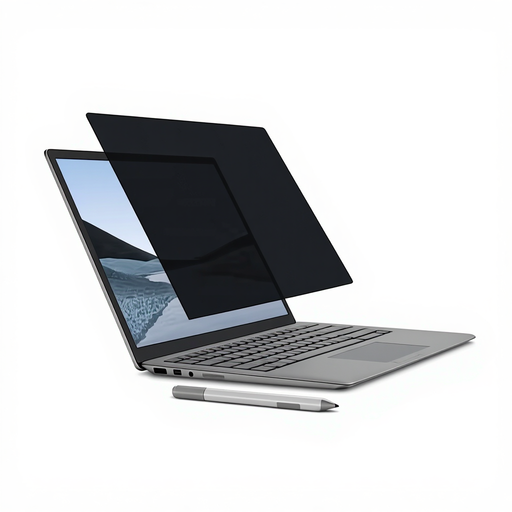
Why This Fits Their Persona: Perfect for professionals with a Microsoft Surface who need a seamless and quick solution. Ideal for those who frequently switch between focused work and sharing their screen during meetings.
The magnetic frame is custom-designed for the Surface Laptop, guaranteeing a perfect fit. This completely eliminates the poor fit pitfall and the adhesive annoyance.
Effortless magnetic attachment. Reversible with a matte and glossy side. Reduces blue light by up to 22%, according to Kensington.
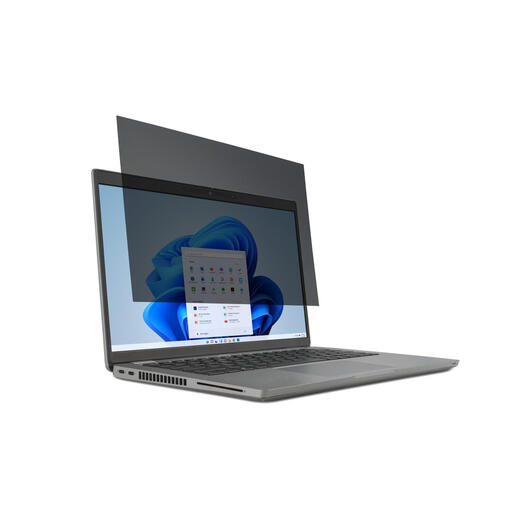
Why This Fits Their Persona: Suitable for the most common 14-inch work laptops. Its removable nature makes it ideal for those who work on the train but want to quickly store the filter at the office.
This filter uses attachment tabs or double-sided tape designed for reuse, which prevents the adhesive annoyance of cheaper alternatives. The size is standardised for 16:9 screens.
Flexible and removable attachment. Reversible design (matte/glossy) and a blue light filter for enhanced viewing comfort.
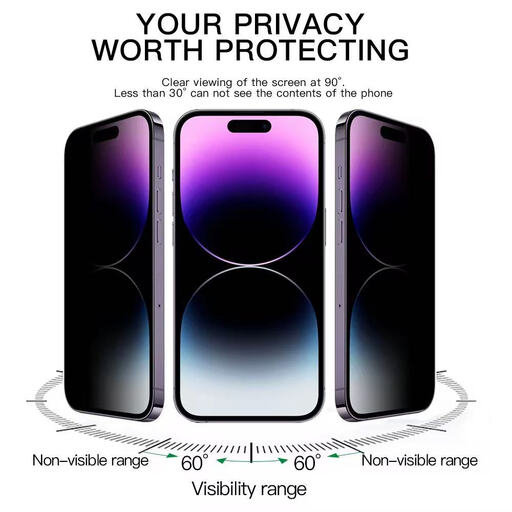
Why This Fits Their Persona: Protects sensitive messages, passwords, and emails on your most personal device. Ideal for those who frequently use their smartphone for work in public spaces.
As a tempered glass screen protector, this product adheres permanently and perfectly to the screen, preventing the fit and adhesion problems of temporary filters.
Offers 360-degree (4-way) privacy, which is a unique feature. The 9H tempered glass also protects against scratches and impacts.
We have compiled a complete, up-to-date list of products that meet these selection criteria and comply with current regulations.
Yes, a privacy filter will slightly reduce your screen's brightness. This is a direct result of the technology (micro-louvres) that blocks light for viewers from the side. Most users compensate for this by turning up their laptop's brightness slightly. High-quality filters are designed to keep the brightness reduction for the user to a minimum.
The most reliable method is to measure the exact dimensions of your screen (height and width) and compare them to the filter's specifications. Also, pay attention to the aspect ratio (e.g., 16:9 or 16:10). Many manufacturers, like Kensington, offer online tools where you can enter your laptop model to find the perfectly fitting filter.
This depends on the type of filter and the laptop. Ultra-thin magnetic filters are often designed to stay on when you close the laptop. With filters that use slide tabs, the filter might be too thick, leaving a small gap. It's advisable to remove the filter before closing your laptop for extended periods to avoid putting pressure on the screen.
