
Vandaag of morgen in huis

Kwaliteit gegarandeerd

Welkomstaanbiedingen ontgrendelen: GRATIS bezorging | Tot 80% korting | Gratis 30 dagen JoyPlus-proefperiode
Download de app
Working on the train, at a co-working space, or in a busy office often means prying eyes can unintentionally land on your screen. A privacy filter is a simple solution to shield sensitive information. However, the market is flooded with options that don't always deliver on their promises. Before you invest in an anti-snooping filter, it's wise to know the common pitfalls.
Many users make the same mistakes. They buy a filter that doesn't quite fit, struggle with adhesive strips that lose their grip after a few uses, or end up with a screen so dark they can't see anything themselves. These are the most common problems:
A good visual privacy screen avoids these issues and offers a durable solution for visual privacy.
To avoid a bad purchase, there are a few technical specifications you need to check. These determine whether a filter is practical and effective for your situation.
The most common mistake is choosing the wrong size. A privacy filter for laptop or privacy filter for monitor is designated by a diagonal measurement in inches (e.g., 14 inches). However, this isn't enough. You also need to know the aspect ratio.
How you attach the filter determines its ease of use. There are roughly two popular systems:
A standard privacy filter limits the viewing angle to about 30 degrees on either side. This means someone sitting next to you will only see a black screen, while you have a clear view from straight-on.
Many filters also offer additional features that enhance work comfort:
Not every filter is suitable for every user. Below are some choices that fit specific work styles and devices.
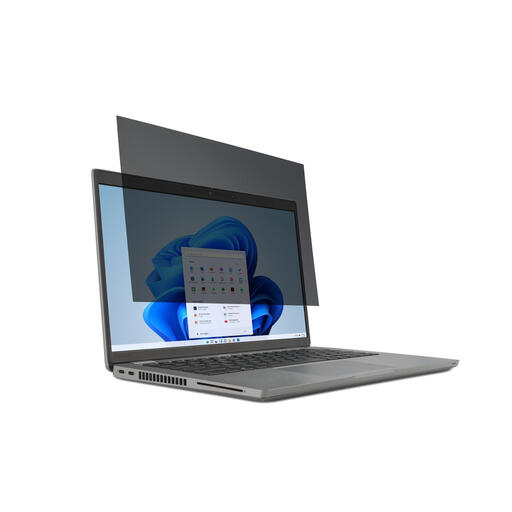
Why This Fits Their Persona: Ideal for those who frequently switch between collaborative and focused solo work. This filter for the common 14-inch laptop is designed for quick placement and removal.
The included mounting tabs offer a more stable and durable solution than simple adhesive strips that lose their strength. It is specifically made for the 16:9 aspect ratio, which prevents fitment issues.
Reversible with a matte and a glossy side. The matte side reduces glare on the train or a sunny patio. According to Kensington, the filter also reduces blue light.
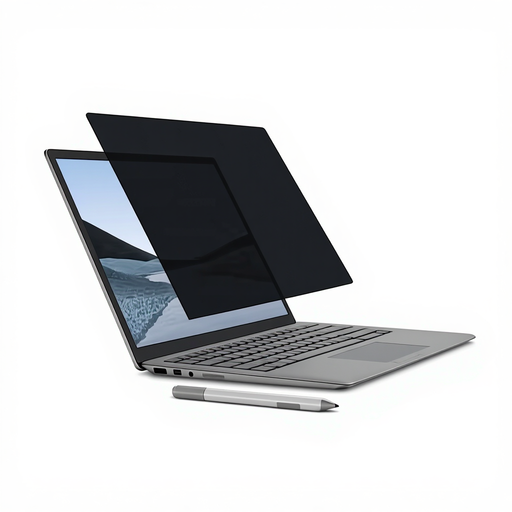
Why This Fits Their Persona: Specifically designed for the Microsoft Surface Laptop. This filter seamlessly integrates with the device's design and functionality without compromising its premium look and feel.
The magnetic attachment is the most practical solution. No adhesive strips or clips that wear out or cause scratches. The filter clicks directly onto the screen frame and can be removed just as easily.
Perfect fit and compatible with touchscreen and Surface Pen. According to Kensington, it reduces blue light by up to 22% and has an anti-glare coating for better clarity.
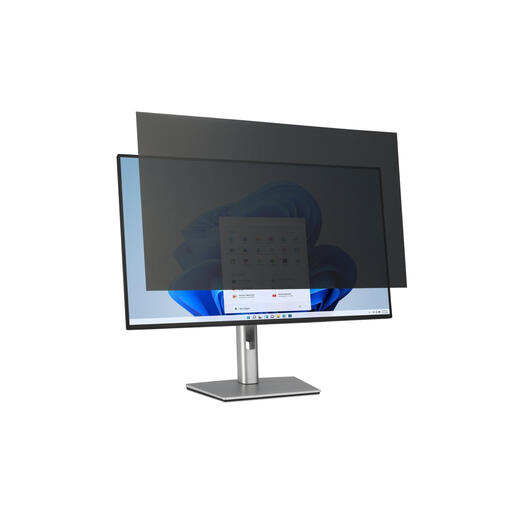
Why This Fits Their Persona: For those who work at a fixed station with a large monitor, such as in an open office or at a reception desk. This filter is designed for large 32-inch screens and helps comply with GDPR guidelines.
This filter is specifically made for the 16:9 aspect ratio of most 32-inch monitors, ensuring a perfect fit. The mounting tabs are designed for repeated use without damaging the monitor.
Provides an extra physical layer of protection for the large screen. The reversible option (matte/glossy) is useful for combating reflections from office lighting.
We've compiled a complete, up-to-date list of products that meet these selection criteria and local regulations.
Yes, a privacy filter will make your screen slightly darker, even for you as the user. This is an unavoidable consequence of the technology that blocks light for side-viewers. However, high-quality filters, like those from Kensington, are designed to keep the straight-on view clear. You may need to increase your screen's brightness slightly. The reversible filters with a glossy side often provide a brighter image than the matte anti-glare side.
Always check three things:
Yes, most modern privacy filters are compatible with touchscreens. They are thin enough to register touch input. Many filters also have an anti-fingerprint coating, which is useful for touch use. However, always check the product description to ensure the filter is suitable for touch functionality.
