
Vandaag of morgen in huis

Kwaliteit gegarandeerd

Welkomstaanbiedingen ontgrendelen: GRATIS bezorging | Tot 80% korting | Gratis 30 dagen JoyPlus-proefperiode
Download de app
Working from a train, a co-working space, or a coffee shop is convenient, but it comes with a drawback: prying eyes on your screen. Whether you're working on a sensitive company report or checking your private messages, your privacy is important. A privacy filter, also known as a privacy screen, is a simple and effective solution to shield your screen from onlookers.
This article will help you choose the right privacy screen filter. We'll cover the key considerations and highlight some top picks for 2026, ensuring you find a filter that suits your device and workflow.
Before making a choice, it's essential to know what to look for. The fit and functionality are crucial for a good experience.
The most important step is finding the right size. A filter that doesn't fit properly is unusable. Measure your screen's diagonal dimension in inches and check the aspect ratio (such as 16:9 or 16:10). Manufacturers clearly state which devices and dimensions their filters are designed for, so double-check this before you buy.
Privacy filters can be attached in several ways. The two most common methods are:
magnetic privacy filter snaps onto the bezel of your laptop screen or tablet. This is ideal if you frequently want to remove and reattach the filter. It's quick, easy, and leaves no residue.Many modern privacy filters offer more than just protection from prying eyes. Look for extra features that can enhance your comfort:
blue light filter. According to manufacturers, this can help reduce eye strain, especially during prolonged screen use.Based on product specifications and features, we have compiled a few options for you.
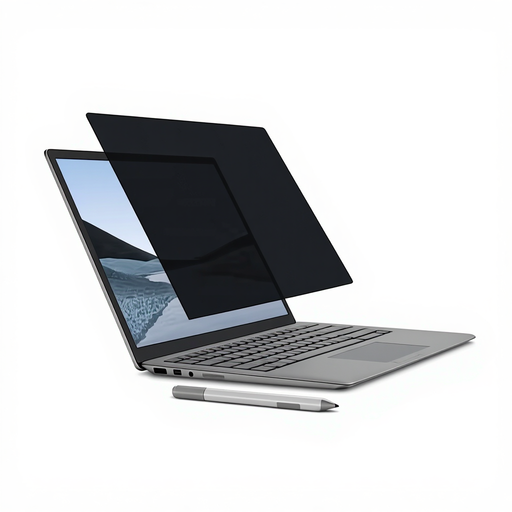
Why It Stands Out This magnetic privacy filter is specifically designed for the Microsoft Surface Laptop and aligns seamlessly with its magnetic frame. This makes installation incredibly simple: just hold the filter against the screen, and it snaps right into place.
Key Features
Who Is It For? For owners of a Surface Laptop (13.5-inch) who need a quick, reusable, and perfectly fitting solution for privacy on the go.
View the Kensington MagPro Elite for Surface Laptop
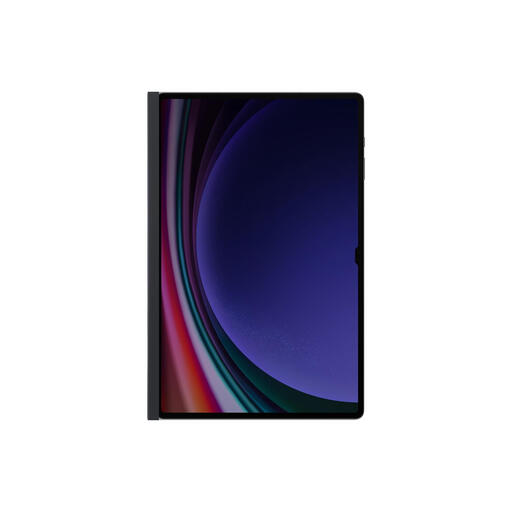
Why It Stands Out This filter from Samsung is custom-made for large tablets, such as the Galaxy Tab series. The magnetic frame makes attaching and removing it a matter of seconds, without the hassle of adhesive tabs.
Key Features
Who Is It For? Ideal for tablet users with a large 14.6-inch screen who often work or present in public and want to keep their screen content private. Note: The privacy feature is optimized for use in landscape mode.
View the Samsung Privacy Filter for Tablets
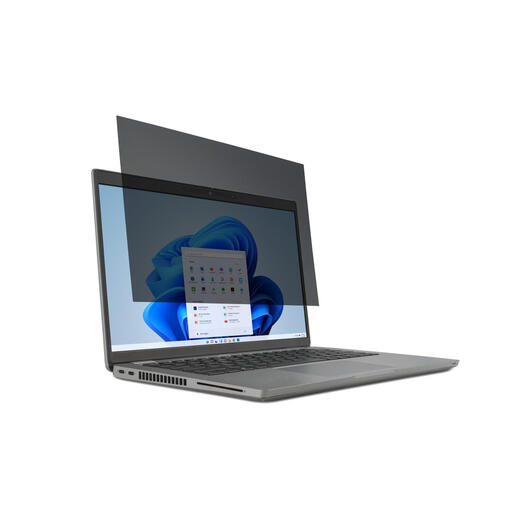
Why It Stands Out This is a versatile screen protector privacy for a wide range of 14-inch laptops with a 16:9 aspect ratio. Instead of magnets, this filter uses removable mounting tabs, making it compatible with most standard laptops.
Key Features
anti-glare filter and a blue light filter to help reduce eye strain.Who Is It For? A great choice for professionals or students with a standard 14-inch laptop who are looking for a reliable, semi-permanent filter that also promotes eye comfort.
View the Kensington 2-way Removable Privacy Filter
The world of laptops and tablets is diverse, with countless sizes and models. If the recommendations above don't perfectly match your device, there's no need to worry. Filters are available for virtually every size.
View our full range of Screen Privacy Filters and find the perfect fit for your laptop or tablet.
A privacy filter uses a technology called microlouver. This is a thin film with microscopic vertical louvers. These louvers only allow light to pass through from directly in front of the screen. If you look from an angle (usually more than 30 degrees), the louvers block the view, and the screen appears dark or black.
Yes, a privacy filter reduces the amount of light that passes through your screen, which can make the image appear slightly dimmer. This is a direct result of the microlouver technology blocking light. Most users easily compensate for this by slightly increasing their screen's brightness.
Most modern privacy filters, like the Kensington options mentioned above, are designed to be compatible with touchscreens. Touch sensitivity remains functional. However, the experience might feel slightly different than on the bare screen. For tablet filters, like Samsung's, interaction with a stylus (such as the S Pen) may also be slightly altered.
