
Studio members sharing one printer
You mainly print digital reading lists from different workstations. So check whether the available connection and paper handling suit your studio.


If your studio mainly prints text-based reading lists from several workstations, start with a monochrome printer whose network connection and paper handling suit the space. Scanning or colour only matters if your workflow genuinely calls for it. You should also compare the toner, drum or ink used by each model, and how often the printer will be used.
You mainly print digital reading lists from different workstations. So check whether the available connection and paper handling suit your studio.
You often print several copies and want to know whether automatic double-sided printing, paper handling and the required consumables are right for the job.
You want to retain colour information or digitise paper documents. These needs may call for a different type of printer from a model designed for text only.
Start with the connection your studio can actually use. Then decide whether you need colour or scanning, and compare models based on how much you expect to print.
| What to consider | What should you check? | Who is this important for? |
|---|---|---|
| Shared access | Check whether the Wi-Fi, Ethernet or other connection listed for the exact model suits your studio’s network and devices. | If you want to print from several workstations, you need a connection that works for them. Around 36% of consumers put shared access first. |
| Print runs and paper | Compare automatic double-sided printing, paper handling and the consumables used by the model. | For regular print runs, you’ll want to match paper handling and supplies to your needs. Around 29% of consumers make this their top priority. |
| Printing after a break | Estimate how often the printer will actually be used and check what type of consumable it requires. | If you sometimes go for a long time without printing, it’s worth considering how the chosen printing system handles infrequent use. According to the Consumentenbond, ink can dry out when used infrequently, and cleaning can use extra ink; around 21% of consumers put this usage pattern first. |
| Colour or scanning | Check whether your lists need colour and whether your studio also scans or copies paper documents. | If colour-coding or digitising paper sources is part of your work, extra features may be useful. Around 14% of consumers put colour or scanning first. |
Models can use different consumables. The Brother HL-L2445DW has a separate toner and drum.
Check which toner, ink or drum the exact model needs, then compare printers based on the same expected usage.
A stated yield doesn’t necessarily tell you how an inkjet printer will perform when it’s used infrequently. The Consumentenbond notes that infrequent use can lead to extra ink being used for cleaning and may cause the ink to dry out.
Compare an inkjet printer with a monochrome laser printer based on how often you expect to print in your studio.
The connections listed vary by model. Brother lists Ethernet for the HL-L2445DW; Canon lists Wi-Fi, Wireless Direct and USB for the PIXMA TS7650i.
Check the connections on the exact model and compare them with the place where you plan to put the printer.
HP says the LaserJet M209dw’s dynamic cartridge security may block cartridges with a non-HP chip.
Check the cartridge terms for the exact model before choosing replacement toner.
The models reviewed are monochrome laser printers: the HL-L2445DW is designed for printing, while the DCP-L2660DW also scans and copies.
The LaserJet M209dw reviewed is a monochrome printer with Wi-Fi and automatic double-sided printing.
The EcoTank ET-2950 reviewed is a colour printer with refillable ink tanks, a scanner and a copying function.
The PIXMA TS7650i reviewed is a colour inkjet printer with cartridges, a scanner and Wi-Fi.
This selection includes printers for network use, colour and document handling, as well as models for more specific printing needs. For each model, check whether the connection and printing technology described suit your reading lists and shared workspace.
 No image available
Worth comparing if colour, A3 printing and handling paper documents are part of your studio’s work.
The product information lists A3 colour printing, scanning, copying, faxing and a document feeder.
Connections listed: Wi-Fi and Gigabit Ethernet.
 No image available
Compare this model if printing from a mobile device on the go suits your needs; check that the connection method described is suitable for shared use.
The product information lists inkless printing technology, Bluetooth via the app and a rechargeable battery.
Compatibility with iOS and Android is listed.
 No image available
Worth comparing if colour and automatic double-sided printing suit your studio’s reading lists.
The product name lists wireless printing, colour, automatic double-sided printing, copying and scanning.
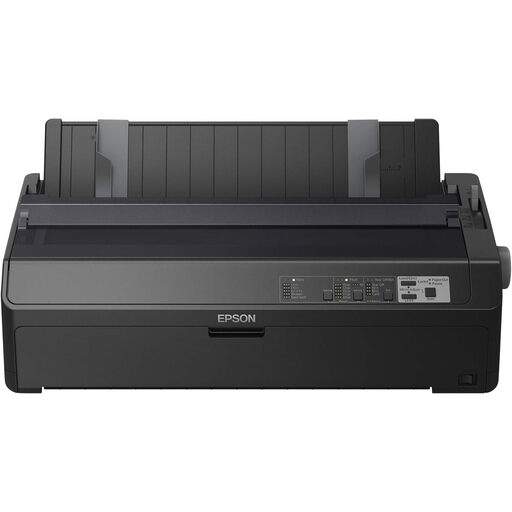 No image available
Only compare this model if a dot matrix printer is right for the type of documents your studio needs to print.
The product name lists 240 × 144 DPI and 738cps. The product information lists Ethernet and serial connections.
 No image available
Worth comparing if your studio needs an A4 colour printer with a network connection and automatic double-sided printing.
The product information lists Wi-Fi, Ethernet and a paper capacity of up to 1.830 sheets.
The Consumentenbond notes that infrequent use of an inkjet printer can lead to extra ink being used for cleaning and may cause ink to dry out.
Check which network connection your studio provides and compare it with the connections available on the exact model. For example, Brother specifies Ethernet and Wi-Fi for the HL-L2445DW; Canon lists Wi-Fi, Wireless Direct and USB for the PIXMA TS7650i. Also check that the computers and phones you use can print to the printer.
According to the Consumentenbond, infrequent use of an inkjet printer can cause ink to dry out and lead to extra ink being used for cleaning. A laser printer uses toner instead of liquid ink. So compare the options based on how often your studio prints, and check which consumables the chosen model uses.
If an organisation processes personal data in reading lists, it must protect that data appropriately. The Autoriteit Persoonsgegevens highlights the duty to protect personal data, so consider who has access to the printer and its printouts. This doesn’t mean that every reading list contains personal data or that a printer model on its own complies with the GDPR.
When a product is sold to a consumer, the seller is responsible for the statutory guarantee; in the Netherlands, this does not have a fixed duration of exactly two years for every product. First establish whether the buyer is a consumer or a business, and check any commercial warranty terms separately.
For equipment owned by individuals, the Rijksoverheid describes, among other things, a free take-back scheme when buying a similar appliance. According to the Rijksoverheid, this scheme does not apply to businesses; businesses must sort and dispose of their waste appropriately.