Printers at Joybuy
A selection of Joybuy products for document work, with a range of paper sizes, connections and features.
 No image available
Brother MFC-J6760DW multifunction inkjet printer
Suitable for documents that need A3 printing, scanning or copying.
A3; automatic double-sided printing; 50-sheet document feeder; Wi-Fi and Gigabit Ethernet.
View at Joybuy
 No image available
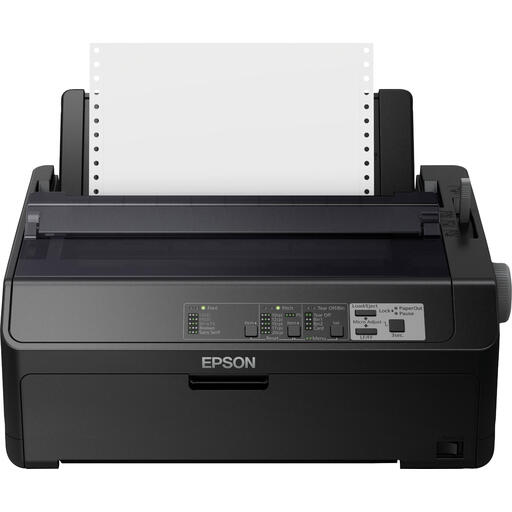
Epson FX-890IIN dot matrix printer
A mono printer for business documents, with an Ethernet connection according to the product information.
Specified print speed: 612 cps; resolution: 240 × 144 DPI.
View at Joybuy
 No image available
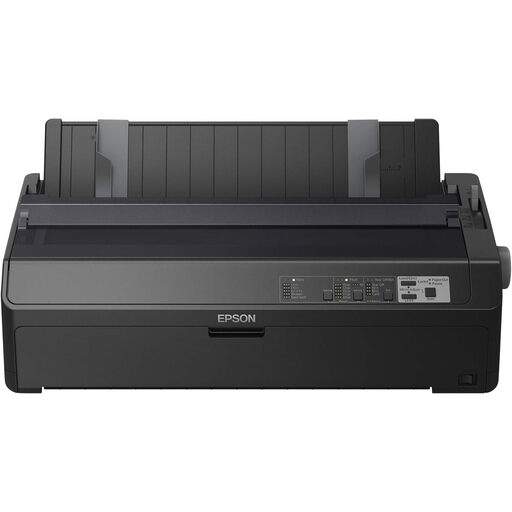
Epson FX-2190IIN dot matrix printer
A mono printer for business documents; the product information lists Ethernet.
Specified print speed: 738 cps; resolution: 240 × 144 DPI.
View at Joybuy
 No image available
Canon PIXMA MG2556S inkjet printer
Suitable for A4 documents that you also want to scan or copy, and if a USB 2.0 connection is enough.
A4; 60-sheet paper input; resolution: 4800 × 600 DPI.
View at Joybuy
 No image available
Epson WorkForce Pro WF-C5390DW inkjet printer
Suitable for A4 documents that need colour and automatic double-sided printing, with Wi-Fi or Ethernet connectivity.
330-sheet paper input; resolution: 4800 × 1200 DPI.
View at Joybuy
Frequently asked questions
Do you need colour or a scanner for meeting minutes?
Not if you're only printing existing text files in mono. Choose colour for documents that genuinely need to be printed in colour, and a scanner if you want to digitise handwritten notes on the same device. Canon describes an automatic document feeder for the i-SENSYS MF275dw; check double-sided scanning separately.
How do you set up a printer for several people in the studio?
Choose a network connection that suits the studio network, and agree who will collect print jobs straight away. If jobs should only print after user identification, check that both the exact model and the print solution you've chosen support this feature.
What can you do if an inkjet printer produces streaky prints?
If print quality declines, Epson recommends checking the nozzles first and cleaning the printhead afterwards, only if necessary. Cleaning can use paper and ink, so follow the instructions for your model.
Are extra security measures legally required for meeting minutes?
That depends on the content and the circumstances. According to the Dutch Data Protection Authority, the GDPR requires appropriate security when an organisation processes personal data; there isn't one printer type or PIN code that's mandatory in every situation. Consider who can see the printouts and which measures are appropriate for the risks.


