
Shared workspace for text documents
You mainly print summaries in black and white and want colleagues to be able to print easily without having to turn the paper over each time.


For a shared desk used mainly to print text documents, a mono laser printer with automatic double-sided printing is a sensible choice; check that its network connection suits your workplace. If you need colour graphics or scanning, choose a model that explicitly offers these features and compare the consumables against your expected usage. If you print infrequently, inkjet ink may be used up during cleaning, as the Consumers' Association explains.
You mainly print summaries in black and white and want colleagues to be able to print easily without having to turn the paper over each time.
Your research documents include graphics where colour matters. You’ll need to consider whether regular colour printing makes an ink tank printer a suitable choice.
As well as printing, you want to scan paper notes or documents, so you’re looking for an all-in-one rather than a printer that only prints.
Start with the main task: shared text printing, printing colour graphics or scanning paper documents too. Then check the connection and compare consumable costs against your own expected print volume.
| What to consider | What should you check? | Who is this important for? |
|---|---|---|
| Shared text printing | Check that it offers automatic double-sided printing and that its network connection suits your workplace. | If I print lots of A4 summaries with colleagues, I want to handle paper easily and share the printer. Around 33% of consumers prioritise text printing. |
| Running costs | Compare toner, drums, cartridges or ink bottles for the same expected volume and period of use. | I want to know in advance which consumables we’ll need for our print volume, rather than looking only at the purchase price. Around 27% of consumers prioritise ongoing printing costs. |
| Colour graphics | Check that the exact model prints in colour, and look at the paper capacity if you’ll be sharing lots of print jobs. | When colour differences matter in my research graphics, I need a colour printer. Around 20% of consumers prioritise colour in graphics. |
| Scanning | Check that the model can scan and that its scanning process suits the devices and network at your workplace. | I want to digitise paper notes straight away, so printing isn’t the device’s only job. Around 20% of consumers prioritise scanning. |
Consumable costs add up over time. The Consumers' Association also explains that if you print infrequently, inkjet ink may be used up during cleaning.
Compare the suitable refills for your expected print volume over the same period. For the Brother HL-L2445DW, also bear in mind that the toner and drum are separate components.
The appropriate toner, ink or cartridge and, where applicable, a separate drum will need replacing.
The Brother HL-L2445DW is a print-only model; the DCP-L2627DWE can also scan and copy.
Before buying, decide whether colleagues will only print documents or also need to scan paper notes.
If your chosen model can’t scan, you may need a separate scanner or another device to digitise documents.
HP states that the LaserJet Pro 4002dw has dynamic security, which may block cartridges with a non-HP chip.
Before buying, check the cartridge terms for the exact model and the refills you want to use.
If a refill is blocked or incompatible, you may have to buy a different cartridge.
If summaries contain personal data, unattended printouts may be accessible to others. The Dutch Data Protection Authority stresses that documents containing information such as customer details must be protected carefully.
Agree with your organisation how these printouts should be collected and stored. Assess any secure-printing features for each model and workplace.
The models reviewed are suited to shared A4 text-printing tasks: the HL-L2445DW prints in black and white, while the DCP-L2627DWE can also scan and copy.
The LaserJet Pro 4002dw model reviewed is a mono printer for a shared workplace with a higher volume of documents.
The PIXMA G3570 series reviewed is a colour ink tank all-in-one for a workplace that needs colour and scanning.
According to Epson, the EcoTank ET-2871 combines colour printing, scanning and copying with refillable ink tanks.
This selection includes printers for shared document tasks, from mono printing to models with scanning and copying features, as well as a colour inkjet option.
 No image available
An option for a shared workplace where printing, scanning and copying are all needed.
Inkjet; A3; 1200 x 4800 DPI; 31 ppm; Wi-Fi.
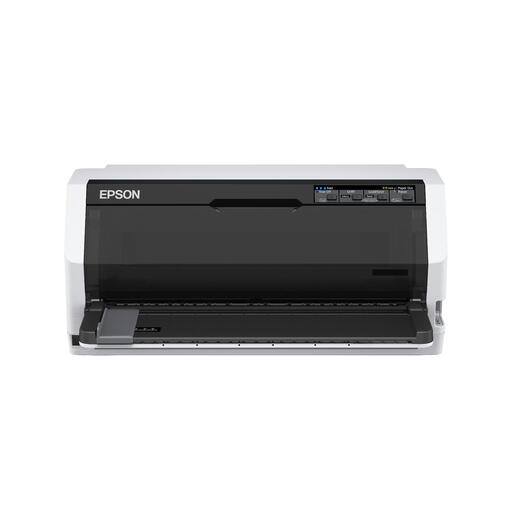 No image available
Worth considering for monochrome printing tasks in a shared workplace.
Dot matrix; 360 x 180 DPI; 487 cps.
 No image available
An option to consider when the task involves monochrome printing and multiple copies.
Dot matrix; 180 x 360 DPI; 540 cps.
 No image available
Worth considering for shared print jobs where colour matters in your documents.
Inkjet; colour; A4; Wi-Fi.
 No image available
Suits shared A4 text printing when you don’t need scanning or colour prints.
Mono laser; A4; Wi-Fi.
It depends on the connection your workplace needs. Check that the intended devices can access the printer; Brother lists both Wi-Fi and a wired network connection for the HL-L2445DW.
Factor in the possibility of extra ink being used for cleaning. The Consumers' Association explains that if you print infrequently, ink may be used to clean the print head, so don’t base a cost comparison on the stated page yield alone.
Agree how printouts containing personal data should be collected and stored. The Dutch Data Protection Authority stresses the importance of protecting paper documents containing information such as customer details; the right print settings depend on the workplace and the documents.
According to the Dutch Government, the seller is your first point of contact for a faulty product and cannot simply send you to the manufacturer. The same consumer protections do not automatically apply to business purchases.
For household appliances, the Dutch Government lists options including local council collection and the like-for-like take-back scheme when you buy a similar appliance. According to the Dutch Government, this retailer scheme applies to private customers, not businesses.