What should you look for?
Start with the type of scripts you print and the number of copies you need. Add scanning or colour only if those features suit the way you work. A black-and-white ink-tank printer may be another option if you regularly print lots of text pages, but check that the specific model is still available and offers automatic A4 double-sided printing: Epson lists the ET-M2170 as discontinued.
The percentages link each buying consideration to the consumers who care about it most.
| Buying consideration |
What should you check? |
Who is this important to? |
| Printing several scripts on time |
Check for automatic A4 double-sided printing, the paper feed and whether the stated speed refers to single-sided pages or double-sided sheets. Brother Netherlands lists a 250-sheet tray for the HL-L2400DWE, with separate speed figures for single- and double-sided printing. |
If I want to have several readable copies ready before rehearsal, I mainly look at the paper feed and double-sided printing. Around 31% of consumers prioritise having batches of scripts ready on time. |
| Consumables for reprints |
Check which toner, ink, drum or maintenance cartridge is needed for the exact model. The Consumers’ Association also discusses ink use when a printer is used infrequently. |
With every new version of a script, I want to know which parts I’ll need and how often I print. Around 25% of consumers focus on the ongoing cost of consumables. |
| Positioning and connection |
Measure the available space and check which connections the model offers and the school network allows. Consider ventilation, too: Arboportaal notes that printer emissions can contribute to poor indoor air quality. |
If the printer needs to go in a small room and will be used by several devices, I want to know in advance that there’s space for it and that the connection will work. Around 19% of consumers prioritise positioning and connectivity. |
| Handling paper edits |
Check whether the model can scan and copy, and whether a flatbed scanner will do or you need a document feeder. Brother Netherlands lists scanning features for the DCP-L2627DWE; Canon Netherlands specifies a document feeder for the GX4050. |
If changes are only available on paper, I want to be able to digitise or copy them without retyping everything. Around 13% of consumers have scanning or copying as their main need. |
| Colour in the script |
Look at a representative page: is everything still clear in black and white, or are colour codes essential? Canon Netherlands specifies that the GX4050 is a colour printer. |
If colour helps distinguish characters or instructions, I want to keep that distinction on the printed page. Around 12% of consumers prioritise colour for practical reasons. |
Joybuy product picks for documents
These Joybuy product picks are intended for printing documents. For each model, check that the print size, connectivity and features suit your rehearsal scripts and the space available.
 No image available
Phomemo A282U portable wireless printer, black
Suitable if you want to print documents from an iOS or Android device. Check that the app and script format work with your devices and documents.
The product name describes it as portable, wireless and black.
View product at Joybuy
 No image available
HP Smart Tank 7305 wireless colour printer
An option if you want to combine colour, double-sided printing, scanning and copying. Check whether those extra features are needed for your scripts.
The product name lists wireless connectivity, colour, double-sided printing, scanning and copying.
View product at Joybuy
 No image available
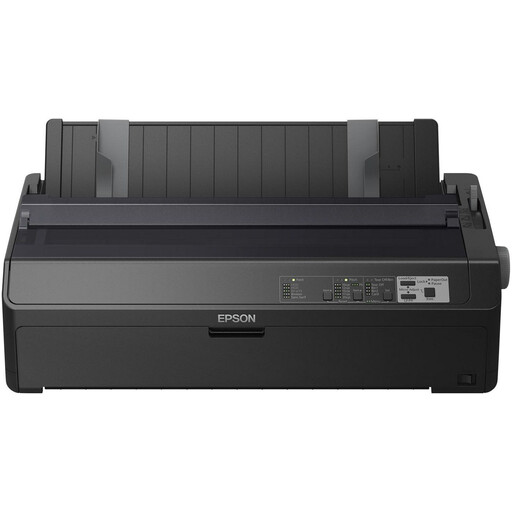
Epson FX-2190II dot matrix printer, 240 × 144 DPI, 738 Cps
A black-and-white dot matrix printer to consider for document printing. Check that this printing method suits the legibility and layout of your scripts.
The product name lists 240 × 144 DPI and 738 Cps.
The product information warns that the print head gets hot during use and recommends adequate ventilation.
View product at Joybuy
 No image available
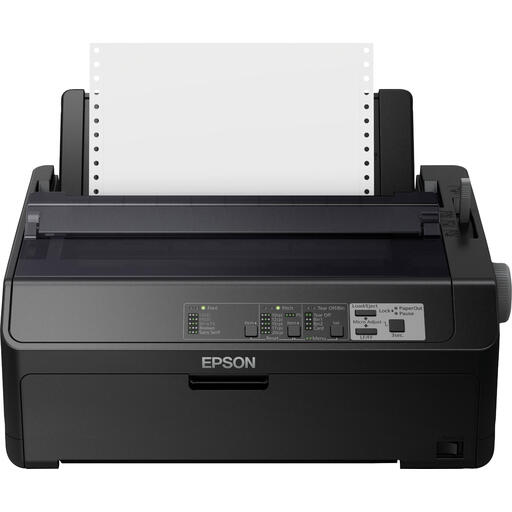
Epson FX-890IIN dot matrix printer, 240 × 144 DPI, 612 Cps
A black-and-white dot matrix printer to consider for document printing. Check that the printing method and model suit your scripts and working environment.
The product name lists 240 × 144 DPI and 612 Cps.
The product information recommends adequate ventilation and warns of moving parts during use.
View product at Joybuy
 No image available
Canon PIXMA MG2556S inkjet printer, A4, 4800 × 600 DPI
An option for A4 documents. Check that the exact model’s printing, scanning and copying features suit the way you work.
The product name describes an A4 inkjet printer with 4800 × 600 DPI.
View product at Joybuy
Frequently asked questions
How can I avoid using unnecessary paper when printing a new version of a script?
Switch on double-sided printing on a printer with automatic duplex and check a test copy first. This lets you make sure the pages are in the right order and reading direction. Double-sided printing uses fewer sheets when both sides are usable.
Which consumables should I check for the model?
Check which toner or ink, and any separate components, are needed for the exact model. Brother lists a separate DR-2510 drum for the HL-L2400DWE; Canon specifies a replaceable MC-G03 maintenance cartridge for the GX4050.
Can I copy a copyrighted rehearsal script for all the participants?
Don’t assume that permission for personal use also allows you to share copies. The Dutch government distinguishes between a private copy for personal use and distribution, and describes a reprographic rights scheme for certain internal copying by organisations. Check the rights for the specific script and the relevant agreement before making copies for others.
What kind of printer do I need if a script contains personal data?
Make sure access to print jobs and collection of printouts follow the school’s policy. The Dutch Data Protection Authority states that schools must be able to account for how they process personal data. This is relevant if scripts contain such information.
Where should I put a printer in a small classroom?
Choose a spot that fits the available space and consider ventilation. Arboportaal notes that printer emissions can contribute to poor indoor air quality, so the conditions in the room should be taken into account when deciding where to place the printer.


