What should you look for when buying?
First decide what paper and feed path you need. Then compare connectivity, colour requirements and running costs for your print run.
| What to consider |
What should you check? |
Who is this important for? |
| Ticket paper and size |
Check the size, paper type and weight supported by the relevant tray and feed path for the exact model. For example, Canon UK specifies different limits for plain paper and a named Canon photo paper for the MAXIFY GX6050. |
If I use pre-cut cards, I want to make sure that this particular paper type and size can be fed into the printer. Around 33% of consumers put paper compatibility first. |
| Access from a shared workspace |
Check that the printer can connect to the existing network and users’ devices. Brother lists Wi-Fi and Ethernet for the HL-L2445DW. |
When several people print from their own workstations, a connection that works with the existing network matters. Around 27% of consumers give shared access top priority. |
| Costs for repeat print runs |
Compare the printer, paper, toner or ink, and model-specific replacement parts for the same expected print run. Brother lists a separate drum and toner for the HL-L2445DW. |
If I’m printing for several events, I want to factor in running costs rather than looking at the printer alone. Around 20% of consumers put the cost of repeat print runs first. |
| Colour in the design |
Decide whether you need colour and whether you also want to scan or copy. The Brother HL-L2445DW prints in black and white; Epson lists scanning and copying functions for the ET-5150. |
If colour is an important part of my ticket design, a black-and-white printer won’t be suitable for the job. Around 20% of consumers give colour top priority. |
Printers at Joybuy
This Joybuy selection includes black-and-white and colour printers, including dot matrix, laser and inkjet models. Check that the ticket paper and connection you need are suitable for your workspace for each model.
 No image available
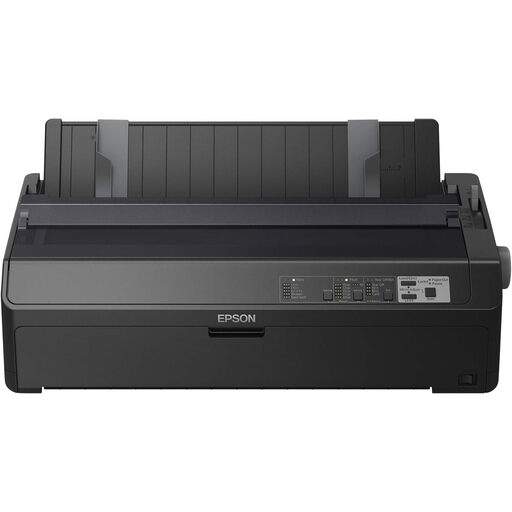
Epson FX-2190IIN dot matrix printer
Worth considering for black-and-white text or numbered tickets if you need a wired network connection.
Dot matrix printer; 240 × 144 DPI; 738 cps.
View at Joybuy
 No image available
Canon PIXMA MG2556S
Worth considering if you want to print tickets on A4 and need colour. The product information also lists scanning and copying functions.
Inkjet printer; A4; 4800 × 600 DPI.
View at Joybuy
 No image available
Epson PLQ-35 dot matrix printer
Worth considering for black-and-white text-only tickets if you need multiple copies.
Dot matrix printer; 180 × 360 DPI; 540 cps.
View at Joybuy
 No image available
Epson WorkForce Pro WF-C5390DW
Worth considering for colour A4 printing from a shared workspace. Check that the listed Wi-Fi or Ethernet connection suits your network.
Colour inkjet printer; A4; Wi-Fi; 4800 × 1200 DPI.
View at Joybuy
 No image available
Brother HL-L5210DW
Worth considering for black-and-white A4 tickets from a shared workspace. This model isn’t suitable for designs that need colour.
Black-and-white laser printer; A4; wireless.
View at Joybuy
Frequently asked questions
Can I print pre-cut tickets if the printer supports thick paper?
Not based on the maximum weight alone. Check the permitted paper type, dimensions and feed path for the exact model too. A weight limit for a specific photo paper doesn’t mean uncoated card is suitable.
How do I set up printing for several people?
Choose a connection that’s available in your workspace and check that users’ devices can connect to it. Brother lists both wired Ethernet and Wi-Fi for the HL-L2445DW; the setup will depend on your workplace network.
What if the printer sits unused for a long time between lotteries?
The Consumers’ Association says that inkjet printheads can clog when used infrequently. If black and white is enough, consider a laser printer as part of your comparison. If you need colour, factor in maintenance and any ink used for cleaning too.
Which costs should I compare besides the purchase price?
For the same expected print run, compare paper, ink or toner and model-specific replacement parts. For example, Brother lists a separate drum and toner for the HL-L2445DW. The stated page yields won’t predict how much ink or toner your ticket design will use.
Can I sell paid lottery tickets in the Netherlands without a licence?
That depends on how the lottery is organised. The Gambling Authority says that a one-off lottery for a charitable cause requires a licence. If the total prize value is under € 4.500, you apply to the municipality where the draw takes place; for € 4.500 or more, you apply to the Gambling Authority. According to its guidance, there is no licensing route for a lottery organised for private or commercial gain. Check which procedure applies to your event.


