What should you look for when buying?
First, decide how you’ll manage paper printouts and which tasks the printer itself needs to handle. Then compare connection options, paper handling and consumables for the way you’ll use it.
| What to consider |
What should you check? |
Who is this important for? |
| Access to printouts |
Check where the printer will be located, who can reach the output tray and whether secure print release works with the exact model and in your working environment. |
If I print records containing personal data, I want to prevent others from seeing the papers without permission. Around 36% of consumers give protecting personal data their highest priority. |
| Connection and text printing |
Check that Ethernet, Wi-Fi or USB works with the devices and network you use; also look at double-sided printing and the paper tray. |
If I mainly print black-and-white records with others, I want the printer to be accessible from our workspace without unnecessary extra features. Around 29% of consumers prioritise shared text printing. |
| Scanning and copying |
Consider whether you need these features and whether an automatic document feeder suits the number of forms you handle. |
If I also need to digitise or copy paper donation forms, I want to be able to do so with the same device. Around 21% of consumers prioritise scanning or copying. |
| Colour printing |
Check whether you need colour and compare the purchase price with the cost of suitable refill ink or cartridges for the way you expect to use the printer. |
If I regularly need colour documents for work, I want the printer to be able to print them. Around 14% of consumers list colour printing as their top priority. |
The Dutch Data Protection Authority notes that access to personal data must be appropriate to the purpose and context. A PIN feature may be an option, but arrangements for collecting paper and accessing the output tray still matter. Brother lists Ethernet, Wi-Fi, USB, automatic double-sided printing and a 250-sheet paper tray for the HL-L2445DW.
Joybuy printers for shared use
This selection of Joybuy products includes printers for shared document use, including models with scanning and copying features and models designed for text printing.
 No image available
HP Smart Tank 7305 Wireless All-in-One Color Printer
The product title lists printing, scanning and copying; consider this model if you need those features as well as printing.
The title lists colour printing and automatic double-sided printing.
View at Joybuy
 No image available
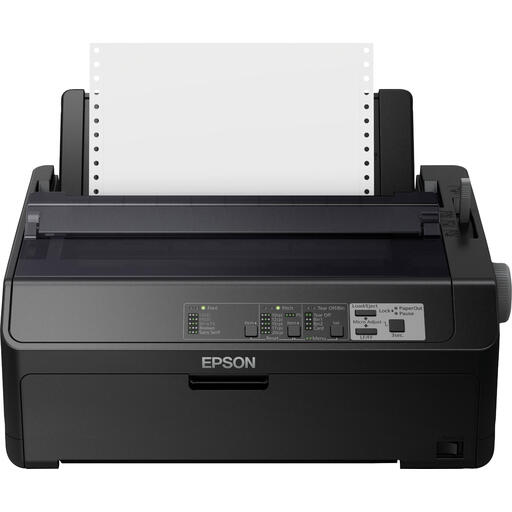
Epson FX-890IIN Dot Matrix Printer 240 x 144 DPI 612 Cps
The product title describes a dot matrix printer; check that this type of printout suits the documents and working practices at your shared workspace.
The title lists 240 x 144 DPI and 612 Cps.
View at Joybuy
 No image available
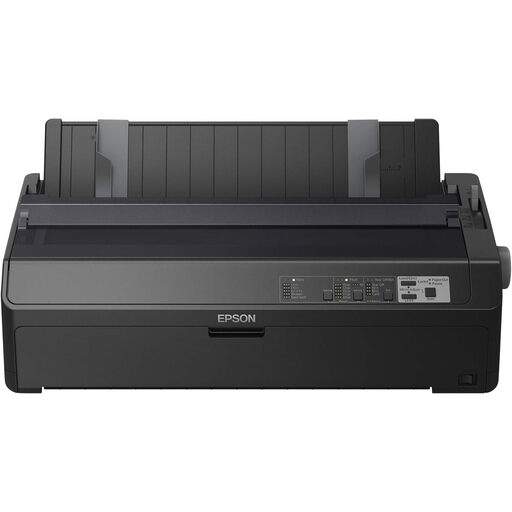
Epson FX-2190IIN Dot Matrix Printer 240x144DPI 738cps
The product title describes a dot matrix printer; check that this type of printout suits the documents and working practices at your shared workspace.
The title lists 240x144DPI and 738cps.
View at Joybuy
 No image available
Canon PIXMA MG2556S Inkjet A4 4800 x 600DPI
The product title lists an A4 inkjet printer. The product information also mentions scanning and copying; check whether you need these features.
The title lists 4800 x 600DPI.
View at Joybuy
 No image available
Epson WorkForce Pro WF-C5390DW Inkjet Printer Colour 4800x1200DPI A4 Wi-Fi
The title lists an A4 colour printer with Wi-Fi; check the connection options for the devices at your shared workspace.
The title lists 4800x1200DPI, A4 and Wi-Fi.
View at Joybuy
Frequently asked questions
Is a PIN-enabled printer required for donation records?
A PIN-enabled printer isn’t the only possible security measure. The Dutch Data Protection Authority says that appropriate protection for personal data depends on the purpose and context, so also consider who can access the printer and its output tray.
What should you check before installing a printer at a shared desk?
Check that the connection suits the network and the devices that will use the printer, and agree who will collect printouts. Brother lists Ethernet, Wi-Fi and USB for the HL-L2445DW; you’ll also need suitable arrangements for access to printed personal data.
What should you look for in toner, ink and running costs?
Compare the printer with the suitable toner or ink and any other consumables, based on how many pages you expect to print. The Dutch Consumers’ Association includes both the printer and consumables in its cost calculations. Also check the cartridge requirements for the exact model: HP lists dynamic cartridge security for the LaserJet Pro MFP 4102fdw.
Can empty cartridges go in general waste?
According to the Dutch Consumers’ Association, empty ink and toner cartridges shouldn’t go in general waste. It suggests returning them locally or by post; check which option is available for your consumable.


