What should you look for?
First decide whether you want to assess your voice afterwards or hear it as you speak. Then check that the connection works with the device you’ll be practising on.
| What to consider |
What to look for when buying |
Who is this most important for? |
| Listening back to a voice recording |
Check the microphone and connection. Once connected, make a test recording and play it back. |
If I want to assess my pronunciation and speaking pace, I want to hear what my microphone picks up. Around 36% of consumers give listening back to a recording top priority. |
| Being considerate of others in the evening |
Listen to the recording through the headset and keep your speaking volume appropriate for the room. |
If I practise at home while others need some peace and quiet, I want to hear the playback through my headset and control my own speaking volume. Being considerate of others comes first for around 29% of consumers. |
| Hearing your own voice as you speak |
Look for sidetone in the documentation for the exact model and check whether the feature works with your device. |
If I want instant feedback while speaking, I look for a headset with confirmed sidetone rather than just a microphone. Around 21% of consumers put this immediate feedback first. |
| Fit for repeated practice |
Look for an adjustable headband and ear cushions. If possible, try the fit for yourself. |
If I practise my presentation several times in a row, I want a comfortable headset that’s easy to adjust. Fit is the top priority for around 14% of consumers. |
Headsets at Joybuy
These wired headsets with microphones are designed for practising and listening through the headset. Before buying, check that the connection is compatible with your device; a product name alone doesn’t guarantee that it will work with every app.
 No image available
JBL Quantum 300
A wired headset with a microphone for anyone who wants to record a presentation and listen back through the headset.
Over-ear gaming headset; the product name specifies a flip-up microphone. Check which connection is compatible with your device.
Joybuy
 No image available
Logitech G G432 7.1 Surround Sound
A wired headset with a microphone for recording a presentation and listening to it through the headset.
The product name specifies 7.1 Surround Sound. Check the connection and whether it works with your recording device.
Joybuy
 No image available
Trust Ayda USB Type-A
A wired headset with a microphone for practising on a computer and listening through the headset.
The product name specifies USB Type-A. Check that this connection is compatible with your device.
Joybuy
 No image available
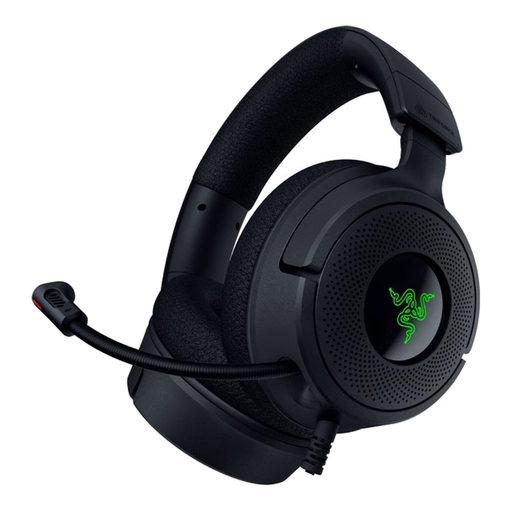
Razer Kraken V4 X
A wired headset with a microphone for anyone who wants to record a presentation and listen back through the headset.
Before buying, check that the connection is compatible with your device and the recording app you use.
Joybuy
 No image available
Razer BlackShark V2 X 7.1
A wired headset with a microphone for practising and listening back to a presentation.
The product name specifies 7.1 and a wired design. Check the connection; a splitter cable is listed for computers with separate headphone and microphone ports.
Joybuy
Frequently asked questions
How can you test whether the microphone is suitable for listening back to your presentation?
Connect the headset, select it as the input device and make a test recording at your normal speaking volume. Microsoft Support explains how to test a microphone in Windows and play back a sample recording. Also check that the mute button is off.
Will a USB-C headset work with every phone or tablet?
No. Don’t assume it’s compatible just because the plug fits. Jabra says that not all USB-C devices or apps support audio with the Evolve2 40 SE. So check your device, app and exact headset version.
Do you need a different headset if you can’t hear yourself while speaking?
Not if listening back to your voice afterwards is enough for you. If you want instant feedback, check whether your exact model supports sidetone; Jabra explains how to set up this feature on the Evolve2 40 SE.
What are your rights when buying online or if a product is faulty?
Online consumer purchases generally come with a statutory 14-day cooling-off period from delivery, with some exceptions; ACM ConsuWijzer explains how the cooling-off period works. If a product is faulty, contact the seller. The Dutch government says there is no fixed statutory two-year warranty period for all products.
Will a headset make things quieter for other people at home when you practise in the evening?
No, a headset won’t muffle your speaking voice. Keep your speaking volume appropriate for the room; the Dutch government advises people dealing with noise nuisance to start by agreeing on some ground rules.


