
Presentation listener
You compare short spoken clips and want clear sound, a comfortable fit and easy-to-use controls for pausing. If you also record yourself, the microphone is a separate consideration.


When listening back to a presentation in Dutch between lectures, your choice will depend mainly on where you listen and which devices you use. Sealed in-ear earbuds can be a good fit in noisy places, open-ear earbuds let in ambient sound, and wired earbuds save you from having to stop and recharge, provided the connection is compatible. Test the fit and controls. If you’re recording yourself, also check the microphone in the app you use: a claim about ANC or calls doesn’t tell you how your presentation recording will sound.
You compare short spoken clips and want clear sound, a comfortable fit and easy-to-use controls for pausing. If you also record yourself, the microphone is a separate consideration.
You listen between sessions in places with background noise, and need to weigh noise isolation and ANC against being able to hear your surroundings.
You switch between devices and want to know in advance whether the connection, port and controls will work with your setup.
The main decision is whether you need noise isolation, awareness of your surroundings or a wired connection. Then check the recording and device features that suit your practice sessions.
Choose this option if: you mainly listen back to existing speech recordings in a noisy place and find in-ear earbuds comfortable.
Bear in mind: noise isolation and ANC can make it harder to hear your surroundings; test your own recording separately.
Choose this option if: you’d rather stay aware of your surroundings while walking between buildings.
Bear in mind: an open design won’t block out background noise, which can drown out quiet speech in a busy place.
Choose this option if: you repeatedly play short clips on a compatible device and don’t want to charge your earbuds.
Bear in mind: check that the connection, microphone and controls work with your device and recording app.
| What to consider | What to look for when buying | Who is this important for? |
|---|---|---|
| Assessing speech and your own recordings | Listen back to a short clip and, if you’ll be recording with them, test the microphone in your app and room. HKU assessed microphones separately, using the same spoken sentence in an identical room. | When I listen back to my presentation, I want to follow the spoken words clearly and, if needed, assess my own recording. Around 29% of consumers prioritise clear speech or their own recording. |
| Listening back with background noise | Check the fit, whether there’s an ambient sound mode and the stated playback time with your chosen sound setting. | In a busy spot on campus, I want to follow quiet speech without unnecessarily blocking out my surroundings. Around 23% of consumers put listening back in noisy places first. |
| Staying aware of your surroundings | Check whether the design is open or has an ambient sound mode. Also consider whether you can keep the volume low enough near traffic. | When I’m walking between buildings, I want to stay aware of my surroundings rather than be constantly cut off from them. This is the main consideration for around 18% of consumers. |
| Switching between a phone and laptop | Check the exact device combination, multipoint connectivity on wireless models, or the connection and system requirements for wired models. | When switching between my phone and laptop, I want to avoid pairing or controls interrupting my practice session. Around 18% of consumers make a working multi-device setup their main priority. |
| Cost and interruptions to recharge | For wireless models, compare playback time per charge with the total time including the case. For wired models, check your device’s connection. | When I practise in short bursts, I don’t want to wait for my earbuds to charge, and the connection needs to fit. Around 12% of consumers prioritise cost and charging convenience. |
You can’t use earbuds while they’re charging in the case, so the total battery life including the case doesn’t tell you how long you can listen without a break.
Compare the stated playback time per charge for the sound mode you plan to use.
Microphone quality is a separate test. A claim about phone calls doesn’t show how a recording will sound in your app.
Record a short test passage and listen back before relying on the microphone.
A connector that fits doesn’t guarantee that the microphone and controls will work with your device and recording app. Apple lists specific system requirements for the EarPods (USB-C).
Check the full model, your device, and whether the microphone and controls work in your app.
If they’re incompatible, you may need a different connector or another model that suits your setup.
The WF-C710N is a sealed wireless option to compare if you’re looking for ANC, an ambient sound mode and a connection to more than one device.
The Tune Buds 2 are an in-ear alternative if you want to switch between noise isolation and ambient sound.
The OpenFit Air represents the open-ear option for anyone who wants to stay aware of their surroundings while on the move.
The EarPods (USB-C) are a wired option with in-line controls for playing short clips.
The TAT1209BK/00 is a compact wireless in-ear option to consider if straightforward speech playback and phone calls are all you need.
This selection is designed for listening back between lectures: sealed wireless in-ear earbuds for noisy places, open-ear earbuds for staying aware of your surroundings, and wired earbuds for repeated playback without a built-in battery.
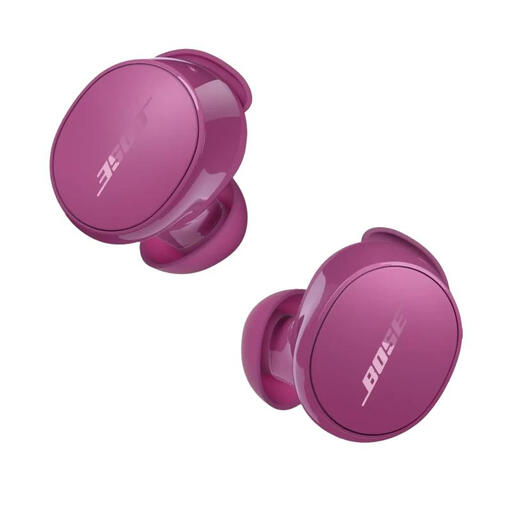 No image available
The listed ANC and Aware modes may be useful if you want to switch between noise isolation and ambient sound.
The product information lists multipoint and up to 8.5 hours of listening per charge.
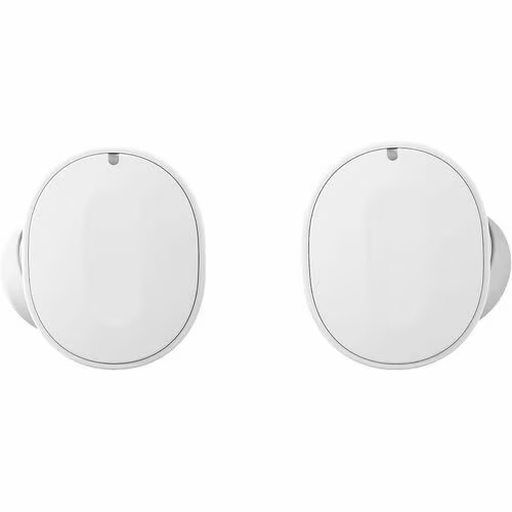
 No image available
ANC may be useful when listening back to existing speech recordings somewhere with background noise.
The product information lists touch and gesture controls, up to 6 hours of playback with ANC on and 7 hours with ANC off; the longer total playback time includes the charging case.
 No image available
The listed ANC and multipoint may suit listening back in different places and switching between devices.
The product information lists multipoint for two devices and up to 8 hours of playback with ANC off. The stated total playback time includes the case.
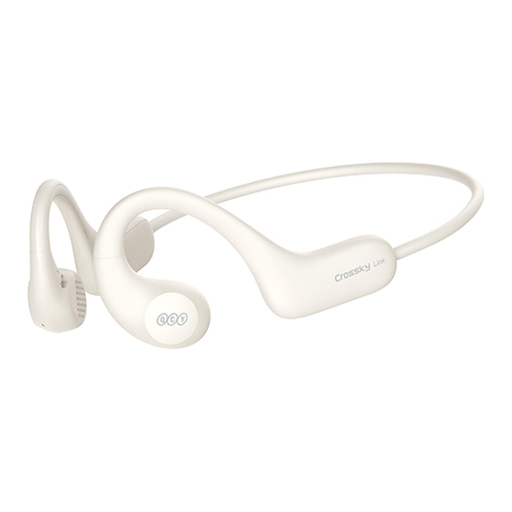 No image available
The open-ear design is an option if you want to stay aware of your surroundings while on the move.
The product information lists Bluetooth 5.3, music controls and up to 10 hours of playback. In a noisy place, background noise may still drown out quiet speech.
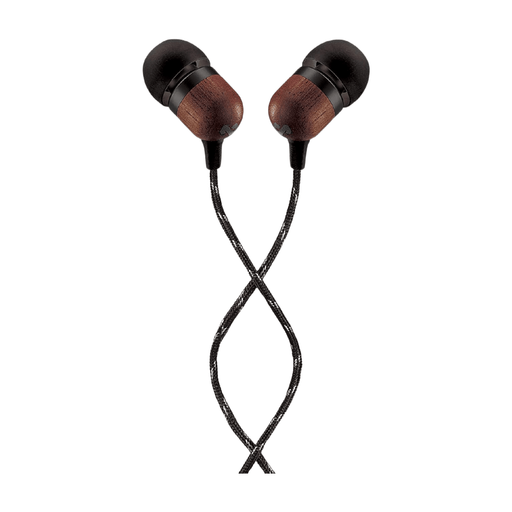 No image available
The wired version may suit you if you repeatedly play short clips and have a compatible USB-C connection.
The product information lists a microphone and an in-line control for pausing or resuming music.
No, don’t count on it: ANC is designed to reduce background noise while you listen, not to fix a recording. Assess the recording itself and make a test recording in the room and app you plan to use.
Before buying, check that the connection or port works with both devices. Sony lists multipoint for the WF-C710N, and JBL for the Tune Buds 2; Apple EarPods (USB-C) have specific system requirements. Then test playback and, if needed, recording in the app you use.
For wireless models, compare playback time per charge with the total time including the case: you can’t use the earbuds while they’re charging in the case. According to the Dutch Government, there’s no fixed statutory warranty period in the Netherlands; if a product is faulty, contact the seller.
According to the Dutch Government, you can listen to music hands-free, but you mustn’t hold an electronic device while riding. The government advises keeping the volume low or using one earbud so you can still hear your surroundings.