
Practice-note writer
You record your goals and results in files and want to be able to track changes. Git provides version control for files; a suitable physical and digital keyboard layout makes it more practical to type notes and file names.


Type your practice goals and results into files, then choose a computer keyboard that suits your layout and connection; Git manages the versions of those files. If you want to record the notes you play, consider a MIDI controller with suitable software, or a digital piano if weighted keys are your priority. None of these devices creates a version-controlled practice log on its own.
You record your goals and results in files and want to be able to track changes. Git provides version control for files; a suitable physical and digital keyboard layout makes it more practical to type notes and file names.
You often spend longer working on your log, or use several devices. In that case, your workstation layout, available space and keyboard connection may all matter. A keyboard on its own won’t solve an unsuitable working posture.
You want to capture performance data rather than just type text. So distinguish between a MIDI controller for music software and a digital piano chosen primarily for playing.
Choose this if: you mainly type text notes and file names, and want to manage those files with Git.
Consider: check the layout, connection and size; the keyboard itself doesn’t manage versions.
Choose this if: you want to input the notes you play into suitable music software.
Consider: check that your chosen software supports the controller, session data and the export you need.
Choose this if: practising piano on weighted keys is your main priority.
Consider: choosing a piano doesn’t automatically link it to a version-controlled log.
First decide whether you want to record text, the notes you play or both. Then choose your device and the software you need.
| Consideration | What to look for | Especially relevant to |
|---|---|---|
| Layout and text editing | Check the physical key layout and the input language set on your device. Also check that it has the editing keys you need. | If I mainly keep notes and track file changes, I want the key legends to match what my computer types. Around 29% of consumers prioritise text layout and file management. |
| Working posture | Compare the shape and dimensions, and consider your screen position, workstation and options for changing position. | If you regularly spend longer writing in your log, consider your whole workstation rather than just the keyboard’s shape. Around 22% of consumers prioritise working posture. |
| Devices and typing noise | Count the devices you type on, and check the connection, power supply and layout of the exact model. | If I work on several devices or use a keyboard in a shared space, I want a suitable connection and typing environment. Around 21% of consumers prioritise switching between devices or their typing environment. |
| Recording music | Decide whether you want MIDI data, text notes or both. Then check software support and export options for the model you’ve chosen. | If you mainly want to record the notes you play, you’ll need a way to input music, not just a way to type notes. Around 14% of consumers prioritise recording their playing. |
| Size and number pad | Before choosing a size, consider how often you enter numbers and how much desk space you have. | If I regularly enter practice times or quantities, a separate number pad may matter more than extra desk space. Around 14% of consumers prioritise the choice between desk space and number entry. |
A MIDI controller is designed to input data into music software; Git tracks changes to files. They don’t do the same thing.
Before comparing models, decide whether you want to type, record performance data or practise piano.
To record your playing, you may need suitable recording software or a computer keyboard as well as a controller.
The physical layout and the input layout set on your device can determine whether the characters you type match the key legends.
Check the layout of the exact model and set the corresponding input layout on your computer.
An extra service and your statutory rights are different things, so read the terms of any additional service separately.
Compare the terms on offer with information from ACM ConsuWijzer about your statutory warranty.
Changing a file doesn’t automatically remove sensitive data from earlier versions. Changing the history of a shared repository may also require coordination with others.
Check log files for personal data before sharing them, and decide in advance who should have access.
If other people are already using the repository, changing its history may take extra work and coordination.
The models listed offer different computer keyboard layouts: the MX Keys S is a full-size, backlit model with programmable keys; the Pebble Keys 2 K380s is designed for compact Bluetooth use across multiple devices.
The STREAM KEYBOARD TKL is a wired computer keyboard for anyone who can do without a separate number pad.
The Nado II is designed for compact Bluetooth use with switching between devices; the Keyra has a split, curved layout.
The MPK mini mk3 is an example of a compact musical controller for use with music software.
The P-145 is a digital piano for players looking for weighted keys.
These Joybuy products are computer keyboards for typing text notes and log files. They don’t create a version history themselves.
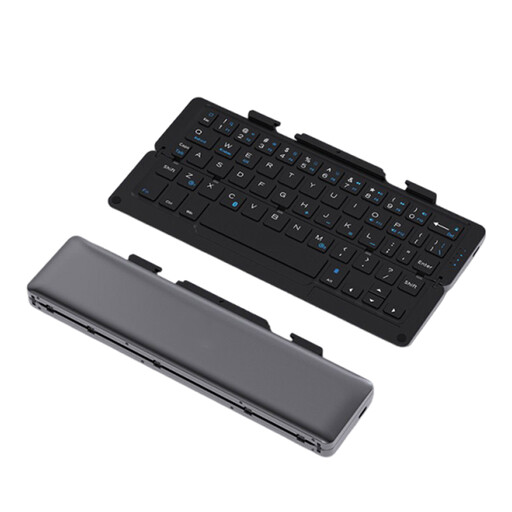 Image unavailable
An option for anyone who types notes on mobile devices and switches between devices.
The product name mentions Bluetooth, rechargeable power and a magnetic stand. The product description lists compatibility with iOS, Android and Windows, and connection to up to three devices.
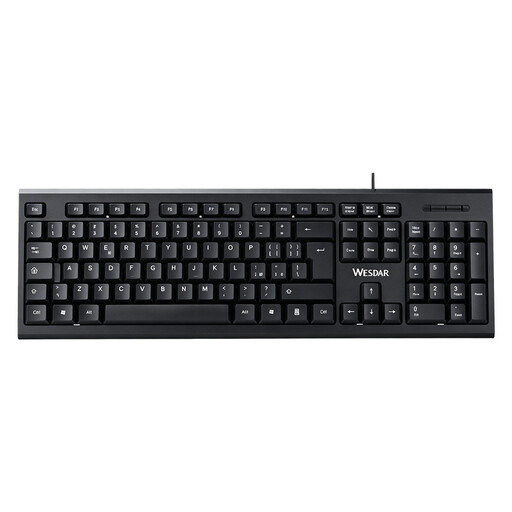 Image unavailable
Suitable for anyone who types text and numbers on a computer and wants a separate number pad.
The product name mentions a full-size layout and a plug-and-play connection.
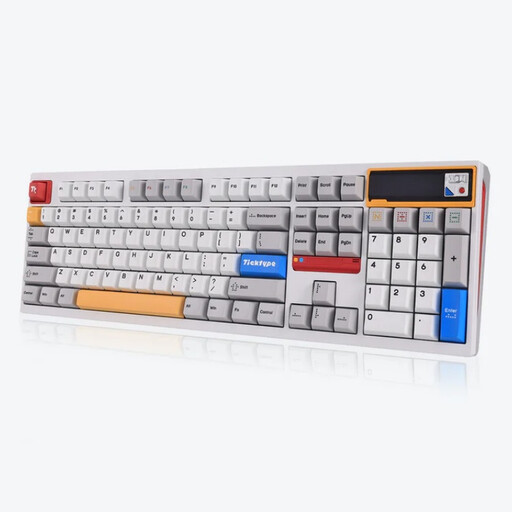 Image unavailable
A full-size option for anyone who types longer notes and wants space for number entry.
The product name mentions a US layout, hot-swappable keys and quiet tactile switches. The product description lists Bluetooth, 2.4GHz wireless and wired USB-C use.
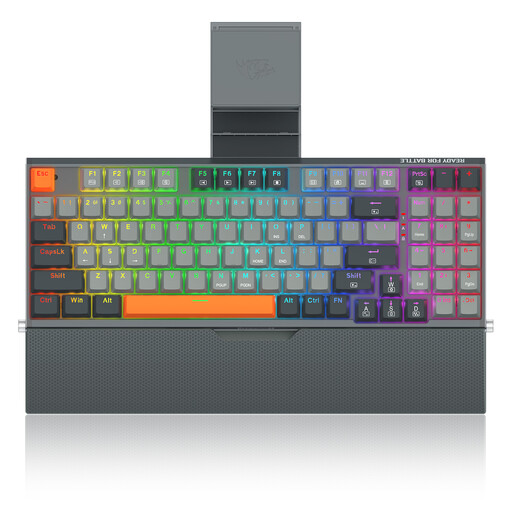 Image unavailable
An option for a permanent workstation where you type text on a computer.
The product name lists a 94-key layout. The product description mentions a detachable wrist rest and an integrated phone stand.
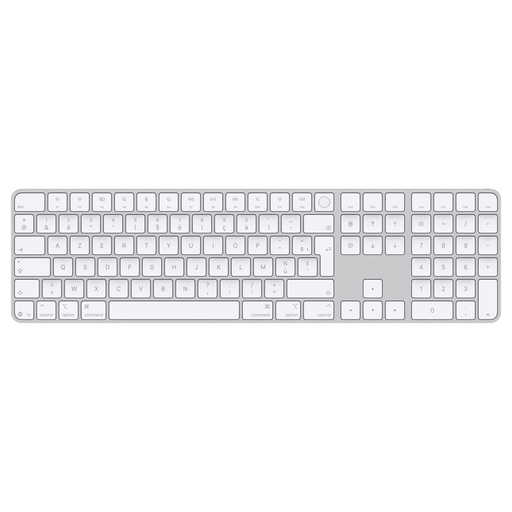 Image unavailable
An option for anyone who wants to enter notes and numbers on a Mac.
The product description mentions Bluetooth, a rechargeable battery and document navigation keys. Check that Mac compatibility suits the device you use.
No. Git tracks changes to files; programmable keys don’t create a log or version history automatically. Set up the file and Git workflow separately.
Check the physical layout of your model and the input layout set on your device. Microsoft Support explains how to add or change a keyboard layout in Windows.
Don’t assume so without checking. Akai describes the MPK mini mk3 as a controller for music software; the PianoTracker project demonstrates MIDI-driven session recording, but doesn’t confirm that every controller and software combination will work. Check support and export options in the software you plan to use.
Arboportaal advises varying screen-based work, changing your posture and taking microbreaks. This is workplace advice, not evidence that a specific keyboard treats symptoms.
Not always: changing a file doesn’t automatically remove sensitive data from earlier versions. Check files for personal data before sharing them; the Dutch Data Protection Authority warns about data in shared documents, and GitHub Docs explains that changing repository history may require careful coordination.