
Home worker with a dedicated workspace
You take calls on a computer in a room where the router’s Wi-Fi signal is weak, and you may be able to use Ethernet. You’ll need to test the connection over your home’s electrical wiring where you work.


Choose a wired powerline starter kit if you can connect your computer to the adapter at your workstation via Ethernet; opt for a kit with Wi-Fi if you also want to use wireless devices there. The actual connection depends on your home’s wiring and electrical interference, so test the kit using the sockets you plan to use. If you’re expanding an existing network, also check that the standard used by your current adapters is compatible.
You take calls on a computer in a room where the router’s Wi-Fi signal is weak, and you may be able to use Ethernet. You’ll need to test the connection over your home’s electrical wiring where you work.
You want to join calls in the distant room using a phone or laptop over Wi-Fi, too. A powerline kit with Wi-Fi on the adapter in that room may suit your needs better than a kit with only a LAN connection.
You already have adapters and want to connect another room. First check which powerline standard they use: not all adapters work together.
When is this right for you? If you mainly use one computer at your workstation and can connect it via Ethernet.
The trade-off: You’ll need an Ethernet cable between the adapter and your computer. The stated powerline speed doesn’t guarantee the actual throughput during a call.
When is this right for you? If you also want to use a laptop, phone or other wireless devices in the room beyond the walls.
The trade-off: The wireless connection in the room adds another link in the chain. Also check whether the kit works with your existing adapters.
When is this right for you? If you want to connect several rooms and need a more extensive Wi-Fi network, rather than just a connection for one meeting.
The trade-off: Check which units and standards you need. The manufacturer’s stated coverage isn’t a measurement of the connection in your home.
| What to consider | What should you check? | Who is this important for? |
|---|---|---|
| Connection at your workstation | Check whether your computer can use Ethernet, whether you have a complete kit with two adapters, and whether there’s a socket at each location. Test a call at the workstation you plan to use. | If I make video calls from a dedicated spot, I want to connect my computer directly to the adapter. Around 36% of consumers give top priority to a wired meeting space. |
| Wi-Fi in the destination room | Check that the kit is complete and that the adapter for the destination room provides Wi-Fi. | If I also want to use my phone or laptop wirelessly in the room, I need Wi-Fi at that end of the connection. Around 29% of consumers prioritise Wi-Fi in the destination room. |
| Wiring and existing adapters | Check the standard used by your current adapters and test the connection using the wall sockets you plan to use. TP-Link advises plugging the adapter directly into a wall socket, not an extension lead. | If I want to expand my existing network or have doubts about the powerline connection, I want to know in advance whether the adapters will work together and to test the connection where I’ll use it. Around 21% of consumers prioritise compatibility or performance over their own home wiring. |
| Socket space and kit contents | Check whether the model has a pass-through socket and whether the box contains two adapters. Choose Wi-Fi or mesh features only if they suit your needs. | If there aren’t many sockets available, I want to be able to keep using one if needed and choose a kit that suits my setup. Around 14% of consumers make this their main consideration. |
The AV or Mbit/s rating on the packaging doesn’t guarantee data throughput for a video call. TP-Link points out that wiring and electrical interference affect real-world speeds, so test the kit at the sockets you plan to use.
The stated powerline speed isn’t the same as actual data throughput. Your home’s wiring and electrical interference also play a part.
Test the connection at both sockets you plan to use during normal use, rather than judging it by the AV rating alone.
You need adapters at both ends to connect your router to your workstation.
Check what’s in the box and choose a complete starter kit if you don’t already have a compatible powerline network.
devolo states that Magic adapters can’t be connected to dLAN or other HomePlug AV adapters to extend a powerline network.
Make a note of the standard used by your existing adapters and check compatibility before choosing an expansion.
According to TP-Link, extension leads and surge protectors can slow down the powerline connection.
Plug the adapter directly into a wall socket. If you’re short on sockets, check whether a model with a pass-through socket would suit your setup.
The Dutch product range includes wired HomePlug AV2 starter kits, such as the TL-PA7017P KIT, and kits with Wi-Fi, such as the TL-WPA7517 KIT.
The Magic range includes powerline products with Wi-Fi and LAN connections. According to devolo, the Magic 2 WiFi next Starter Kit combines Wi-Fi and LAN.
The DHP-P601AV is an example of a HomePlug AV2 kit with gigabit Ethernet and a pass-through socket.
This selection of Joybuy products includes powerline kits with Wi-Fi for wireless devices in the destination room, as well as a wired kit for a dedicated workstation.
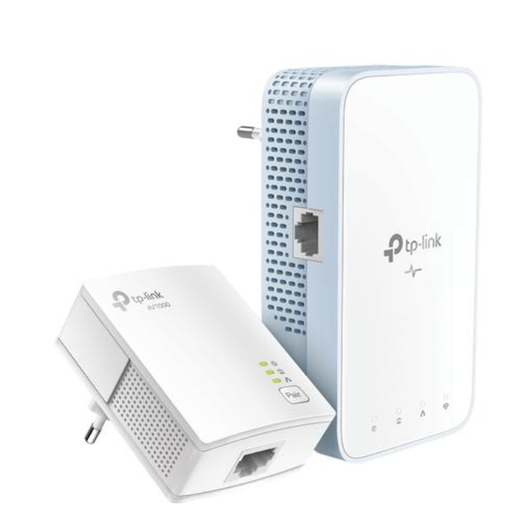 No image available
Suited to a room where you want to use Wi-Fi for wireless devices as well as a powerline connection.
Powerline starter kit with Wi-Fi; TP-Link describes the TL-WPA7517 KIT as an AV1000 model. This rating doesn’t guarantee the data throughput in your home.
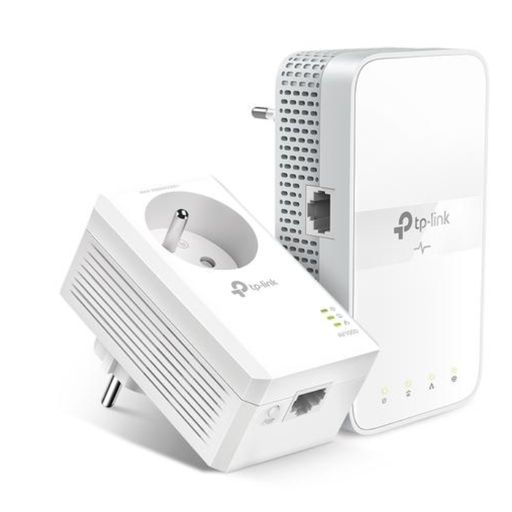 No image available
Suited to a connection to another room where you want the option of using both Wi-Fi and Ethernet.
The product name lists Wi-Fi, Ethernet, two units and 1200 Mbit/s. This stated speed doesn’t guarantee the actual throughput in your home.
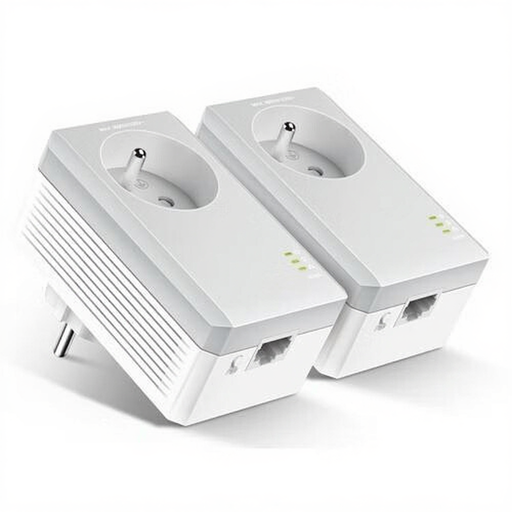 No image available
Suited to a dedicated workstation where you want to connect your computer to the powerline adapter via Ethernet.
The product name lists two units and 500 Mbit/s. The product description specifies Fast Ethernet (10/100 Mbit/s) and an integrated pass-through socket. These stated figures don’t guarantee a particular throughput during a video call.
No. AV1000 is a stated maximum powerline connection speed, not the actual data throughput in your home. TP-Link cites wiring and electrical interference as factors that affect real-world speeds, so test the kit at the workstation you plan to use.
Connect one adapter to the router and put the other near your workstation. TP-Link advises plugging powerline adapters directly into wall sockets. If the connection drops out, try another socket and check for electrical appliances that could cause interference.
Not as a connected powerline extension: devolo states that Magic adapters using G.hn can’t connect to dLAN or other HomePlug AV adapters. So first check which standard your current adapters use.
For distance purchases from a business, you’ll usually have 14 days to change your mind in the Netherlands; the Dutch government also lists some exceptions. Before ordering, check who the seller is and which returns terms apply to your purchase.
According to the Dutch government, electronic devices placed on the EU market must meet the applicable safety requirements and carry the required CE marking. Check the actual product being offered: a model name alone doesn’t confirm that the item you receive meets the requirements.