
Vandaag of morgen in huis

Kwaliteit gegarandeerd

Welkomstaanbiedingen ontgrendelen: GRATIS bezorging | Tot 80% korting | Gratis 30 dagen JoyPlus-proefperiode
Download de app
A shortage of outlets is a well-known problem in many homes and offices. A power strip with USB seems like the ideal solution: one place for all your plugs and charging cables. Yet, a hasty purchase often leads to disappointment. Many models are riddled with hidden flaws or superfluous marketing claims that add little practical value. Before you make a choice, it's wise to know what to look for.
These are the three most common pitfalls:
To avoid buyer's remorse, you can focus on a few concrete specifications. These determine whether a power strip does its job well and is safe for daily use.
Not all USB ports are created equal. The specifications determine the charging speed.
Safety is non-negotiable. Pay attention to the following points:
A good design makes all the difference in daily use.
Based on these objective criteria, we have selected a number of models that suit different user profiles.
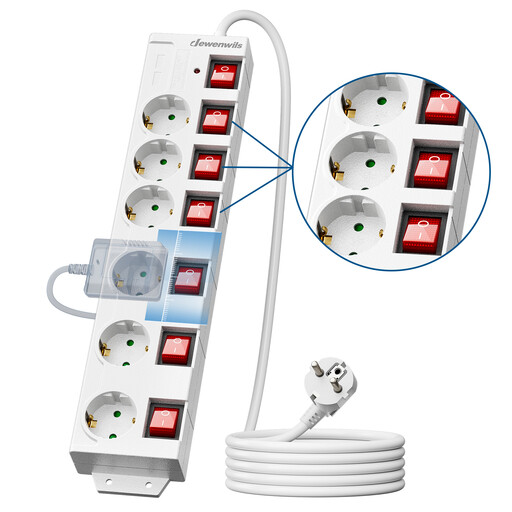
Why This Fits Their Persona: Ideal for a desk with a computer, monitor, printer, and various peripherals. The combination of six outlets, USB ports, and a long cord provides a complete and organised power solution.
This model tackles the design problem with a long 3-meter cord and 90° rotated outlets, ensuring all sockets are usable. The individual switches provide full control over power consumption.
Features surge protection and child safety. The combination of 6 outlets, 2 USB ports, and individual switches offers maximum flexibility.
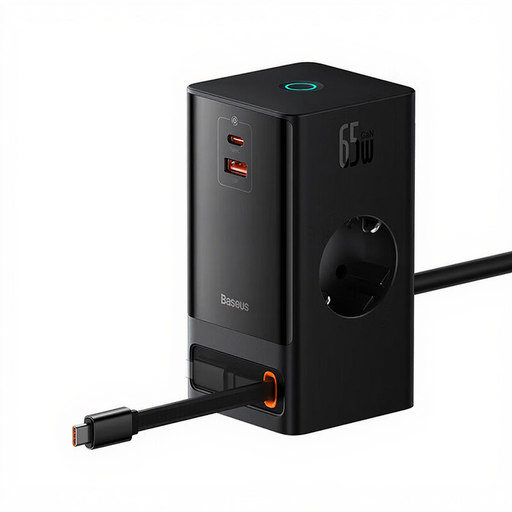
Why This Fits Their Persona: Perfect for those who want to get the most out of their equipment. It charges a laptop, tablet, and phone simultaneously at high speed, while also providing two standard outlets. The sleek design fits well on a modern desk.
This model solves the "slow USB" trap with a powerful 65W USB-C port, including a convenient retractable cable. No more fussing with separate chargers; this is an all-in-one charging station.
The combination of a high power capacity (4000W), advanced digital protection, and a smart design with a retractable cable makes this a highly functional choice.
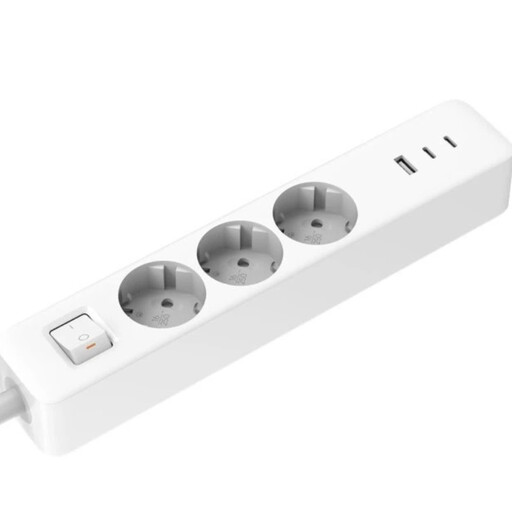
Why This Fits Their Persona: For those seeking a compact, cordless solution for travel or for a tidy corner at home. It provides modern charging capabilities without the bulk of a traditional power strip.
This model isn't a traditional power strip, but a smart adapter that plugs directly into the wall outlet. It focuses on what's important for mobile devices: 20W fast charging via USB-C and extra ports, without unnecessary cables.
Extremely compact and portable. It offers two Type-C ports and one USB-A port, making it a versatile charging hub for on the go.
We have compiled a complete, up-to-date list of products that fully meet these strict selection criteria and European safety standards.
It's not about the number of devices, but the total power consumption. Most power strips in Europe are rated for a maximum of 3680 Watts. Check the wattage of the devices you want to connect. Avoid plugging multiple high-power devices (like a kettle, hairdryer, or electric heater) into the same power strip.
A regular power strip only distributes power. A model with surge protection has a built-in circuit that detects and diverts harmful voltage spikes. This protects the sensitive electronics in your computer, TV, or audio equipment from damage that can be caused by these spikes.
If you have a smartphone, tablet, or other device from the last few years, the answer is yes. Fast charging via USB-C with Power Delivery (PD) can significantly reduce charging time. A phone that takes hours to charge with an old USB-A charger can be 50% full in just half an hour with a 20W USB-C PD charger. The convenience and time savings make it worthwhile for most users.
