
Home worker who wants backup power
You want to stay connected when there isn’t a socket available. Compare the usable power, your phone’s connector and the size you’re happy to carry.


If you always have a socket within reach at your home workspace and don’t need portable backup power, a standard mains charger may be enough. Choose a power bank if you want to keep working away from a socket. Check your phone’s connector and charging standard, how much backup power you need, and whether you want to charge one or several devices at once. Magnetic charging or a built-in cable can make it more convenient to use at your desk, but check compatibility and output when charging multiple devices simultaneously.
You want to stay connected when there isn’t a socket available. Compare the usable power, your phone’s connector and the size you’re happy to carry.
You only have short breaks to charge your phone. Check your phone’s charging protocol and the output for a single device; the available power may be lower when charging two devices.
You want to use your phone at your desk without a separate charging cable. Check that your phone and case are compatible with the magnetic charging feature on your chosen model.
First, consider whether you need portable backup power. Then compare the connector, charging speed and number of devices you want to charge at once. Consumentenbond measures how much power power banks actually deliver, as this can differ from what their stated capacity might suggest.
| What to consider | What to look for | Who it matters to |
|---|---|---|
| Usable backup power | Compare the energy delivered and the size; mAh doesn’t guarantee a particular number of phone charges. | If I want to stay connected away from a socket, I look at both the backup power and what I can realistically carry. Around 36% of consumers say usable backup power is their main concern when buying. |
| Quick top-ups | Check your phone’s charging protocol and the output when one or two devices are connected. | During short work breaks, I want to know whether this connector and cable can top up my phone quickly enough. Around 29% of consumers prioritise charging speed. |
| Connector and cable convenience | Count the connectors you need, and check for built-in or included cables and the combined output. | If I’m connecting several devices or want fewer loose cables on my desk, the ports and cable type are key. Around 21% of consumers name connector convenience as their main concern. |
| Magnetic use at your desk | Check Qi2 support, case requirements, and wireless and wired output. | I want to keep my compatible phone visible on my desk and use it magnetically, without assuming that every case will fit. Around 14% of consumers prioritise this kind of desk use. |
The stated capacity doesn’t tell you directly how much power your phone will receive. Consumentenbond measures the power actually delivered; a larger reserve may also mean a bigger or heavier model.
Where possible, compare measurements of the energy delivered and check that the size and weight suit how you’ll use it.
For the models cited, Belkin states a lower total output when both ports are in use. Samsung states a maximum of 9 W per device for the EB-P3400 when two devices are connected; this figure doesn’t automatically apply to other power banks.
Check the specifications for the number of devices you want to charge at once.
The Qi2 features on the models mentioned are subject to compatibility requirements. For the BPD008btBK, Belkin specifies a compatible phone and requirements for case thickness.
Check your phone, Qi2 support and case before choosing a magnetic model.
On 15 July 2025, the NVWA issued a warning about specific Anker models, including A1257, A1647, A1681 and A1689. The warning issued on 15 September 2026 about an imoshion MagSafe Powerbank concerns article IM-PB-0007 and the specified batches 2024-06-0004 and 2024-09-0007; these warnings don’t automatically apply to every model from those brands.
Check the exact model number and, where specified, the batch number against the relevant NVWA warning.
Belkin offers both wired power banks and a magnetic Qi2 model. Compare the connectors and think about how you want to use the power bank at your desk.
The EB-P3400 is a 10,000 mAh model with two connectors, worth comparing if you use a phone with the relevant charging standard.
The Nano A1638 is worth comparing if you want a built-in retractable USB-C cable and extra connectors.
The Nexode Qi2 model is an option if you want to use a compatible phone magnetically at your desk and also compare a USB-C connection.
These Joybuy products are designed for charging phones while working from home, with options featuring a built-in cable, wireless charging or a stand for propping up your phone.
 No image available
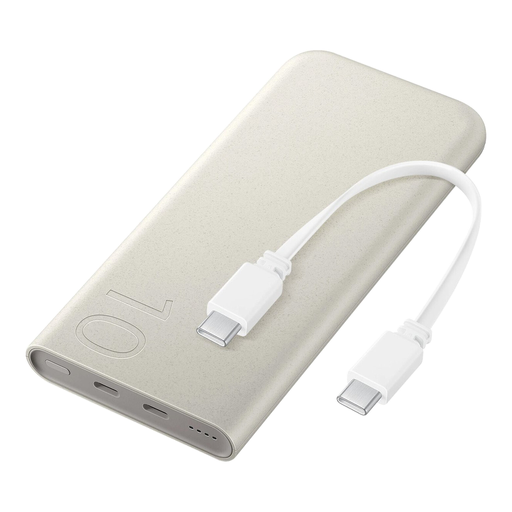
The built-in cable can be useful if you want fewer loose cables on your desk.
The description lists a capacity of 10,000 mAh, a built-in USB-C cable with 20 W PD, and USB-C and USB-A outputs.
According to the description, you can connect three devices at once; check the available output when charging them simultaneously.
 No image available
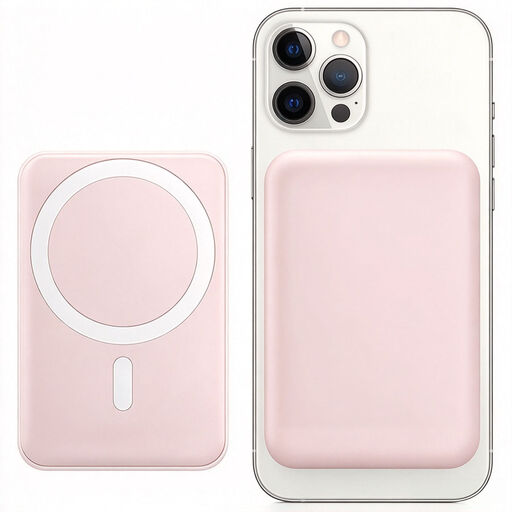
According to the product description, this option combines wired and wireless charging; check which method suits your phone.
The description lists up to 25 W wired charging and 7.5 W wireless charging, plus an integrated USB-C cable.
 No image available
The built-in stand could suit you if you want to keep your phone visible on your desk while it charges.
The product description lists 10,000 mAh, wireless charging and an output of 15 W.
Check that your phone and case are compatible with the magnetic charging feature.
 No image available
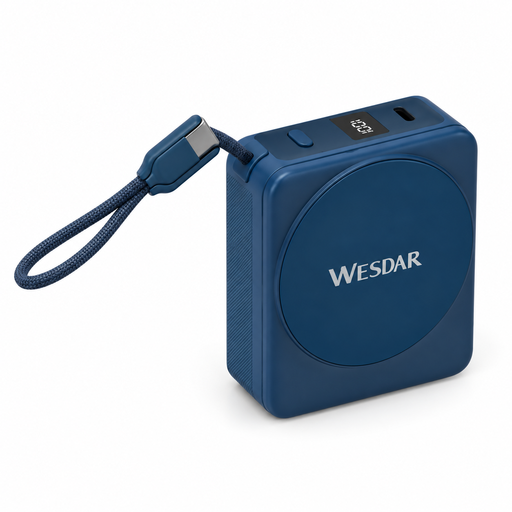
A built-in cable and display can be handy if you want fewer loose accessories on your desk and an easy way to check the charge level.
The description lists 15 W wireless charging and 22.5 W wired charging via the integrated USB-C cable.
Check that the magnetic feature is compatible with your phone and case.
 No image available
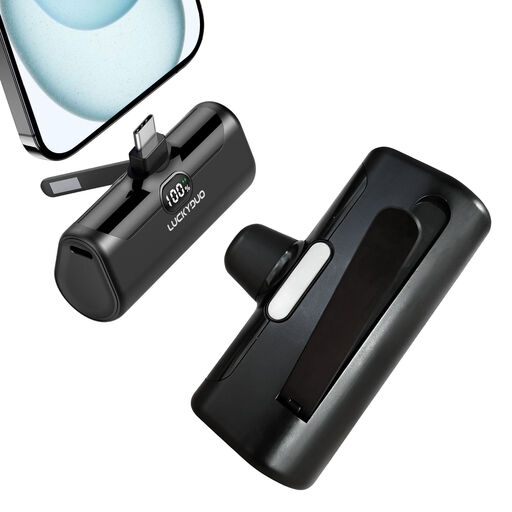
The built-in stand could come in handy if you want to prop your phone up on your desk while it charges.
The description lists 5,000 mAh, USB-C, 15 W PD, an LCD display and a foldable stand.
You can’t work this out directly from the mAh figure on the packaging. Consumentenbond measures how much power a power bank actually delivers; compare this information with your phone’s battery capacity.
Only if the model you choose supports charging and discharging at the same time. Belkin lists this feature for the BPB027hqWH; don’t assume other models offer it, and check the manual.
Place the power bank in a clear space so heat can escape, and don’t use damaged cables. The Fire Service advises charging battery-powered devices in a room with a working smoke alarm. Stop using the power bank if it is damaged or misshapen, or gives off an unusual smell, and check for warnings about the exact model.
With normal use, a purchase must meet the expectations you were entitled to have; the seller is responsible for providing a suitable solution free of charge if the product breaks too soon. ACM ConsuWijzer explains that there is no single fixed statutory warranty period for every power bank.
No. A CE logo on its own is not a complete safety assessment of a specific model. The Dutch government explains that CE marking is compulsory for certain product groups and that the manufacturer is responsible for applying it; also check for warnings about the exact model.
Don’t put a power bank in your general household rubbish. The Dutch government lists collection points for used batteries, including shops that sell batteries and local recycling centres; if in doubt, ask where you can hand in the complete device.