What should you look for?
First, check the charging instructions for your microphone or charging case. Then decide whether you want to connect one device or several at once. Only then compare the size, cable placement and any support for low-current charging.
| What to consider |
What should you check? |
Who is this important for? |
| Connection and charging compatibility |
Check the instructions for the exact microphone or charging case, the cable required and whether the cable will reach the device where you plan to use it. |
If I want to connect my own transmitter, receiver or charging case, the cable and port need to match. Around 36% of consumers prioritise a suitable connection and compatibility. |
| Charging several devices at once |
Check the number of suitable ports and the total output when they’re used simultaneously. Belkin lists 20 W from one port and 15 W total from two ports for the BPB027hqBK. |
If I also want to connect another device at a shared desk, usable outputs and how the power is distributed matter. Around 29% of consumers prioritise simultaneous charging. |
| Low-current charging |
Look in the instructions for the exact model for how to enable low-current charging, then check how it works with your own microphone. |
If my microphone draws very little power while charging, I want to avoid the charging session stopping prematurely. Around 21% of consumers place most importance on uninterrupted charging at low power. |
| Size and portability |
Compare the dimensions, weight and cable reach with the space available. Don’t treat the stated mAh capacity as an exact number of charges. |
If I have limited desk space or want to carry the power bank easily, size and positioning are important. Around 14% of consumers give a compact workspace top priority. |
Power banks for this use case
These Joybuy products are designed for wired USB-C charging, with options for a compact setup or connecting several devices at once. Before use, check that the connection and charging requirements suit your microphone or charging case.
 No image available
Samsung Power Bank Fast Charge 45W, 20.000 mAh, 3× USB-C, beige
An option for connecting several USB-C devices; check the available output when charging them at the same time.
The product name lists 20.000 mAh and three USB-C ports.
View at Joybuy
 No image available
Samsung Fast Charge Duo Power Bank, 25 W, USB-C, 10.000 mAh, beige
The product description says you can charge two devices at once; check that the connections are suitable for your microphone and any second device.
The product name lists USB-C and 10.000 mAh. The description states up to 25 W and includes a USB-C cable.
View at Joybuy
 No image available
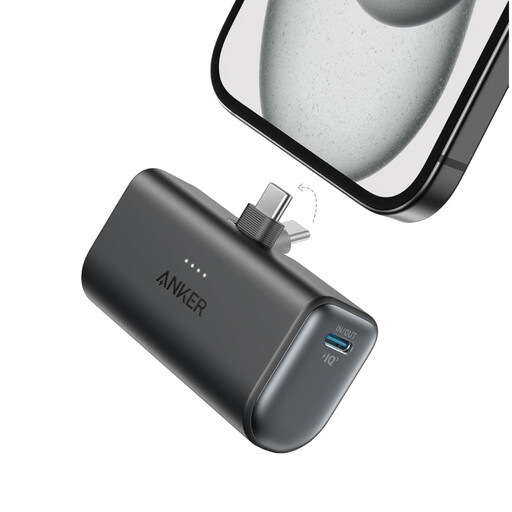
Anker Nano Power Bank, 5.000 mAh, black
A compact option for a wired USB-C setup; check whether one port is enough for your needs.
The product description lists 5.000 mAh, one USB-C port, a total output of 22,5 W and a weight of 100 g.
View at Joybuy
 No image available
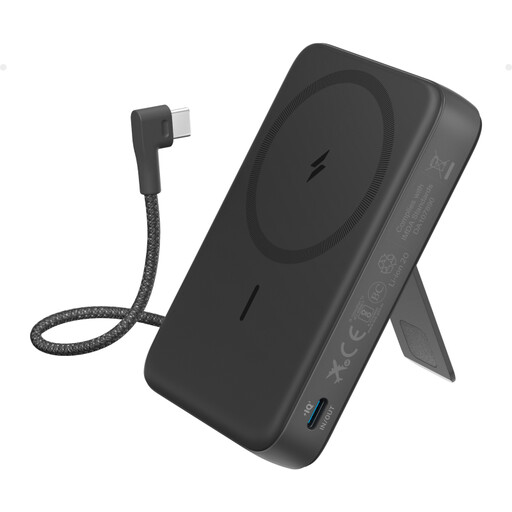
Anker 10K Magnetic Power Bank with built-in USB-C cable, black
The built-in USB-C cable can help reduce cable clutter on your desk. Check that the connection suits your microphone; wireless charging is only relevant for a second device that supports it.
The product description lists 10.000 mAh, wired charging up to 30 W and wireless charging up to 7,5 W.
View at Joybuy
 No image available
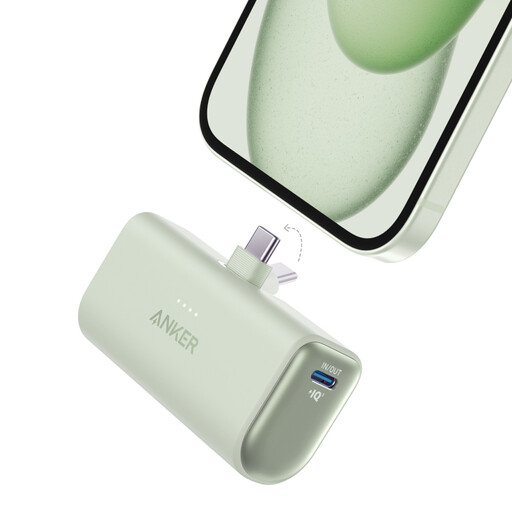
Anker Nano Power Bank 22.5W with built-in USB-C connector, green
An option with two USB-C ports for anyone who wants to connect several USB-C devices; check the output when using both ports at once.
The product description lists 5.002 mAh, two USB-C ports, an included 0,6 m USB-C cable and a weight of around 99 g.
View at Joybuy
Frequently asked questions
Can I charge any wireless microphone with the same USB-C power bank?
No. Check the instructions for the exact model and whether you’re connecting an individual unit or a charging case. DJI lists a maximum of 5 V for charging Mic 2 units; RØDE shows USB-C charging ports on the Wireless GO II. Check the instructions for your own microphone.
Can the power bank charge itself while my microphone is connected?
Only if the specific model supports pass-through charging. Belkin lists this feature for the BPB027hqBK; check the connections and instructions for your particular setup.
What can I do if the power bank stops before the microphone is fully charged?
First, check the cable and connection. Then look in the instructions for your exact power bank to see whether it has a low-current charging feature. Anker describes this feature for the A1383; those instructions don’t automatically apply to other models.
How can I safely charge a power bank and microphone at a shared desk?
Keep the charger uncovered so heat can escape, don’t use damaged cables, and follow the manufacturer’s instructions. If you notice distortion, smoke or a chemical smell, the fire service advises you to stop using the device and follow the emergency instructions.
Does a CE mark prove that a power bank is suitable for my microphone?
No. A CE mark alone doesn’t prove that the connection or charging behaviour is suitable for your microphone. The Dutch government’s Ondernemersplein describes CE marking as a manufacturer’s declaration for product groups covered by applicable EU requirements. Check the connection and conditions of use for the specific product separately.


