Who is this relevant to?

Trimmer owners with limited access to sockets

If you want to charge your USB trimmer without having to free up a socket, first check the cable and the charging instructions for your specific trimmer model. Philips provides model-specific charging advice for its grooming devices and trimmers.

People charging multiple devices

If you want to connect another device as well as your trimmer, check the types of output and the total power available when using multiple ports at once. For example, Belkin lists a maximum total output of 15 W when all three ports are used on one BoostCharge version reviewed.

People looking for a lightweight backup

If you mainly want a power bank to take with you for occasional use, weigh up its size and weight against its stated capacity. The Consumentenbond notes that small, lightweight models provide fewer charges than larger, heavier ones.

What should you look for when choosing?

What to consider What should you check? Who is this important to?
Connection and charging requirements Compare the plug on your trimmer cable and the charging instructions in the manual with the power bank’s outputs. If I want to keep using my existing trimmer cable, I need to know whether it fits and whether the charging requirements are met. Around 36% of consumers give connection compatibility top priority.
Charging without a socket Compare the stated capacity with how often you use your trimmer, and check how you recharge the power bank itself. If I can’t often free up a socket, I want a backup that suits my needs, without assuming a fixed number of trimmer charges. Around 29% of consumers prioritise charging without a socket.
Size and weight Compare the dimensions and weight of the exact version with its stated capacity. If I want to take the power bank with me regularly, I need to know how much size and weight I’m willing to accept. Around 21% of consumers consider portability their main priority.
Charging at the same time Check that there are suitable outputs for both cables and find out the total power available when they’re used at the same time. If I want to connect my trimmer and another device at the same time, I need to consider the available outputs and combined power. Around 14% of consumers give simultaneous charging top priority.

Common pitfalls

  • Comparing only the highest mAh figure

    The stated capacity alone doesn’t tell you how much energy your trimmer will receive or how many times you can charge it. The Consumentenbond distinguishes between stated capacity, the energy actually delivered and portability.

    Compare capacity with size and weight. Don’t assume a fixed number of charges without information about both the power bank and the trimmer.

    A larger, heavier model may be less convenient to carry, and that still doesn’t tell you exactly how many times it will charge your trimmer.

  • Assuming a built-in USB-C cable replaces every trimmer cable

    A fixed cable won’t necessarily work with your trimmer’s cable or charging requirements. A trimmer that uses a USB-A charging cable may still need that separate cable.

    Check the connection on your existing cable and the manual for your trimmer model before choosing a power bank.

    Bear in mind that you may still need to take or use your existing trimmer cable.

  • Adding together the individual port outputs

    The power available when using ports at the same time may be lower than the sum of their separately listed outputs. For the BoostCharge version reviewed, Belkin lists a maximum total output of 15 W when all three ports are used.

    If you want to connect your trimmer and other devices at the same time, check the total output of the exact version.

  • Ignoring a safety warning or applying it to an entire brand

    A warning applies to the models and product codes specified, not automatically to a whole product range. The NVWA issued a warning for specific Anker models, including A1257 and A1647.

    Check the full model number against the warning. Don’t use a power bank named in it.

    The NVWA linked the warning for the models named to a risk of overheating and fire.

Brands to consider

Trust

The Primo versions reviewed offer USB-A and USB-C. Check which version and ports suit your trimmer cable.

  • The 5,000 mAh Primo has one USB-A port and one USB-C port; the 10,000 mAh version reviewed has two USB-A ports and one USB-C port.
  • These specifications apply to the Primo versions named and don’t confirm compatibility with a specific trimmer.

Belkin

The BoostCharge BPB011btBK reviewed offers several wired outputs for anyone wanting to connect another device as well as their trimmer.

  • Belkin lists two USB-A outputs and one USB-C output.
  • According to Belkin, the total output is up to 15 W when all three ports are used at the same time. The supplied USB-A/USB-C cable won’t necessarily replace your trimmer cable.

Fresh 'n Rebel

According to the manufacturer, the Powerbank 12000 mAh, version 2PB12100SG, has both a USB port and a USB-C port.

  • For this version, Fresh 'n Rebel lists 12,000 mAh and 20 W Power Delivery.
  • Charging claims for compatible devices don’t prove that a trimmer will charge faster. Check your own trimmer cable and charging requirements.

Anker

The Nano A1638, described independently, combines a built-in retractable USB-C cable with USB-A and USB-C.

  • The Consumentenbond lists the A1638 as weighing 225 grams and having one USB-A port, one USB-C port and one built-in USB-C cable.
  • The built-in cable won’t replace a USB-A charging cable if your trimmer needs that connection. The NVWA’s 2025 warning names specific Anker models; it doesn’t automatically apply to every model from the brand.

Power banks on Joybuy

These Joybuy options are power banks for a USB trimmer when sockets are scarce. Check that the USB output or built-in cable described suits your trimmer’s cable and charging requirements.

MOMAX 1-Power F.Pass+ Ultra-Slim power bank, 10,000 mAh

MOMAX 1-Power F.Pass+ Ultra-Slim power bank, 10,000 mAh

An option if your trimmer charges via USB-C and you want to connect other devices as well; check your trimmer’s requirements first.

The description lists a built-in USB-C cable, a USB-C port and a USB-A output, with charging for up to three devices at once.

Joybuy
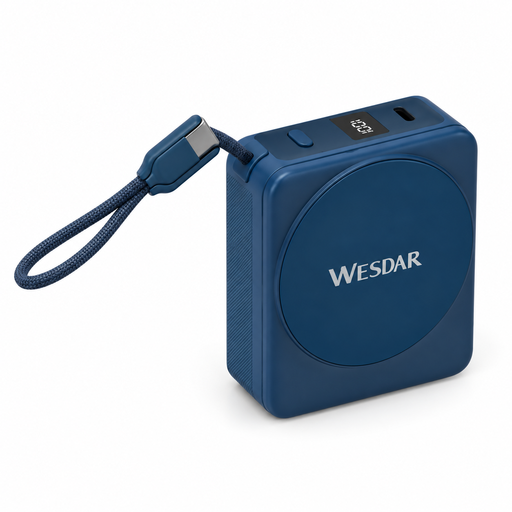
Magnetic power bank, 10,000 mAh, with built-in USB-C cable

Magnetic power bank, 10,000 mAh, with built-in USB-C cable

A possible connection option if your trimmer charges via USB-C; check that the connection and charging requirements match.

The title lists 10,000 mAh, 22.5 W wired charging and 15 W wireless charging. The built-in cable is USB-C.

Joybuy
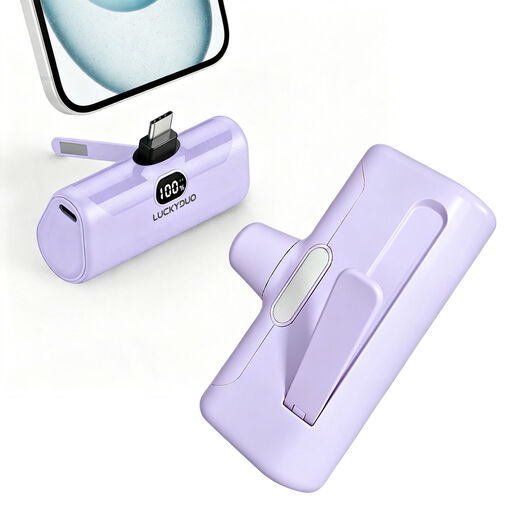
Compact USB-C power bank, 5,000 mAh

Compact USB-C power bank, 5,000 mAh

A compact backup to consider if the USB-C connection suits your trimmer cable and your trimmer model’s charging requirements.

The title lists 5,000 mAh and 15 W PD; the description mentions a USB-C port.

Joybuy
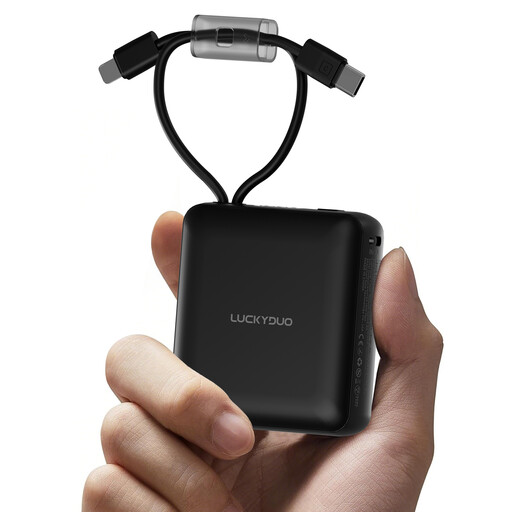
10,000 mAh power bank with built-in Type-C and Lightning cables

10,000 mAh power bank with built-in Type-C and Lightning cables

An option if the built-in Type-C cable suits your trimmer; check the cable and charging requirements for the exact model.

The title lists 10,000 mAh; the description mentions built-in Type-C and Lightning cables.

Joybuy
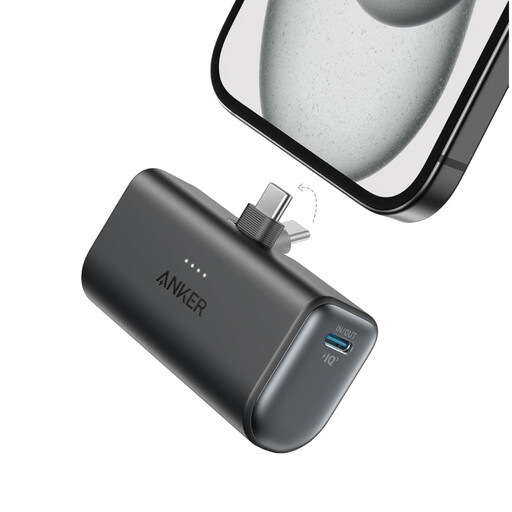
Anker Nano 5,000 mAh, black

Anker Nano 5,000 mAh, black

A lightweight backup if the USB-C port suits your trimmer cable; follow your trimmer model’s charging requirements.

The product specifications list one USB-C port, a total output of 22.5 W and a weight of 100 g. According to those specifications, the product is intended for dry use indoors only.

Joybuy

Frequently asked questions

Can I charge any USB trimmer with the same power bank?

No, you can’t tell just from the USB label. Check the cable, voltage and charging requirements in the manual for your exact trimmer model, then compare them with the power bank’s output. Philips recommends a suitable adapter with an output of 5 V and 1 A or higher for certain grooming devices and trimmers; this advice doesn’t automatically apply to every trimmer.

What should I check if my trimmer won’t start charging?

Check that the power bank has enough charge, that you’re using the right output and trimmer cable, and that the connection is secure. Then consult your trimmer’s manual for model-specific steps.

Do I need to buy extra cover for a power bank?

No, you don’t need extra cover to have statutory rights to a product that works properly. The Government of the Netherlands states that there is no fixed statutory guarantee period in the Netherlands and that you should contact the seller if there’s a problem with a product. If you’re considering paid additional cover, check what extra protection it offers.

Which Dutch safety rules and warnings are relevant?

The EU General Product Safety Regulation has applied since 13 December 2024 and sets out obligations for businesses involved in making products available on the market. The NVWA has also published warnings about specific power bank models. So check the full model number against the warning, and don’t use a product named in it.
