Who is this useful for?

Student with a USB torch

Wants to connect their existing torch cable to a power bank and top up the torch occasionally without a mains socket. Trust lists two USB-A ports and one USB-C port for the Primo 24678; check whether one of these outputs matches your cable.

User of a small USB light

Wants to avoid charging stopping prematurely when the light draws very little power. Anker recommends checking whether a low-current mode is available for each power bank model.

Student sharing a power reserve

May also want to charge other USB devices, so compares capacity and connections. Xtorm and Belkin describe models with different combinations of USB-A, USB-C and a built-in cable.

What should you look for?

What to consider What should you check? Who is this important for?
Connection and continuous charging Check that the output matches the torch cable. If you have charging problems, check the manual for the exact model to see whether it has a low-current mode. If your main priority is keeping your torch charging with its existing cable, compatibility comes first. Around 36% of consumers prioritise connection and continuous charging.
Capacity and charging frequency Check the torch’s battery information and compare the stated capacity with measurements for the exact power bank model, if available. If you want to top up the torch more often before the power bank itself needs recharging from a mains socket, focus on the available power reserve. Around 29% of consumers prioritise capacity.
Safe charging in your room Follow the instructions, check for damage and charge on a stable, non-flammable surface. If safe charging and storage in a student room are your main priorities, where you put the power bank also matters. Around 21% of consumers prioritise safe charging.
Versatility and size Check the port configuration and any built-in cable. Compare dimensions and weight if you take the power bank with you often. If you also want to use the power bank for other devices or take it with you regularly, consider both compatible connections and size. Around 14% of consumers prioritise versatility.

Common pitfalls

  • Focusing only on the highest mAh figure

    The stated capacity doesn’t tell you how much energy will reach your torch under your charging conditions.

    Check the torch’s charging information and, where possible, compare measurements of the delivered capacity for the exact power bank model.

    A larger power reserve may also mean a bigger power bank than you need just for your torch.

  • Assuming a USB-C connection is the output you need

    Ports and built-in cables vary by model. A fixed USB-C cable won’t necessarily fit a torch that needs a different type of connector.

    Check both the torch connection and which ports on the power bank provide output.

    If the built-in cable doesn’t fit, you may still need a separate cable.

  • Assuming every power bank will keep charging a small light

    With some power banks, a device that draws very little power may cause the output to switch off.

    If you have problems, check the manual for the exact model to see whether it supports low-current charging, and try it with your own light.

  • Mistaking a similar product listing for the same model

    A different model number may indicate different specifications, even if the product name or design looks similar.

    Compare the full model number and connections before using a retailer’s listing to assess a purchase.

Brands to consider

Trust

The Primo 24678 is one example to consider when comparing USB-A and USB-C connections.

  • Trust specifies two USB-A ports, one USB-C port and 10.000 mAh for this model.
  • These specifications don’t confirm that it will keep charging every low-power torch; check the exact model number too.

Anker

Worth considering if a low-current mode could be important for a small USB device.

  • Anker explains how trickle charging can help prevent some low-power devices from switching off prematurely.
  • Check whether this mode is available on the specific power bank model; it’s not guaranteed to work with every torch.

Xtorm

The FS5100 is an example of a power bank with both USB-A and USB-C.

  • Xtorm lists 10.000 mAh, two USB-C ports and one USB-A port for the FS5100.
  • Its stated 20 W charging output doesn’t prove it will benefit a torch that doesn’t require that much power.

Belkin

The BoostCharge BPB021hqBL may be worth considering if its built-in USB-C cable matches your torch or other devices.

  • Belkin lists a built-in USB-C cable, an additional USB-C port and 10.000 mAh.
  • The fixed cable won’t necessarily fit a torch with a different type of connector. Claims about use with phones don’t automatically apply to torches.

Power banks at Joybuy

These Joybuy products are power banks with USB outputs or built-in cables, among other features. Before choosing, check that the connection matches your torch; port and cable details vary by model.

MOMAX 1-Power F.Pass+ power bank, 10.000 mAh

MOMAX 1-Power F.Pass+, 10.000 mAh

The built-in USB-C cable may suit a torch with a matching connection.

The product information also lists a USB-A output and an additional USB-C port.

View at Joybuy
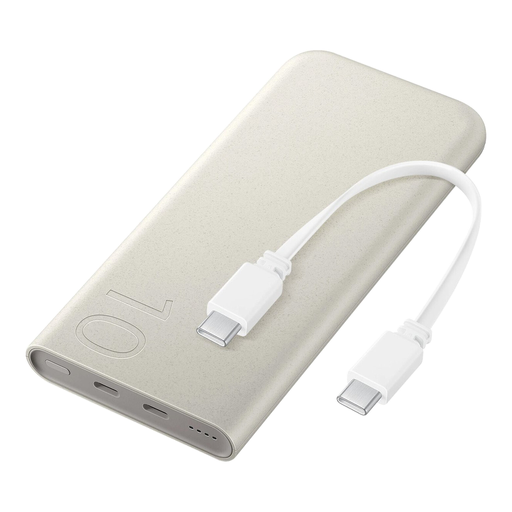
Samsung 25W Inductive Power Bank, 10.000 mAh, beige

Samsung 25W Inductive Power Bank, 10.000 mAh, beige

The built-in USB-C cable may be useful if it matches your torch’s connection.

The product information lists wired charging up to 25 W and wireless charging up to 7,5 W. If your torch has a different connection, you’ll need a suitable cable.

View at Joybuy
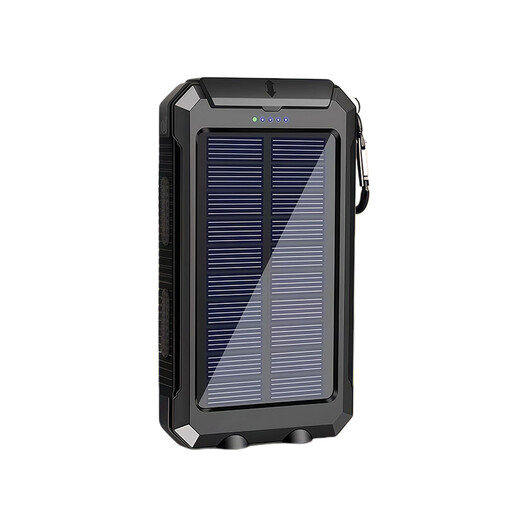
XBJ T8 USB power bank, 10.000 mAh, with solar charging

XBJ T8 USB power bank, 10.000 mAh, with solar charging

The product information describes this power bank as a power source for USB devices. Check which output and cable match your torch.

The title lists 10.000 mAh and a solar charging feature.

View at Joybuy
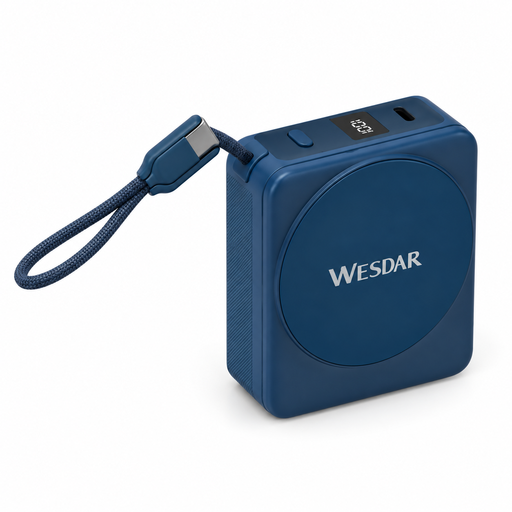
Magnetic power bank, 10.000 mAh, with integrated USB-C cable

Magnetic power bank, 10.000 mAh, with USB-C cable

The built-in USB-C cable may suit a torch with that connection. If it has a different type of connector, you’ll need a suitable cable.

The product name lists 22,5 W charging, 15 W wireless charging and a digital display.

View at Joybuy
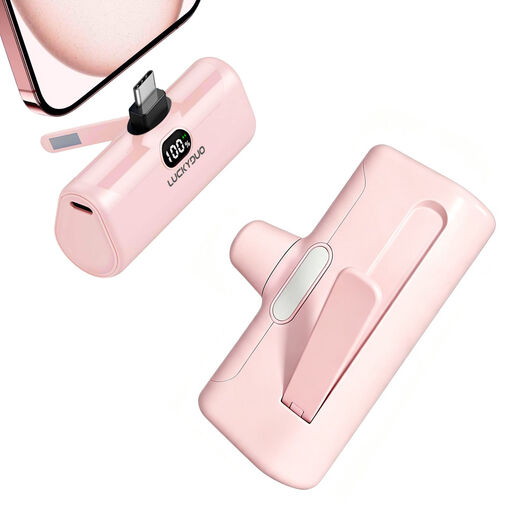
USB-C power bank, 5.000 mAh, 15 W PD

USB-C power bank, 5.000 mAh, 15 W PD

The USB-C output may be suitable if your torch cable connects to it.

The product name lists 5.000 mAh and 15 W PD.

View at Joybuy

Frequently asked questions

Why does my torch stop charging when the power bank still has power?

One possible reason is that the power bank no longer detects a device that draws very little power. First, check the cable and connection, then check the manual for your exact model to see whether a low-current mode is available. Anker says support varies by model.

Where should I charge a power bank in a student room?

Charge the power bank on a stable, non-flammable surface, following the instructions. The Dutch Fire Service recommends charging during the day where possible. Don’t continue using a damaged or misshapen device.

Does 10.000 mAh give my torch a fixed number of charges?

No, not without information about your torch’s battery and charging behaviour. The Consumers’ Association distinguishes between a power bank’s stated capacity and the capacity it actually delivers. That information alone doesn’t tell you how many times your torch can be charged.

Who should I contact about a faulty product, and how long does the legal guarantee last in the Netherlands?

Report a faulty product to the seller. According to the Dutch government, there is no fixed time limit for the legal guarantee in the Netherlands: it depends on what you could reasonably expect from the product. A manufacturer’s guarantee may also apply.

Where can I dispose of an old power bank?

Take an old electrical device to a suitable collection point or your local recycling centre. The Dutch government also outlines the take-back scheme for household electrical appliances, which allows you to hand in an old item when buying a similar new one.
