Who is this relevant for?

Worker with a USB charging case

You use a toothbrush with its original USB charging case and want to connect the right cable without needing a fixed desk adapter. Charging methods vary by toothbrush model; Philips recommends using the original charger supplied with the toothbrush.

Worker with an interrupted charging session

You want to know whether a power bank stays active with a device that draws very little power. Anker says support for a dedicated low-current mode varies by power bank model.

Hot-desk user with a small bag

You often take your charging set-up with you, so you compare size, weight and connections. Capacity alone doesn’t tell you how many full toothbrush charges you’ll get.

What should you look for when buying?

Compact power bank with a compatible USB output

Choose this option: if you can connect the original USB charging cable and want to carry the power bank between work and home.

Trade-off: a compact model can be handy at a shared desk, but its capacity doesn’t prove how many charges your toothbrush will get or how long it will stay active under a small load.

Power bank with a low-current mode

Choose this option: if your toothbrush charger stops prematurely with a standard power bank and the specific power bank model supports a suitable mode.

Trade-off: Anker describes this feature for certain models, but doesn’t confirm that it works with toothbrushes. Check which output you use and whether there’s a time limit, too.

The recommended original charging solution

Choose this option: if your toothbrush needs a mains charger or charging station that doesn’t connect via USB, or if the manufacturer doesn’t support the combination you have in mind.

Trade-off: this helps you avoid buying an unsuitable power bank, but you won’t be able to charge without access to a socket.

Consideration What should you look for? Who is this important for?
Connection and compatibility Check the charging method for your exact toothbrush model and compare the plug on the original cable with the power bank’s outputs. If I want to keep using the original cable, the plug needs to fit. Around 31% of consumers put compatibility first.
Uninterrupted charging Check that low-current mode works with the exact model and the output you’re using; make sure the charging indicator stays on while charging. I don’t want the power bank to switch off before the charging session is complete. Around 25% of consumers prioritise uninterrupted charging.
Safe charging and storage Use an undamaged cable and place the power bank in a clear space while charging, away from moisture. At a shared workplace, I want to be able to use and store my charging set-up safely. Around 25% of consumers prioritise safe charging.
Portability and ports Compare the weight and size of the exact version, and check that its outputs match the cables you want to use. If I carry my charging set-up every day, size and connections matter. Around 19% of consumers put portability first.

Common pitfalls

  • Assuming ‘USB rechargeable’ means it works with any power bank

    Philips describes different charging methods for different toothbrush models. A USB output isn’t enough if your model needs a specific charging station or case.

    Check the instructions and original cable for your exact toothbrush model before choosing a power bank.

  • Confusing fast charging with uninterrupted charging

    A high charging output listed for phones doesn’t prove that a power bank will stay active when a toothbrush charger draws very little power.

    Check whether the specific power bank model has a suitable low-current mode, and make sure the toothbrush keeps charging while you use it.

  • Charging the power bank among your belongings

    The fire service recommends placing a charger in a clear space so heat can dissipate. Moisture and damaged cables can pose risks.

    Charge it in a clear, dry place and don’t use damaged cables or chargers.

Brands to consider

Hama

The Colour 10 is a compact power bank with both USB-A and USB-C outputs, so you can compare which connection suits your existing charging cable.

  • For version 00201713, Hama lists a capacity of 10,000 mAh, 5 V outputs and a weight of 196 g.
  • These manufacturer specifications aren’t the result of a toothbrush test; check that the cable fits and the output stays active.

Trust

According to Trust, the Primo Ultra Thin 24678 has two USB-A outputs and one USB-C output, making it an option if you use other cables as well as your toothbrush charger.

  • Trust lists a maximum of 12 W via USB-A and 15 W via USB-C.
  • These are maximum output ratings, not proven charging speeds for toothbrushes. Check whether the specific model has a low-current mode.

Belkin

The BoostCharge BPB011btBK is worth comparing if you want several USB-A connections as well as USB-C.

  • Belkin lists two USB-A ports, one USB-C port and an included USB-A/USB-C cable.
  • The included cable won’t necessarily fit your toothbrush’s charging station. A manufacturer’s warranty is in addition to your statutory rights.

Xtorm

The Fuel Series 5 FS5101U is worth comparing if you want two USB-C connections as well as one USB-A port.

  • Xtorm lists a capacity of 10,000 mAh, a weight of 218 g and three outputs.
  • The USB-C fast charging mentioned is intended for compatible mobile devices and doesn’t prove it offers any benefit for a toothbrush charger.

Anker

Anker’s support information is useful if you want to check whether a particular power bank model has a mode for devices that draw very little power.

  • Anker describes a low-current mode for certain power banks.
  • Anker stresses that support needs to be checked by model; the information doesn’t confirm that it works with toothbrushes and doesn’t apply to the entire range.

Power banks at Joybuy

These models have USB-A and/or USB-C connections; only choose a version that matches the plug on your toothbrush’s original charger. The stated capacity or charging output doesn’t prove that your toothbrush will charge faster or without interruption.
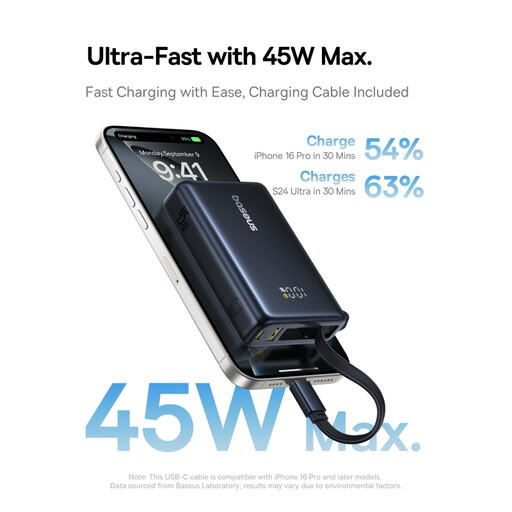
Baseus PicoGo Digital Display Power Bank 10,000mAh 45W Interstellar Black

Baseus PicoGo Digital Display Power Bank 10,000mAh 45W, Interstellar Black

The product description lists both USB-A and USB-C outputs; check which plug your original charging cable has.

The product name lists 10,000 mAh, 45 W and a digital display.

View at Joybuy

Samsung Fast Charge Duo Power Bank 25W USB-C 10,000 mAh Beige

Samsung Fast Charge Duo Power Bank 25W USB-C 10,000 mAh Beige

If your original charging cable uses USB-C, the product description lists two USB-C ports.

The product name lists 10,000 mAh and 25 W.

View at Joybuy
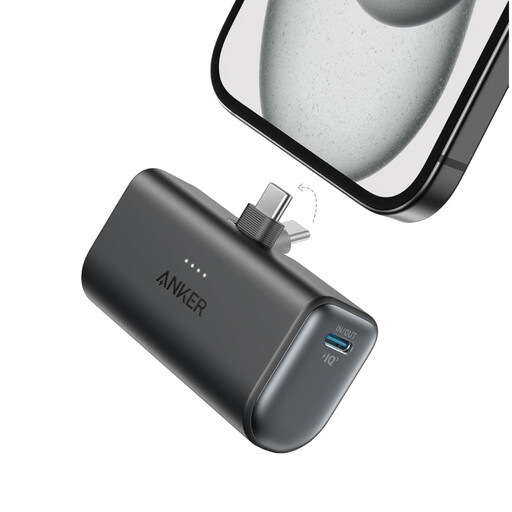
Anker Nano 5000mAh Black

Anker Nano 5000mAh Black

This model is an option if the original charging cable has a USB-C plug; the product description lists one USB-C output.

The product name lists a capacity of 5,000 mAh.

View at Joybuy
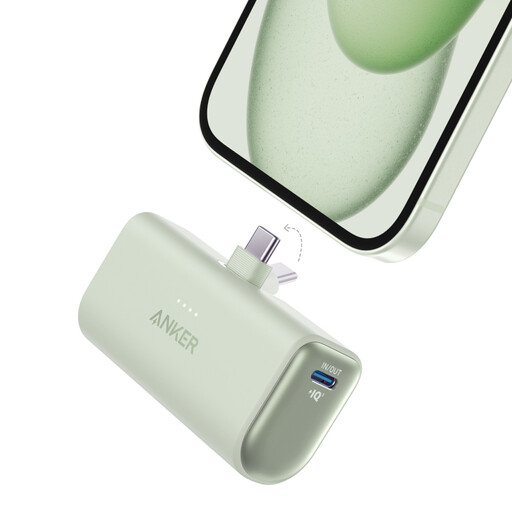
Anker Nano Power Bank 22.5W with built-in USB-C connector, UN Green

Anker Nano Power Bank (22.5W, Built-In USB-C Connector), UN Green

For a USB-C charging cable, the product description lists two USB-C ports and a built-in, foldable USB-C connector.

The product name lists 22.5 W.

View at Joybuy
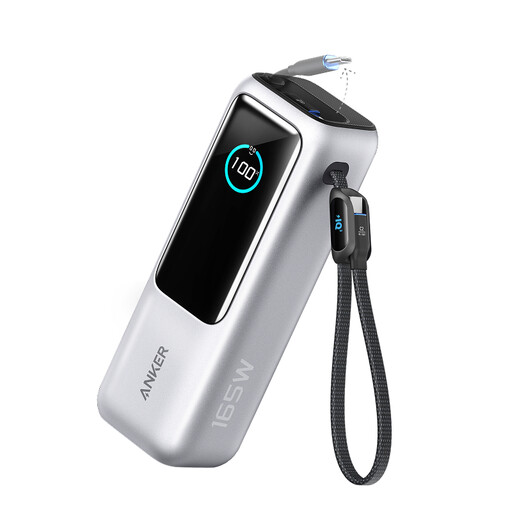
Anker Power Bank 25 kWh, 165 W, with USB-C connections and retractable cable, 1-pack

Anker Power Bank (25 kWh, 165 W, Built-in USB-C Port and Retractable Power Cable), 1-Pack

If your original charging cable uses USB-C or USB-A, the product description lists both connection types and built-in USB-C cables, including one retractable cable.

The product name lists 25 kWh and 165 W. Check that the connections suit your toothbrush accessory.

View at Joybuy

Frequently asked questions

Can I connect the toothbrush handle directly to a power bank?

Not based on the USB label alone. Philips describes charging methods that vary by toothbrush model, including a travel case with a mini-USB cable and models with a charging station. Follow the instructions for your model and use the compatible original charging accessory.

What can I do if the toothbrush stops charging after a short time?

First, check the connections and charging indicator. If the power bank switches off when drawing very little power, check whether your exact model has a low-current mode on the port you’re using. Anker recommends checking support by model; this alone doesn’t confirm that it works with a specific toothbrush.

How can I charge my toothbrush safely at a shared desk?

Place the charging set-up in a clear space, keep it away from moisture and don’t use damaged cables or chargers. The fire service recommends leaving space around a charger so heat can dissipate. Also follow your workplace rules.

Should I buy extra cover for a power bank?

Not automatically. According to the Dutch government, a manufacturer’s or retailer’s warranty is in addition to your statutory guarantee; if there’s a problem, contact the retailer. If you’re considering extra cover, check what rights and conditions it actually adds.

Where can I dispose of an old or broken power bank?

Take an old or broken device with a battery to a suitable collection point for electrical appliances. Milieu Centraal provides information on recycling electrical appliances; don’t put the power bank in your general rubbish.
