Start with the charger or cable specified for your toothbrush and check whether it can be connected to an output on the power bank; a USB plug that fits does not, on its own, prove compatibility. Also check whether the power bank stays on during charging when little power is being drawn, and keep the whole setup in a dry place, away from splashes. More capacity or a higher charging output won’t make an incompatible connection suitable.
Who is this relevant to?
Make sure the connection is right
You already have a USB toothbrush and want to know whether you can use its original cable or charging base with a power bank. Philips’ instructions highlight that charging methods can vary between Sonicare models, so check the guidance for your toothbrush.
Charging on a dry worktop
You want to charge your toothbrush on the worktop without a mains socket and need a spot where the power bank, connections and cable will stay dry. The Fire Service warns about the risks of moisture, damaged batteries and damaged cables.
Reliable charging without checking on it
You want charging to continue when the toothbrush draws very little power, and to know when the power bank needs recharging. Anker Support recommends checking whether a low-current mode is available for each power bank model.
What should you look for?
First check that the specified charging accessories are suitable for the output you’ve chosen and that you can keep the setup dry. Only then compare features such as capacity and charge status.
| What to consider |
What to check before buying |
Who will value this? |
| Connection and charging accessory |
Check the instructions for your exact toothbrush model and whether its specified charger or cable can be connected to the output in question. |
If I want to use the original charger, both the connection and the power supply need to be suitable for my toothbrush model. Around 36% of consumers say the connection is their main concern. |
| Safe, dry placement |
Choose a stable spot away from splashes and don’t use a damaged cable. The Fire Service warns about moisture and damage to batteries and chargers. |
On a kitchen worktop, I want to be able to place the power bank and cable somewhere dry and away from splashes. Around 29% of consumers put safe, dry placement first. |
| Continuous charging |
Check whether the exact power bank model has a low-current mode and whether it’s suitable for the charging session you have in mind. Anker confirms this feature on specific models. |
If my toothbrush draws very little power, I want to stop the power bank switching off too soon. Around 21% of consumers say continuous charging is their main concern. |
| Capacity and recharging |
Compare capacity figures using the same voltage basis and check whether the charge status is visible. VARTA lists type 57976 as both 10.000 mAh at 3,7 V and 5.920 mAh at 5 V. |
If I want to know how often I’ll need to recharge the power bank itself, I look at its capacity and whether it has a clear charge indicator. Around 14% of consumers put capacity and recharging first. |
Common buying mistakes
-
Assuming a USB plug proves compatibility
Charging methods and usage restrictions can vary between toothbrush models. So, just because a plug fits, that doesn’t automatically mean you can use the power bank with the specified charging accessory.
Read the instructions for your exact toothbrush model and check the complete charging setup before choosing a power bank.
-
Assuming it’s safe to charge next to the sink
A feature of one component doesn’t automatically make the entire connected charging setup moisture-resistant. The Fire Service warns about moisture around batteries and damaged cables.
Use the setup in a dry place away from splashes, and follow the moisture restrictions for both the toothbrush and its charging accessory.
-
Converting 10.000 mAh into a fixed number of toothbrush charges
The stated capacity isn’t the same as the amount of energy that reaches the device through the USB output. Manufacturers may also give figures at different voltages.
Only compare capacity figures when they use the same voltage basis, and don’t estimate the number of charges without information about the toothbrush and energy loss.
Brands worth comparing
Belkin
Belkin describes the BoostCharge BPB011 as a 10.000 mAh model with two USB-A outputs and one USB-C output. This may be useful if the specified toothbrush accessory can be used with one of these connections.
- Belkin lists indicator lights and an included USB-A-to-USB-C cable.
- The included cable doesn’t automatically replace the original toothbrush cable; a low-current mode hasn’t been confirmed for this version.
Xtorm
Xtorm lists two USB-C outputs and one USB-A output for the Fuel Series 5 FS5100. These connections are also listed on the Consumers’ Association product page.
- The range of output types can help when comparing specified USB charging accessories.
- The 20 W USB-C PD rating doesn’t prove that a toothbrush will charge faster or that the power bank will stay on when little power is being drawn.
VARTA
VARTA lists two USB-C outputs and one USB-A output for the Energy Powerbank type 57976.
- VARTA gives the capacity as both 10.000 mAh at 3,7 V and 5.920 mAh at 5 V, and lists four status LEDs.
- The included USB-C-to-USB-C cable may not be the specified toothbrush accessory; a low-current mode hasn’t been confirmed.
Anker
A low-current mode can be useful if a power bank switches off while charging a device that draws very little power. Anker confirms this feature for the Zolo A1688.
- Anker describes the feature for that specific model.
- Check support for each model; the feature alone doesn’t prove it’s suitable for a particular toothbrush.
Power banks at Joybuy
These Joybuy products are power banks with USB-A and/or USB-C connection options. Before use, check whether the specified charging accessory for your toothbrush can be connected to the relevant output.
 No image available
MOMAX 1-Power F.Pass+ Ultra-Slim Power Bank, 10.000 mAh
Can connect to a specified accessory with USB-C or USB-A, if permitted by your toothbrush manufacturer.
The product description lists a built-in USB-C cable, an additional USB-C port and a USB-A output.
Joybuy
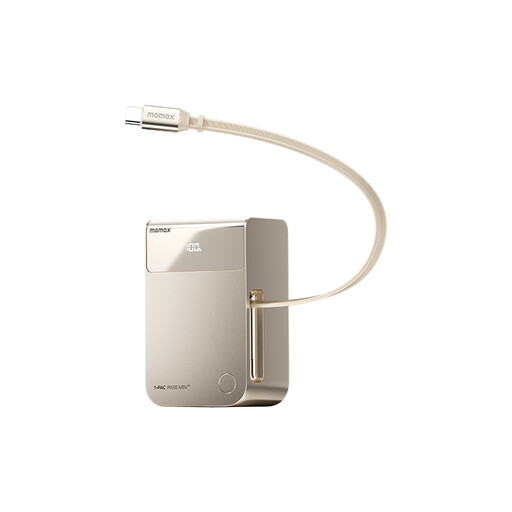 No image available
MOMAX 1-PAC Pass Mini 2-in-1 Power Bank, 10.000 mAh
May be suitable if the specified charging accessory uses a USB-C connector; check your toothbrush’s instructions.
The product description lists a built-in cable with Lightning and USB-C connectors, and an LED indicator.
Joybuy
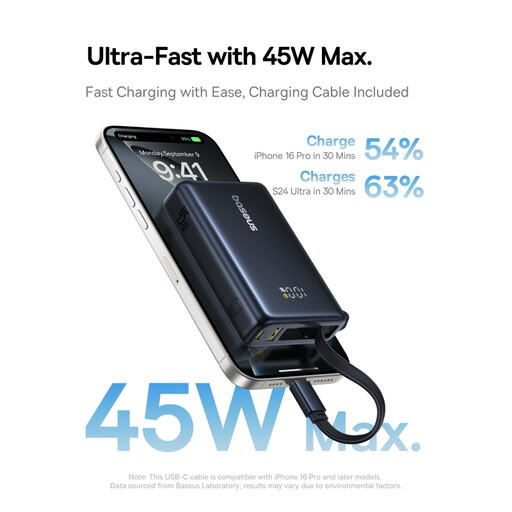 No image available
Baseus PicoGo Digital Display Power Bank, 10.000 mAh, 45 W
The listed connections may be suitable if your toothbrush’s specified charging accessory can be used with them.
The product description lists a Type-C output, a USB-A port, 45 W PD via Type-C and a display showing the remaining battery percentage.
Joybuy
Frequently asked questions
Can I charge any USB toothbrush with any power bank?
No. Don’t rely on the shape of the USB plug alone. Philips says charging methods can vary between Sonicare models and recommends using the original charger; for the iO charger mentioned, Oral-B specifies using the supplied charging accessory. So, check the instructions for your exact model.
Where should I put the power bank while charging?
Choose a stable, dry spot away from splashes. The Fire Service warns about moisture, damage and damaged cables; for the iO charger mentioned, Oral-B warns against placing it somewhere it could fall into water.
What if the toothbrush stops charging even though the power bank still shows a charge?
First check that the specified charging accessory is connected properly and that the power bank is staying on. Some power banks have a mode for devices that draw little power; check support and instructions in the manual for the exact model.
What are my rights when I buy a power bank online?
For online purchases in the Netherlands, you generally have a statutory 14-day cooling-off period after delivery, with some exceptions. ACM ConsuWijzer also explains that the seller is responsible for the statutory guarantee: when used normally, a product must do what you can reasonably expect of it.


