
Travellers with a rechargeable USB radio
Check which connection your radio has and which cable you need. For example, the Sony XDR-P1DBP has a micro-USB charging input, according to Sony Netherlands.


First, choose a power bank output and cable that match your radio’s charging input: a USB radio doesn’t automatically have USB-C. If your radio draws little power, check whether the manual for the specific power bank model explains how to charge devices with a low power draw. Then choose a capacity to suit your waiting time and any other devices you’re bringing. You won’t necessarily need a larger battery if you only want to top up your radio.
Check which connection your radio has and which cable you need. For example, the Sony XDR-P1DBP has a micro-USB charging input, according to Sony Netherlands.
If your radio draws little power, it may be important for the power bank to stay on while charging. Check the manual for the specific model: Anker Support explains that low-current operation varies by model.
If you want to charge your phone as well as your radio, or you’ll be away from a mains socket for longer, weigh up capacity against portability and the number of suitable outputs.
First, check your radio’s connection and cable, then make sure the power bank keeps charging when the device has a low power draw. Only then choose a capacity to suit your waiting time and the devices you’re bringing.
| What to consider | What should you check? | Who does this matter most to? |
|---|---|---|
| Connection and cable | Check your radio’s charging input, the power bank’s output and whether the cable fits both ends. | If I want to charge my radio at the ferry terminal, I don’t want to find out that the plugs don’t fit. Around 36% of consumers say connection type is their top priority. |
| Charging with a low power draw | Look in the manual for the specific model for a low-current mode, and check how to use it with each output. | If my radio draws little power, I want to avoid the power bank switching off while it charges. Around 29% of consumers prioritise uninterrupted charging. |
| Capacity you need | Choose the rated capacity and available outputs to suit your waiting time and the number of devices. Don’t assume the mAh figure alone tells you how many times you can charge a device. | If I have a long wait or want to charge my phone too, I’ll need more reserve power than for a quick top-up. Around 21% of consumers prioritise extra battery life. |
| Portability | Balance capacity against size, and check whether a built-in or included cable fits your radio. | For a short wait with just a radio, I don’t want to carry a bigger battery than I need. Around 14% of consumers focus mainly on portability. |
A USB radio may have a different charging input. For example, the Sony XDR-P1DBP uses micro-USB, according to Sony Netherlands; a USB-C cable won’t plug straight into it.
Check the exact radio model and the type of plug it needs at the radio end, as well as the power bank’s output.
The rated cell capacity doesn’t tell you exactly how many full charges your radio will get. A larger power bank can also be less convenient to carry. Anker EU explains the trade-off between capacity, size and weight.
First work out how long you’ll be away from a mains socket and which devices you want to charge. Don’t treat the mAh figure as a guarantee of a certain number of charges.
Support and controls vary by model. Anker Support recommends checking whether low-current charging is supported by the specific model.
Read your power bank’s manual and, if uninterrupted charging matters, test it with your radio before you set off.
The A1383 may be worth considering if you’re looking for a model whose manual explains low-current charging.
The Fuel Series 5 FS5100 is an example with both USB-A and USB-C.
The BoostCharge BPB027hqBK may suit a radio you can connect with a suitable USB-C cable.
The range includes models with different capacities, including versions with a built-in USB-C cable.
These products suit different charging needs: charging several devices, using a USB-A cable, carrying a compact power bank, or charging with a model whose manual explains low-current operation. Always check that the cable and output work with your radio.
 No image available
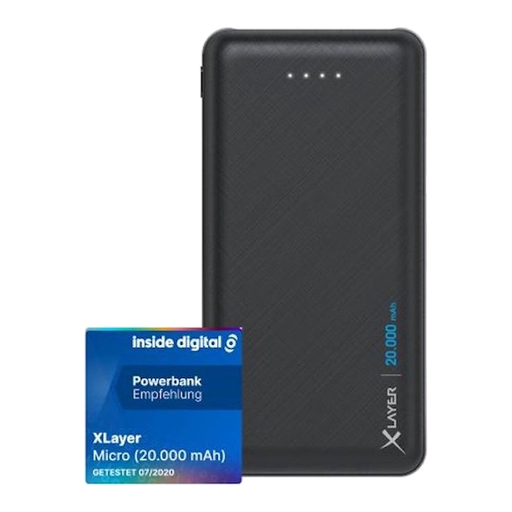
An option if you want to charge other devices as well as your radio, and have a suitable USB-C cable for each one.
The product name lists 45 W, three USB-C connections and 20.000 mAh. If your radio has a different charging input, you’ll need a suitable cable.
 No image available
The two USB-A outputs may be useful if your radio charges via USB-A with a suitable cable.
The product name lists 20.000 mAh and two USB connections; USB-C is listed as an input. Check which cable fits your radio.
 No image available
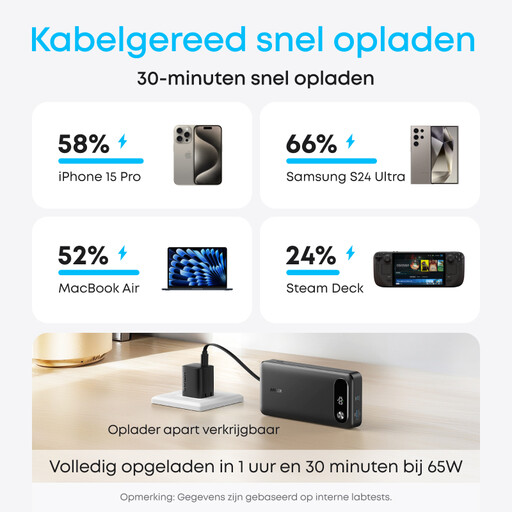
An option to compare if you’re looking for a power bank with USB-C and a rated capacity of 10.000 mAh.
The product name lists USB-C, 25 W and 10.000 mAh. The included cable is USB-C; if your radio has a different input, you’ll need a suitable cable.
 No image available
Worth considering if a low power draw is a concern: the Anker A1383 manual explains how to charge devices with a low power draw using this model.
The product name lists 20K, 87W and a built-in USB-C cable. According to Anker Support, activate low-current mode for USB-A with a double press; the manual says USB-C adjusts automatically. This doesn’t confirm compatibility with every radio.
 No image available
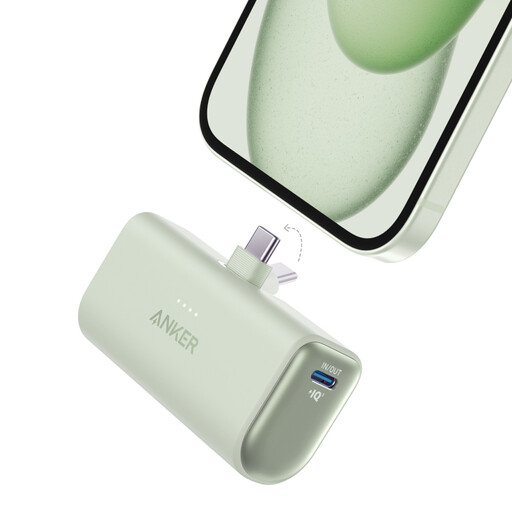
A compact option to compare if your radio has a USB-C charging input.
The product name lists 22.5W and a built-in USB-C connector. If your radio has a different charging input, you’ll need a suitable cable.
No, connections vary by radio model. For example, the Sony XDR-P1DBP has a micro-USB charging input, according to Sony Netherlands. Check your radio’s manual and make sure the power bank has the right output too.
First check the connection and cable, then see whether the power bank’s manual mentions a low-current mode. For the Anker A1383, Anker Support says to double-press the button for USB-A; this instruction doesn’t automatically apply to other models.
Follow the manufacturer’s instructions and keep your power bank out of direct sunlight. The Fire Service advises taking care with devices that have been dropped, damaged or deformed. Don’t continue using a damaged power bank without due care.
You have a statutory guarantee: the product must meet what you can reasonably expect of it. According to the Dutch Government, there’s no fixed statutory guarantee period. If a product is faulty, contact the retailer. A manufacturer’s guarantee may also apply.
Don’t put the battery in your household rubbish. The Dutch Government lists shops and supermarkets that sell batteries among the collection points. Check with your local collection point how to hand in a complete power bank.