
Students who want to be sure everything connects
You want to match the USB port and cable to your radio, rather than assume that every USB connection will work. Manufacturers offer different combinations of USB-A and USB-C.


Choose a power bank based on your radio’s charging port and power requirements, as set out in its manual. Then check that the power bank’s output and cable are compatible. To estimate how long it will last, look at the usable capacity at the output: the Consumers’ Association measures how much power banks actually deliver, and a power bank may also switch off if your radio uses very little power.
You want to match the USB port and cable to your radio, rather than assume that every USB connection will work. Manufacturers offer different combinations of USB-A and USB-C.
You need enough power for the listening time you want, and want to distinguish the capacity stated on the packaging from what the USB output can deliver.
You want to check whether the power bank stays on when your radio draws very little power. Anker says you should check whether low-current mode is supported on each model.
Start with your radio’s connection and power requirements. Then compare usable capacity, performance at low power and where you can charge it safely.
| What to consider | What to look for | Who should consider this? |
|---|---|---|
| Connection and power | Check your radio’s charging port and power requirements, then match them to the output port and cable. | If I want to connect my radio, I first want to make sure the port and cable are compatible. Around 33% of consumers prioritise connection and power compatibility. |
| Usable capacity | Compare capacities at the same voltage and use your radio’s power consumption to estimate how long it will run. | If I want to listen for longer without a mains socket, I look beyond the mAh figure on the packaging. Around 25% of consumers prioritise usable capacity and run time. |
| Low-power output | Check whether the power bank has a suitable low-current mode; support varies by model. | If my radio draws very little power, I want to know whether the power bank will stay on. Around 17% of consumers prioritise an active output at low power. |
| Safe charging | Use an undamaged cable and charge in a clear space where heat can escape—not under a pillow or duvet. | In a student bedroom, I want to charge the power bank somewhere heat can escape and where I can keep an eye on it. Around 25% of consumers prioritise safe charging. |
The capacity stated on the packaging may be based on a different voltage from the USB output. Without knowing your radio’s power consumption, you can’t work out how long it will run.
Where possible, compare output capacity at the same voltage and check your radio’s power consumption before estimating how long you want it to run.
A power bank with too little usable energy could leave your radio without power sooner than you expect.
A port or supplied cable will only work with your radio if the connections and power requirements are compatible.
Check your radio’s manual and compare its charging port with the power bank’s output and cable.
If none of the supplied cables fit, you may need a compatible cable.
Support for low-current mode varies by model. The Netherlands Food and Consumer Product Safety Authority (NVWA) warning of 15 July 2025 specifically names Anker models A1257, A1647, A1681 and A1689; it does not automatically apply to every power bank from the brand.
Check the full model number and any warnings that apply to it. Do not use a unit covered by a safety warning.
The BoostCharge BPB011btBK is worth considering if you want to compare USB-A and USB-C.
The Energy range gives you specifications to compare capacity and connections by model.
The Fuel Series 5 FS5103U is worth a look if you want to compare USB-A and USB-C.
Worth comparing if you’re looking for a power bank with a mode for low-power devices.
This selection features power banks relevant to USB radios. For each model, check that the connection, cable and output match your radio’s requirements.
 No image available
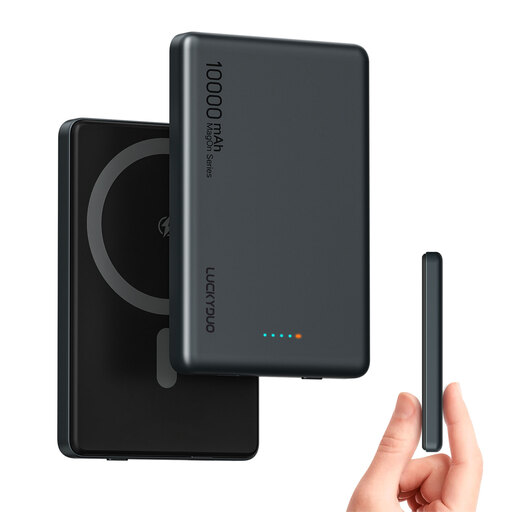
Could be suitable if your radio charges via USB-C; check the required input and power supply in the manual.
The product name lists 10,000 mAh, dual USB-C, 20 W PD and wired USB-C charging.
 No image available
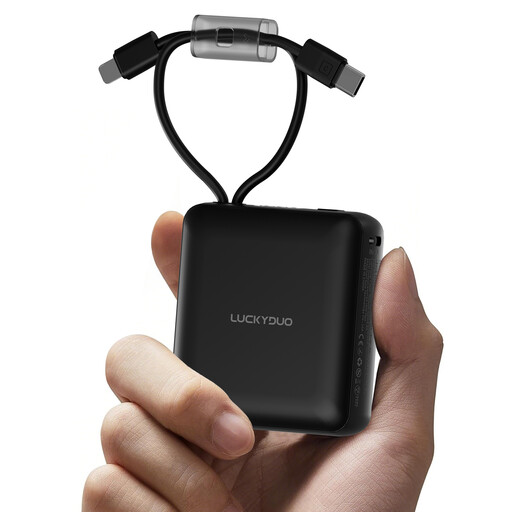
Could be handy if one of the built-in cables works with your radio; check your radio’s cable and power requirements.
The product name lists 10,000 mAh and two built-in cables.
 No image available
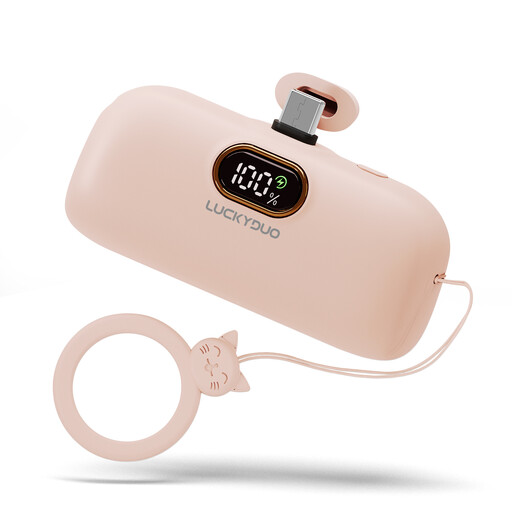
Could suit a radio with a compatible USB-C connection if you’re looking for a compact power bank; check that the output meets its requirements.
The product name lists 5,000 mAh and USB-C.
 No image available
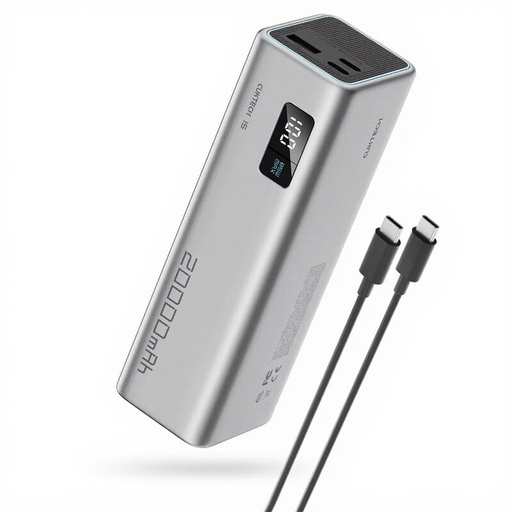
Could be suitable if your radio can be powered through a compatible USB connection; check the output and cable before choosing.
The product name lists 20,000 mAh, 65 W and three ports.
 No image available
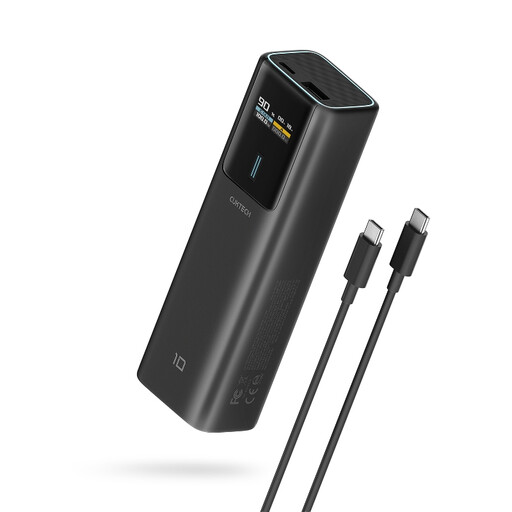
Could be suitable if your radio has a compatible USB-C input; compare its power requirements with the information for this model.
The product name lists 10,000 mAh, USB-C and 100 W.
Not necessarily. Check your radio model’s manual for its charging input, power requirements and whether listening while charging is supported. Compare these details with the power bank’s output and cable.
The stated capacity may be based on a different voltage from the USB output. For type 57976, VARTA lists 10,000 mAh at 3.7 V and a rated capacity of 5,920 mAh at 5 V. Without knowing your radio’s power consumption, you can’t work out how long it will run.
The Fire Brigade advises placing chargers in a clear space where heat can escape, and not charging devices under a pillow or duvet. Use an undamaged cable and follow the instructions for your devices.
No. The NVWA describes a CE mark as a manufacturer’s declaration that applicable requirements have been met, and notes that testing is not compulsory for most consumer products. A CE logo does not replace checking the model and any safety warnings that apply.