
People who want to charge a USB radio
You want to top up the built-in battery of a radio at a shared desk. Check that your radio’s USB port is designed for charging, and that the power supply matches the specified requirements.


First, check whether your radio’s USB port is designed to charge its battery, and find out which connector, voltage and current the manual specifies. Then choose a power bank with a compatible output and enough capacity for how you plan to use it. If your radio draws very little power, support for low-current devices matters more than a high maximum wattage. Extra capacity or ports can be useful for longer listening or powering other devices, but may take up more space.
You want to top up the built-in battery of a radio at a shared desk. Check that your radio’s USB port is designed for charging, and that the power supply matches the specified requirements.
You want to use your radio for longer and are weighing up your preferred listening time against the space the power bank will take up on your desk or in your bag.
You want to check whether the power bank’s output stays on when the radio or its charging circuit draws very little power.
Start by checking your radio’s charging function, connector and power requirements. Then decide how long you want to listen without a power socket, and whether the power bank will also need to power other devices.
| What to consider | What should you check? | Who will find this most important? |
|---|---|---|
| Connector and power supply | Check your radio’s manual to see whether it can be charged via USB, which connector it needs, and the required voltage and current. Compare these details with the power bank’s outputs. | If I want to top up my radio at this desk, both the connector and power supply need to be suitable. Around 31% of consumers put compatibility first. |
| Listening time and size | Work out how long the radio needs to run without a power socket. Compare capacity figures on the same voltage basis; you’ll also need to know the radio’s power consumption to estimate how many hours it will last. | If I want to listen for longer without a power socket, I weigh up the capacity I need against the size of the power bank. Around 25% of consumers give listening time top priority. |
| Power supply at low consumption | Check the manual for the exact power bank model for support for low-current devices and any operating or time limits. Make sure it works with your radio. | If my radio draws very little power, I want to avoid the output switching off unexpectedly. Around 25% of consumers consider this risk more important than other purchasing concerns. |
| Use at a shared desk | Check the dimensions, cable routing and number of outputs. Place the equipment in a clear space and don’t use damaged cables. | If I share a desk with others, I want to leave enough space and keep cables tidy and safe. Around 19% of consumers say this is their main purchasing concern. |
A USB port can have a different power function depending on the radio model. So the presence of a port alone doesn’t tell you whether it can charge your radio’s battery.
Before you buy, check the manual for your exact radio model to confirm its charging function, input and required power supply.
Capacity figures may be given at different voltages. The radio’s power consumption also affects how long it will run.
Compare figures on the same voltage basis, and only estimate the listening time once you have the necessary details for your radio.
An output may switch off when the load is low. For model A1383, Anker describes a low-current mode that you can activate manually on the USB-A port. Anker’s general guidance also mentions limits to this mode.
Check the manual for the exact model and test whether your radio continues to charge or work.
Worth considering if you’re looking for documented support for low-power devices on a specific model.
Type 57976 is worth comparing if you want to assess a model with multiple outputs and separately stated capacity figures.
The Primo range includes compact models with USB-A and USB-C connectors. Check the full product number and colour variant.
The 20.000 mAh BoostCharge BPB012btBK is worth a look if you want to connect other USB devices as well as your radio.
This selection includes power banks with USB-C connectors. Check whether your radio charges via USB-C and compare its power requirements with the specifications of your chosen model.
 No image available
An option if your radio charges via USB-C; check that the power specifications are suitable.
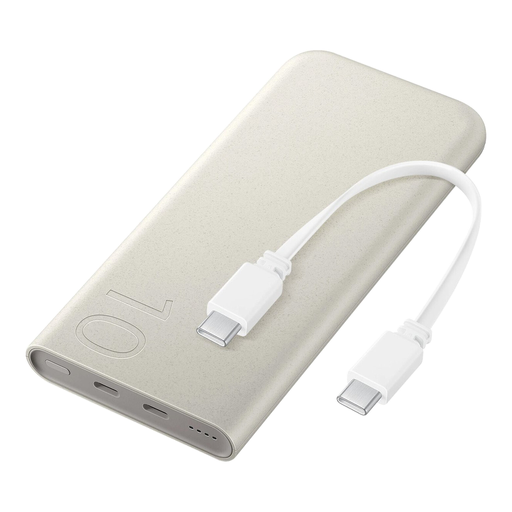
The product description lists USB-C and wired charging. It also mentions wireless charging up to 7.5 W, up to three devices charging at the same time, a weight of 210 g and dimensions of 148 × 72 × 16,4 mm.
 No image available
An option if you want to power other devices as well as your radio; first check that your radio has a compatible USB-C input.
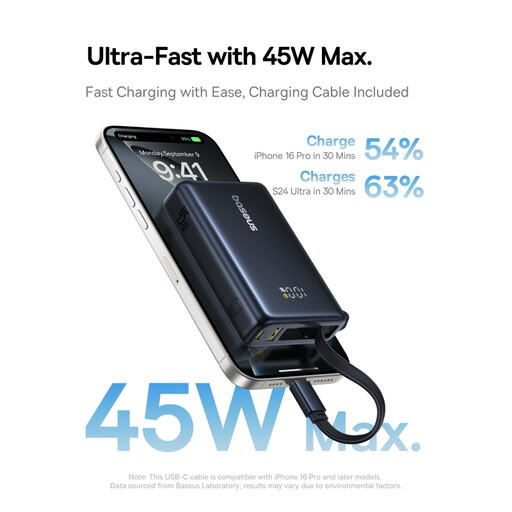
The title lists 20.000 mAh and three USB-C connectors. The product description mentions up to 45 W, Power Delivery 3.0 and an included USB-C cable.
 No image available
An option to consider if your radio charges via USB-C; check the power requirements for your radio model.
The product description lists USB-C input and output up to 45 W, a USB-A port and a digital display showing the remaining battery percentage.
 No image available
An option if you want to connect a radio with a USB-C input; check that the port and power supply match the radio manual.
The product specifications list two USB-C inputs and outputs, up to 25 W, Power Delivery 3.0 and simultaneous charging for two devices. The description also lists a weight of 210 g and indicator lights showing the remaining charge.
No, you can’t tell from the connector alone. The Roberts Revival Petite 2 manual explains that its built-in battery can be charged via USB with a 5 V and 1 A power supply; other models may use USB differently. Check the charging function and power requirements for your exact radio model.
Only if the model you choose supports pass-through charging and its manual allows this combination. VARTA lists this feature for type 57976; this doesn’t confirm that other power banks support it or that the radio will play continuously while charging.
Follow the manual, don’t use damaged cables and leave the power bank in a clear space so heat can escape. The fire service warns about risks including damage and moisture. If a device swells or starts smoking, the fire service advises leaving the room and calling 112.
According to ACM ConsuWijzer, online consumer purchases generally come with a cooling-off period of up to 14 days after delivery, subject to legal exceptions. You’re also covered by the statutory guarantee: if a product doesn’t do what you could reasonably expect when used normally, the seller must offer an appropriate solution.
No. Where CE marking is required for a product, it means the manufacturer declares that the product complies with the relevant EU rules; it isn’t a general independent quality award. The rules that apply depend on the product.